> For the complete documentation index, see [llms.txt](https://www.opentimeclock.com/docs/llms.txt). Markdown versions of documentation pages are available by appending `.md` to page URLs; this page is available as [Markdown](https://www.opentimeclock.com/docs/blog1/november-2025/how-to-migrate-from-spreadsheet-timesheets-to-a-cloud-time-clock.md).
# How to migrate from spreadsheet timesheets to a cloud time clock
Migrate spreadsheet timesheets to a cloud time clock for faster, secure, and accurate employee time tracking. Improve workflow, reduce errors, and boost team productivity.
Did you know that many companies now use cloud time, and have you noticed how slow Excel sheets can feel? Did you know that the data loss rate is still high, even with regular backups? This is the easy solution to all these problems, as you just have to migrate the spreadsheet timesheets to the cloud time clock, which brings faster work, secure data, and a calmer team workflow. Excel sheets now feel heavy and cumbersome, whereas the cloud [time app](http://opentimeclock.com) feels easy and efficient. In this blog, you get soft tools, clean logs, and automatic synchronization, giving staff a clear understanding and reducing admin work. The cloud time app has now become a smart tool that keeps work data safe, makes staff workflow clear, tracks daily time, streamlines the team’s workload, saves your time, and reduces your stress.
#### Why does the old sheet work slowly?
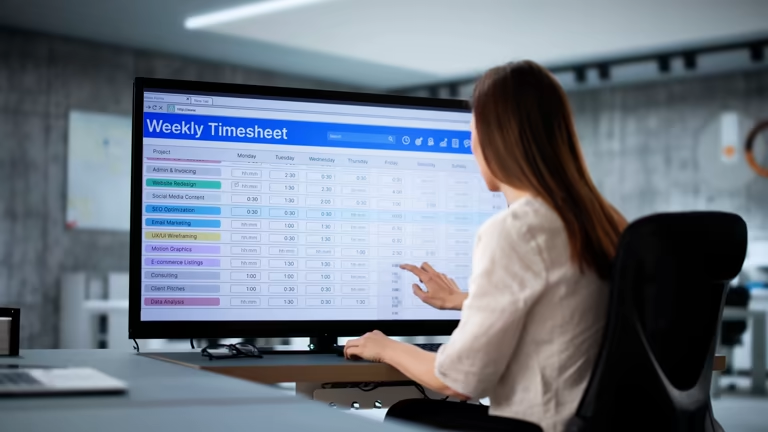
The old sheet now feels sluggish, as sheet load times are long and error rates are high, and sheets don’t sync automatically or have secure storage. Time logs often get mixed up between sheets, which makes work difficult and overloads staff, leaving managers nervous. This messy sheet weakens team links and slows down projects. At this point, you need a smart way out, which is why migrating spreadsheet timesheets to the cloud time clock gives you smooth workflow, clear logs, fast page loads, auto-save, and data safety. This change calms your team, keeps your work secure, makes daily planning easier, and gives you a clear view of task tracking.
#### How does the Cloud Time app help with workflow?
The Cloud Time app ensures a clean workflow with live synchronization, auto-generated logs, secure storage, and a clear admin view with team links. It gives a fresh and smooth experience, reducing daily workload, protecting against data loss, and preventing time mix-ups or team errors. Staff remain calm, and admin work is simplified. Logs are clean, making it easy to transfer spreadsheet timesheets to the [cloud time clock](http://opentimeclock.com). The app delivers instant work execution, reduces workload by half, increases staff skills, enhances work value, and brings daily logs to life, improving overall operational efficiency and staff performance.
#### Easy way to start a migration plan
Starting a migration plan requires preparation, which includes checking data, correcting sheet errors, selecting the cloud tool, and creating clean logs. This preparation allows you to move from slow spreadsheets to the fast cloud environment. Migrating spreadsheet timesheets to the cloud time clock with a simple plan ensures smooth workflow, safe data, clean logs, early staff information, and a complete admin view. This approach saves time, reduces team workload, accelerates work, and ensures proper setup and synchronization, transitioning from file-based processes to smarter tools.
#### Easy way to set up a cloud time clock
Setting up the cloud tool becomes easy when you open the app, add the team list, and configure the shift page. A simple guide with clear words and icons provides clarity and a quick start. Migrating spreadsheet timesheets to the cloud time clock allows old logs to be transferred safely. Automatic synchronization and secure storage prevent data loss, eliminate errors, and fix sheet clutter. Staff feel refreshed, admins have a clear view, the daily pace speeds up, and planning becomes stress-free. This setup ensures smoother workflows, simplifies new tools, and makes shift management more efficient.
#### Easy and fast team training plan
A simple team training plan starts with sharing a short guide, providing live demos, and testing time tracking. Clear instructions, soft language, and simple notes create calm and build immediate skills. Staff quickly learn to use the cloud time app, migrating spreadsheet timesheets effectively, performing small tasks, using team help, and creating test logs. This training accelerates work, eliminates wasted time, prevents data mixing, refreshes team morale, improves efficiency, and ensures the shift phase is optimized for speed and accuracy.
#### How to secure the data transfer process
During data migration, safe mode is essential. Copy old sheets, check for clean logs, and turn on the cloud tool safe mode to prevent slow work, data loss, or errors. Migrating spreadsheet timesheets to the cloud time clock with autosave and live sync keeps logs organized and secure. Staff and administrators feel confident, the daily workflow is solidified, and shift plans are protected. This safe process ensures that old and new data integrate seamlessly without mistakes, creating a reliable, professional system.
#### Benefits of automatic synchronization
Automatic sync is invaluable, instantly saving clock-in data to the cloud. It links old sheets with new apps, reduces errors, and provides managers with real-time dashboards. Staff gain confidence, payroll is faster, reports are immediate, and administrators get a hassle-free view. Productivity increases, [time tracking](http://opentimeclock.com) becomes professional, and workflow consistency is maintained. Both remote and office staff benefit, with almost zero risk of data loss, eliminating manual entry, and boosting morale.
#### The role of reporting and analytics
Cloud time clock tools offer robust reporting and analytics. Managers access clear dashboards showing attendance, work hours, and productivity trends. Custom reports, historical tracking, and real-time analytics support effective decisions, identify underperforming staff, and improve workflow. Payroll and compliance reporting become faster and error-free, while accountability and transparency rise. Staff are confident that work is recorded accurately, and decision-making becomes data-driven, professional, and efficient.
#### Compliance and security assurance
Cloud time clocks prioritize compliance and security, storing data encrypted and protected. Audit-ready reports help HR and legal teams, tamper-proof records prevent payroll disputes, and multi-level access ensures authorized data visibility. Labor laws and company policies are met, with real-time alerts preventing unauthorized access. Automatic backups and failsafes eliminate risks from outdated spreadsheets. Both staff and management trust the data, operations run smoothly, and team productivity and morale improve.
#### Employee training and onboarding
Proper training ensures cloud time clock adoption, with step-by-step guidance and video tutorials. Staff experience interactive sessions, live demos, and real-time scenarios, building confidence and improving performance. Features like auto-sync, reporting, and compliance are clearly explained. Feedback sessions and designated champions ensure support. Accurate entries increase, payroll errors reduce, and staff discipline and productivity improve, maximizing system benefits.
#### ROI and business impact
Adopting a cloud time clock increases ROI by reducing errors and delays from spreadsheets, lowering payroll and compliance costs. Real-time data enables faster decisions, improves operational efficiency, and enhances employee confidence. Historical reports and analytics optimize productivity and overtime management. Automated notifications prevent issues, ensuring timely management actions. Measuring key metrics like error rates, late clock-ins, and synchronization failures quantifies savings and improvements, enabling data-driven long-term benefits.
#### Scaling and future development
Cloud time clocks are scalable, supporting business growth and team expansion. Migrating spreadsheet timesheets ensures accurate tracking for all employees, whether remote or on-site. Multi-device access, real-time dashboards, and automatic sync maintain consistent workflow. Performance trends, overtime, and project allocations are monitored, collaboration improves, and new teams integrate easily. Automation and integration prevent errors, boosting staff confidence, accountability, and long-term productivity. The system supports HR, payroll, and reporting while enhancing strategic goals and employee satisfaction.
### Conclusions
Moving from spreadsheets to cloud time clocks is essential for modern businesses. Manual errors and delays are reduced, transparency is increased through dashboards, and multi-device access integrates remote and on-site staff. Payroll accuracy, compliance, and reporting are simplified, while employee morale and productivity rise. Automatic synchronization and notifications secure data, streamline workflows, and enable smooth onboarding. Reporting and analytics support data-driven decisions. Security and compliance meet legal standards, ROI is measurable, and the system scales for future growth. Overall, migrating spreadsheet timesheets to a cloud time clock enhances staff confidence, operational efficiency, and trust, providing a modern, flexible, and professional time tracking solution.
### FAQs
#### 1. Why should I migrate spreadsheet timesheets to a cloud time clock?
Migrating ensures faster work, secure data, automatic synchronization, and reduces errors caused by manual spreadsheets.
#### 2. How does a cloud time clock improve workflow?
It provides real-time dashboards, clean logs, automatic synchronization, and multi-device access, making tracking accurate and efficient.
#### 3. Is employee data safe when moving to a cloud system?
Yes, cloud time clocks store data securely with encryption, backups, and multi-level access, ensuring compliance and privacy.
#### 4. How easy is it to train staff on a cloud time clock?
Training is simple with step-by-step guides, video tutorials, live demos, and interactive sessions that build confidence and skills quickly.
#### 5. Can cloud time clocks integrate with existing payroll or HR systems?
Yes, they seamlessly integrate with HR and payroll systems, reducing manual entry, preventing errors, and streamlining reporting and compliance.
---
# Agent Instructions
This documentation is published with GitBook. GitBook is the documentation platform designed so that both humans and AI agents can read, navigate, and reason over technical content effectively. Learn more at gitbook.com.
## Querying This Documentation
If you need additional information that is not directly available in this page, you can query the documentation by asking a question.
Perform an HTTP GET request on the following URL with the `ask` and `goal` query parameters:
```
GET https://www.opentimeclock.com/docs/blog1/november-2025/how-to-migrate-from-spreadsheet-timesheets-to-a-cloud-time-clock.md?ask=&goal=
```
`ask` is the immediate question: it should be specific, self-contained, and written in natural language.
`goal` is what the user is ultimately trying to achieve, the reason they need the answer. Sharing it helps GitBook give you a better, more relevant answer. A goal is most helpful when it describes the outcome the user wants rather than restating the question. For example, with `ask=how do I create an API token`, a goal like `automate deployments from our CI pipeline` lets GitBook tailor the answer to that use case.
The response will contain a direct answer to the question and relevant excerpts and sources from the documentation.
Use this mechanism when the answer is not explicitly present in the current page, you need clarification or additional context, or you want to retrieve related documentation sections.