> For the complete documentation index, see [llms.txt](https://www.opentimeclock.com/docs/llms.txt). Markdown versions of documentation pages are available by appending `.md` to page URLs; this page is available as [Markdown](https://www.opentimeclock.com/docs/blog1/november-2025/12-best-practices-to-onboard-employees-to-biometric-facial-time-clocks.md).
# 12 Best practices to onboard employees to biometric (facial) time clocks
Learn 12 best practices to effectively onboard employees to facial time clocks. Ensure smooth adoption, accurate attendance, workflow transparency, and payroll compliance.
In companies where remote and field teams are highly active, having limited internet or network access exacerbates these problems. Therefore, an effective onboarding process is required that guides employees through step-by-step training, answers their questions, and builds their confidence to use the system effectively and accurately. This gives the management clear and audit-ready records, which are considered key elements in compliance and payroll matters. [Facial time clocks](http://opentimeclock.com) record not only attendance but also improve workflow transparency and employee accountability.
If onboarding is structured and professional, system adoption becomes easier, and errors are reduced; employees clearly understand the benefits of such a system. In this blog, we will go over 12 best practices that every organization should follow. The employee face time clock onboarding process should be smooth and efficient.
### Begin with direct instructions
The first step is always to provide clear instructions because if employees do not understand the basic functions of the system, their confidence will be reduced, and mistakes may occur. Therefore, during the onboarding session, it is important to provide a step-by-step guide that explains in detail the procedure for each function, such as facial registration, clocking in and out, and use visual aids or instructional videos with short sentences so even complex steps can be easily understood. Instructions should be customized to each employee's learning style, like hands-on practice, verbal explanations, and screen demonstrations, which collectively reinforce learning and ensure correct use of the system.
Additionally, explaining common mistakes and their solutions to employees is important so that they may overcome initial struggles with ease and build confidence in the system. It is also effective to attach clear documentation and frequently asked questions sheets, which may provide employees with a quick reference whenever they feel confused and reduce management's burden of arranging repeated training sessions.
### Demonstrate the device
The second step in onboarding is the actual demonstration of the device, for which verbal instructions do not make workers feel confident, and once they are shown and made to operate the actual device, they understand the workflow and the features of the system. In this demonstration, explaining the angle of the facial scan, conditions of light, and proper posture will help avoid errors in the first use and capture the biometric data correctly. The managers and trainers themselves should guide every employee personally and give practice opportunities so that their interaction with the system is natural and stress-free, and they confidently perform the operations of clock-in and clock-out.
It is also useful after the demonstration to conduct a mini-practice test or mock session so that the employees get real-time feedback and get their mistakes corrected. This makes the onboarding professional and systematic, and the learning curve goes down drastically for the employees. Employee face time clock onboard makes the process smooth and error-free.
### Emphasize privacy rules
Security and privacy of their data are the most sensitive aspects of any biometric system, and employees need to be made aware that their facial data is used only for time-tracking applications and that no third-party access or use for unrelated purposes occurs. Policy and compliance rules should be communicated clearly at this stage, and data storage, encryption, and access procedures should be described. If employees cannot be assured that their personal data is kept secure, they will be apprehensive about using the system, and the occurrence of errors or misuse of the system is possible.
It is useful to present examples and scenarios with privacy rules, such as monitoring access to the data, maintaining an audit trail, and procedures in emergency situations. Employee trust is earned through this process, which helps them accept the system by having their facial scans recorded appropriately and consistently. Privacy and security awareness ensures that an Employee face time clock onboard process must be legal, professional, and reliable-which means being competent for long-term workflow and compliance.
### Conduct Practical Training
The fourth best practice is hands-on training, wherein employees are not confident with just theory. Practical exposure is needed for them to understand the functions of the device and system workflow in real-time. Train each employee in the session regarding the angle and distance for a facial scan, and under what lighting conditions it gives excellent results. Hands-on sessions build up employee confidence and reduce the chances of initial errors while giving trainers the opportunity to correct errors immediately and reinforce proper procedures.
It is also beneficial to keep practice drills interactive, scenario-based, such as dealing with multiple clock-ins, shift changes, and mock errors, whereby employees are prepared to naturally be ready to use the system correctly. This approach keeps onboarding organized and professional, and allows the Employee face time clock onboard process to be implemented efficiently and easily, improving both system adoption rate and workflow accuracy.
### Identify a single point of contact
The fifth step for each onboarding process is the assignment of a certain point of contact, which should address employee questions and concerns on time, as they might be confused by the technical aspect of the equipment and software at the initial stages. The point of contact must be trained and knowledgeable to ensure that he or she can resolve questions efficiently and instill confidence in employees. He or she can also inform about troubleshooting tips, schedule explanations, and usage reminders that will cut down many times on repetitive training to make people comfortable with the system.
In addition, this could entail regular follow-up and feedback sessions so that the onboarding process may always be improved upon, and any technical or operational challenges can be resolved quickly. Employee face time clock onboarding process not only is seamless but ensures that things are completed in a very professional manner without stress for both employees and management.
### Visual guides and tutorials
The next step in onboarding is applying visual guides and tutorials since the visual content helps employees understand concepts and procedures more easily, hence accelerating system adoption. These may include simple images, flowcharts, step-by-step screenshots, and short tutorial videos that explain clearly complicated steps: face registration, shift switching, and clocking-in errors. It is necessary to provide visual guides in an accessible location so that employees can refer to them at any moment and independently build confidence.
Tutorials can be interactive, too; staff may trace the progress by completing quizzes or practice steps, which enhances both engagement and learning efficiency. This approach makes onboarding modern, professional, and employee-friendly and ensures that the onboarding process of [Employee face time clock ](http://opentimeclock.com)is consistently accurate and error-free. Similarly, it enhances workflow transparency and accountability.
### Schedule periodic refresher sessions
A key element of onboarding involves periodic refresher sessions, as initial learning fades with time, and it is also important to take new features and updates of the device or software into consideration. Refresher sessions allow employees to keep their skills fresh, minimize errors, and become confident that they use the system correctly. To keep the employees updated and ready for any kind of activity, these sessions should be interactive and practical, comprising exercises meant to handle scenarios employees may encounter in real life, common mistakes, and troubleshooting errors.
Regular feedback and Q\&A sessions provide guidance and clarity to employees, while offering management insight into areas that need improvement. Employee face time clock onboard process remains consistently effective, and both system adoption and compliance standards improve along with workflow efficiency and payroll accuracy-critical to long-term organizational goals.
### Encourage employee feedback
Accumulating onboarding feedback from employees is essential since they are in an excellent position to observe practical difficulties and the usability issues of the system. Their suggestions are therefore very instrumental in improving the system and processes. To capture their feedback, one could use surveys, suggestion forms, or informal discussion sessions that make them free and comfortable providing truthful answers. This kind of approach builds trust in them and makes them feel that their contribution is worthwhile to management; hence, it improves motivation and engagement.
The feedback could also be meant to facilitate customizing and enhancing the onboarding process, such as simplifying particular steps or refreshing tutorial content. This exercise will ensure that your Employee face time clock onboard process becomes professional and user-friendly, errors and adoption issues will be reduced to almost zero, and its accuracy and compliance fully maintained in the long term.
### Integrate the system with payroll and HR
The integration of the facial time clock system with payroll and HR modules is an important next step in effective onboarding; apart from being error-free and faster, it cuts out manual data transfer, which introduces errors and delays into the system. By integrating the real-time attendance updates to update payroll and shift management automatically, it provides accurate records to the management and audit-ready logs.
The process is easy and transparent for the employees too, as correct hours and attendance are tracked, while manual corrections and disputes are greatly reduced. Training sessions clearly explain the benefits of the integration and the associated workflow so that employees understand the impact and benefits of the system. This ensures that the Employee Face Time Clock Onboard process is full, professional, and error-free and contributes to improved productivity and employee satisfaction for the organization.
### Close monitoring of initial usage
Close monitoring of initial usage is the next important step in the onboarding process since employees are adjusting to the system in the first few days, and minor errors or mistakes can easily occur. The managers/ trainers shall regularly review attendance logs, face scans, and clock-in records during the first weeks and address any anomalies/ issues arising immediately. Monitoring lets employees get timely feedback, builds trust, and develops the right usage habit.
This must be kept supportive and non-intrusive to make the employees comfortable and not hesitant about the system. It will also be helpful if common errors and their solutions can be documented during monitoring so that they have a ready reference for future training and refresher sessions. Employee Face Time Clock onboard becomes organized, professional, and error-free, giving management the benefit of real-time insights while maintaining payroll accuracy.
### Provide access to technical support
It is highly essential to provide access to dedicated technical support for employees in the onboarding process, as device or software-related challenges are frequent in the first weeks, and their prompt resolution secures a smooth onboarding experience. Maintaining support channels through helpline numbers, chat support, and a ticketing system gives employees confidence in resolving their issues quickly and not affecting their workflow. Trainers and managers are supposed to ensure coordination with the supporting team to anticipate common issues and questions and answer them before they even come.
This approach would create an employee-friendly and professional experience, accelerate system adoption, and ensure timely technical support. In fact, it will streamline the Employee face time clock onboard process, reduce errors, delays, and manual corrections, and maintain overall workflow efficiency, compliance, and payroll accuracy.
### Enhance compliance and accountability
Reinforcement of compliance and accountability is the final step in onboarding. The very purpose of having a facial time clock system in the first place is to maintain accurate, traceable attendance; hence, the rules and responsibilities concerning them should be well understood by the employees. In training and induction programs, explain how data misuse, wrong clock-in, and willful errors are going to affect organizational workflow and payroll accuracy. Communicating compliance rules clearly, audit requirements, and disciplinary actions increase both employee confidence and proper utilization of the system.
Regular review and feedback sessions help reinforce accountability whereby any errors and discrepancies can be identified for prompt correction. It ensures that the Employee face time clock onboard process is efficient and correct, and long-term legal compliance and transparency in operation are not harmed and provide a professional and trustworthy job environment for employees and management alike.
### Conclusions
The onboarding process is key to the successful implementation of the face time clock system, as proper training, structured guidance, and ongoing support make employees confident in and compliant with the system. The 12 best practices ensure clarity of instruction, device demonstration, raising awareness of privacy, hands-on training, dedicated communication, visual guides, refresher sessions, mechanisms for feedback, payroll integration, close monitoring, technical support, and enforcement. Employees' face time clock onboard processes become smooth, professional, and free of errors.
This approach not only ensures improvement in attendance tracking and payroll accuracy but maintains workflow transparency, employee accountability, and legal compliance necessary for any contemporary organization. Once onboarding becomes structured, supported, and integrated technically, employees are confident, management enjoys heightened operational efficiency, and the long-term organizational performance and reputation improve. Finally, effective onboarding of a face time clock leads to a reliable, professional, audit-ready attendance system, creating mutual benefits for both the company and the workforce.
### FAQs:
#### 1. What is a facial time clock?
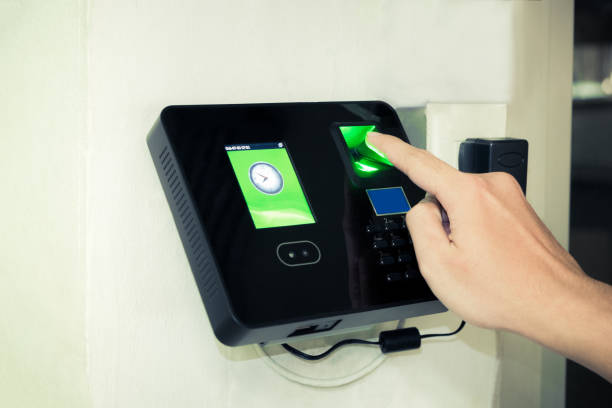
A facial time clock is a biometric device that records employee attendance using facial recognition technology. It ensures accurate and secure tracking of work hours.
#### 2. Why is onboarding important for facial time clocks?
Proper onboarding ensures employees understand how to use the system correctly, reducing attendance errors, improving payroll accuracy, and increasing workflow efficiency.
#### 3. How can privacy be maintained with facial time clocks?
Privacy is maintained through secure data storage, encryption, limited access, and compliance with organizational policies, ensuring employees’ facial data is only used for time tracking.
#### 4. How do refresher sessions help employees?
Refresher sessions reinforce correct usage, introduce system updates, address mistakes, and maintain confidence, ensuring long-term accuracy and smooth adoption of facial time clocks.
#### 5. Can facial time clocks integrate with payroll and HR systems?
Yes, integration allows real-time attendance data to update payroll and HR systems automatically, reducing manual errors, ensuring audit-ready records, and simplifying workforce management.
---
# Agent Instructions
This documentation is published with GitBook. GitBook is the documentation platform designed so that both humans and AI agents can read, navigate, and reason over technical content effectively. Learn more at gitbook.com.
## Querying This Documentation
If you need additional information that is not directly available in this page, you can query the documentation by asking a question.
Perform an HTTP GET request on the following URL with the `ask` and `goal` query parameters:
```
GET https://www.opentimeclock.com/docs/blog1/november-2025/12-best-practices-to-onboard-employees-to-biometric-facial-time-clocks.md?ask=&goal=
```
`ask` is the immediate question: it should be specific, self-contained, and written in natural language.
`goal` is what the user is ultimately trying to achieve, the reason they need the answer. Sharing it helps GitBook give you a better, more relevant answer. A goal is most helpful when it describes the outcome the user wants rather than restating the question. For example, with `ask=how do I create an API token`, a goal like `automate deployments from our CI pipeline` lets GitBook tailor the answer to that use case.
The response will contain a direct answer to the question and relevant excerpts and sources from the documentation.
Use this mechanism when the answer is not explicitly present in the current page, you need clarification or additional context, or you want to retrieve related documentation sections.