> For the complete documentation index, see [llms.txt](https://www.opentimeclock.com/docs/llms.txt). Markdown versions of documentation pages are available by appending `.md` to page URLs; this page is available as [Markdown](https://www.opentimeclock.com/docs/blog2/december-2025/rfid-time-clock-system-for-employees-contactless-card-reader-time-tracking.md).
# RFID Time Clock System for Employees: Contactless Card Reader Time Tracking
Use an RFID Time Clock System to track employee attendance accurately with contactless card readers. Reduce payroll errors and save admin time.
Employers have become increasingly more concerned about their employees' productivity, data entry accuracy, data security, hygiene, and accountability. This has caused employers to look for modern alternatives to paper time sheets, manual time entry, and old-fashioned time clocks. An[ RFID Time Clock System for Employees](https://www.rfidcard.com/transforming-employee-attendance-tracking-with-rfid-technology/) provides an accurate, touch-less, automated report and payroll system.
This article provides information on how these systems function, the reasons businesses choose to utilize these systems, the advantages of these systems, the most common system features, and system best practices. This article will also provide information on system implementation and commonly asked questions.
### What is an RFID Time Clock System?
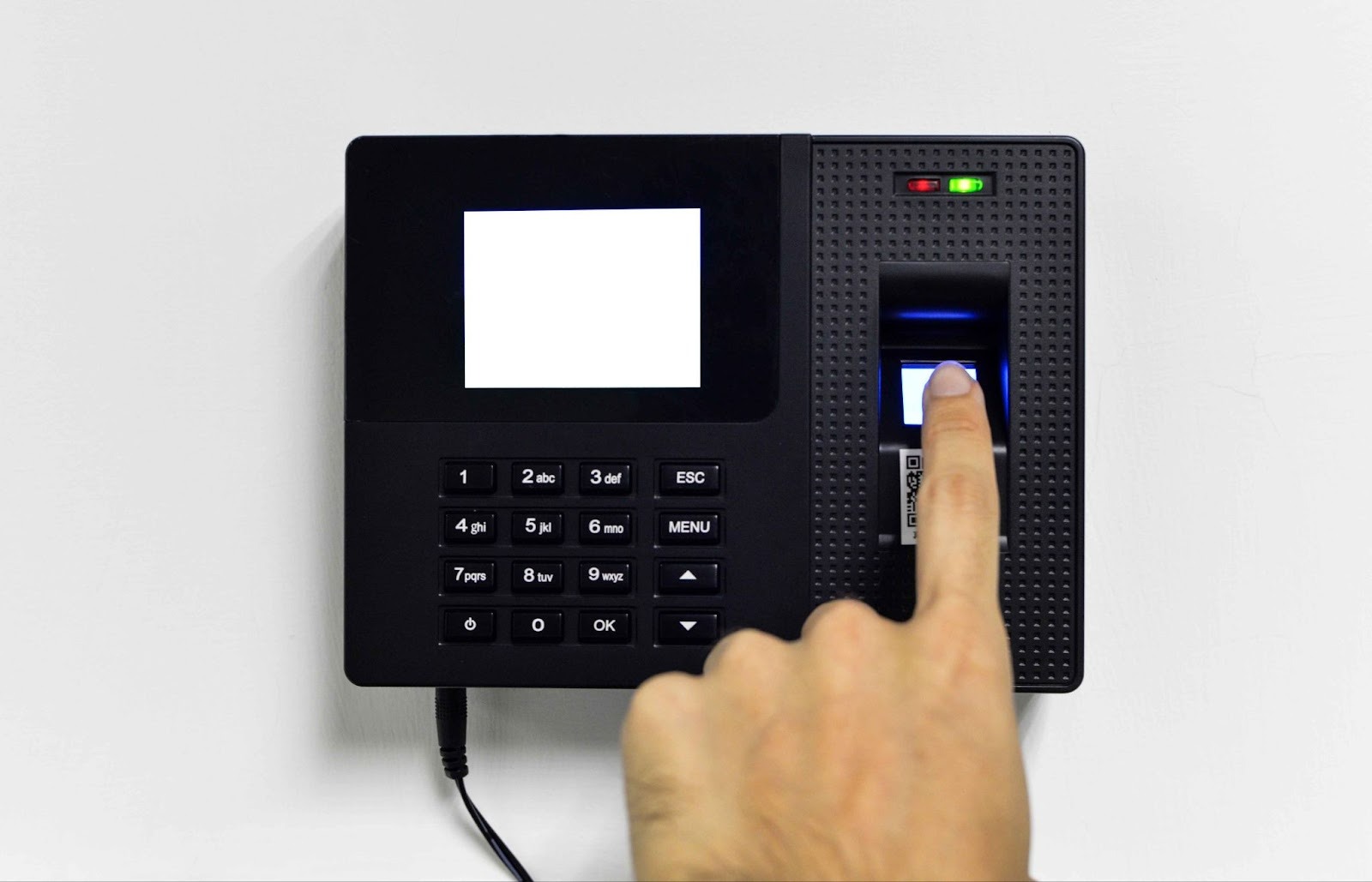
Employees do not have to worry about manual time entry due to the Radio Frequency Identification (RFID) Time Clock System. Employees no longer have to fill in time sheets, and do not have to manually record time and attendance. Employees utilize RFID cards, tags, or badges to clock in and clock out of work. The system instantly logs the employee's ID and time. Compared to time entry systems that require the employee to insert or swipe their employee cards physically, RFID systems are more advanced.
The OpenTimeClock has an[ RFID/NFC card scanner](https://www.opentimeclock.com/feature-rfid-nfc-time-clock.html) as one of multiple clock-in options. Employees can use a closed contactless card reader to tap their card on a clock-in or clock-out. System administrators give each employee in the system a unique number that is linked to their card.
### How RFID Time Clock Systems Work
This is how these systems typically operate:
* Enrollment of Employees: Employees receive, for their specific time clock software profile, an RFID card, badge, or tag.
* Scanning Without Contact: An employee time station requires staff members to hold their RFID card for a moment to a reader. The reader reacts to the RFID tag’s signal.
* Automatic Logging: The software database receives the time, and identification information is recorded, and the software receives the identification information.
* Exportation and Reporting: Data that can be analyzed for shift usage can be viewed by managers, and attendance logs are structured for their ease of use.
Depending on your configuration, RFID systems can be integrated with cloud-based software or on-site servers.
### Key Features of RFID Time Clock Systems
Employee Time Tracking software includes far more than[ basic time and attendance](https://www.opentimeclock.com/blog1) management features:
#### 1. No Contact Clocking
To promote employee health and safety, employees can clock in and out using NFC or RFID badges without physical contact. Crossing physical contact surfaces is a dated and unhealthy practice in any workplace.
#### 2. Accessibility across Multiple Platforms
OpenTimeClock is an example of a system that puts time and attendance management firmly in the hands of users by offering time clocking on desktops, laptops, mobile devices, and tablets, as well as dedicated time clocking devices. Employees can clock in and out using RFID, QR codes, Facial Recognition, or Pins.
#### 3. Attendance Dashboards
Attendance data is stored instantly and made available to managers via dashboards. These dashboards can show who is current on the shift, who is missing, who is tardy, and who is working overtime or has equity in their hours.
#### 4. GPS and Geolocation Confirmations
For remote employees and[ field working team members](https://www.opentimeclock.com/), some time and attendance management programs are able to retain GPS data to confirm that employees clock in from an approved location.
#### 5. Payroll Automation
RFID time clock data can be seamlessly integrated and imported into payroll software and HR management packages, providing more efficient work automation for payroll and a reduction in errors.
#### 6. Buddy Punching Prevention
To combat time theft on a more strategic level, some attendance management systems have taken to pairing RFID with other security measures, like GPS, to verify that employees cannot clock in on behalf of others.
### Benefits of Using RFID Time Clock Systems
The implementation of RFID technology for time tracking offers numerous advantages:
#### 1. Enhanced Realization of Accuracy and Fewer Human Error Mechanisms
RFID systems bypass manual entry and the time-recording discrepancies that time data is logged from either timesheets or electronic spreadsheets.
#### 2. Accelerated Movement of Employees
Employees are databases quickly and efficiently when the system is set to auto-flow, bypassing the bottleneck of the entry point to pristine badge-controlled traffic in RFID systems.
#### 3. Improved and Safe Access Together with Traceability
The badge that was printed is the only printed badge that can contain the biometrics that are unique to the employee to ensure RFID tags with the same printed badge cannot cross without authorizing transactions to superiors of that.
#### 4. Payroll and HR Streamlining
Automated time records reduce payroll preparation time and help eliminate costly errors. Streamlining employee data and records to payroll programs eliminates costly errors and payments that are owed to the employees for integrations.
#### 5. Regulations and Documentation
RFID attendance systems provide detailed reports that are beneficial for legislation compliance as well as internal HR report controls and analyses. Reports assist in the automation of overtime tracking and analysis of absence and workforce analytics for organizations.
#### 6. Flexibility and Adaptability
The systems can support a relatively small staff or a large one without needing infrastructural changes to the systems.
### Research Insights and Case Studies
The implications of academic research on the use of RFID technologies to improve efficiency and effectiveness are fully supported by the following findings:
* There is evidence from a systematic review of the literature on IoT-enabled RFID attendance systems that automated tracking through RFID technologies enhances the dependability of attendance records over manual systems by reducing the likelihood of records being unaccounted for, duplicated, or lost, and by reducing time expenditures that are wasted.
It follows that organizations that implement automated attendance systems will experience not only increased ease of use on a day-to-day basis but will also achieve greater levels of data reliability over time.
### Implementing an RFID Time Clock System
Appropriately organizing the introduction of the RFID Time Clock System Employees for optimized employee collection, accurate record acquisition, and successful integration takes a considerable degree of foresight. Even though the tech is geared towards ease of use, a proper tactical approach minimizes the obstacles and targets the full value of the system.
#### Step 1: Assess Business Requirements
To begin, consider the size of the organization, the demographics of the employee base, and the organization’s attendance policy. Determine the number of system users, how many sites need RFID readers, and assess the need for shift, overtime, or break tracking. Understanding this is critical for gauging RFID hardware and time clock software.
#### Step 2: Select Compatible RFID Hardware and Software
Identify RFID readers, cards, or badges that work with your selected time tracking software. Many contemporary applications, like OpenTimeClock, integrate RFID/NFC technology with multiple other clock-in functionalities. Check that the software includes real-time reporting, payroll reporting, and ease of access for system administrators. Use cloud-based software for flexibility and expansion.
#### Step 3: Install RFID readers strategically
RFID readers need to be set up in easy and secure places, and these include: entrances, break rooms, and designated time clock areas. Accurate placement to avoid peak-hour congestion and card scanning reliability. Technical issues can be preempted by testing each reader before complete deployment.
#### Step 4: Employee enrollment and card issuing
System profiles need to be linked to each employee, and each employee needs an RFID card or badge. This guarantees that time entries are unique and correct. Look up practices that include maintaining a list of the cards that are given out and fast processes that can be used when cards are lost or when badges are damaged.
#### Step 5: Set up attendance rules and policies
Set up the software with the work schedule, grace periods, overtime rules, and break policies. This is to guarantee that the hours the employee works are calculated automatically, and that is in compliance with the policies of the firm, the local labour regulations, and that the need for manual adjustments is reduced.
#### Step 6: Employee Training and Communication
Despite the simplicity of using RFID systems, brief training sessions assist employees with learning how and when to clock in and out. Providing direction related to expectations and policies, as well as indicating to whom support can be requested, increases acceptance and minimizes mistakes during the transition.
#### Step 7: Testing and Pilot Phase
Before complete integration, conduct a pilot test with a small number of employees. Analyze attendance logs, reports, and payroll exports to ensure they reflect the intended integrations. Feedback obtained during this step can be used to adjust configurations in the system and the workflows.
#### Step 8: Ongoing Monitoring and Maintenance
Following system integration, attendance data and system performance must be monitored on a regular basis. Employee records must be updated, malfunctioning cards must be replaced, and reports should be analyzed to detect patterns such as habitual tardiness or excessive overtime. Auditing the system regularly can assist with maintaining the integrity of the system and promoting efficiency in the long run.
### Best Practices
These practices can help you maximize the efficiency of your RFID Time Clock System for Employees:
* Integrate attendance tracking and building access control, and use standard badges.
* Scan tests should determine if readers capture scans consistently and avoid physical bottlenecks.
* Consistently update employee records in the time clock software to match changes in roles, shifts, or ongoing new hires.
* Daily backups of attendance data can help to avoid data loss.
* Restrict access and set permissions so that only designated managers can adjust timesheets.
### Challenges and How to Mitigate Them
Waiting and Addressing Implementation Challenges: Although beneficial, the RFID Time Clock System for Employees may pose challenges. Identifying challenges and applying the right mitigation strategies can help make implementation seamless and successful.
#### 1. Cost of Setup
The very first concern we consider is the first investment required for RFID hardware, cards, and time-tracking software. When considering the cost of manual attendance systems, the cost seems higher. It is, however, a long-term investment and should be taken as such. To alleviate cost concerns, businesses should reasonable plan their budget, pick scalable solutions, and begin with just the essentials. In the long run, the savings on payroll errors, administrative time, and accurate attendance improvement will make the initial setup costs seem trivial.
#### 2. Loss and Replacement of Badges
RFID systems rely on employees having physical cards or badges, which may be lost or damaged. Badges acting as a clock-in may be lost and, if not addressed properly, may pose a security risk. Organizations can employ badge management systems where lost cards are quickly deactivated, or where spare badges are managed, and where the lost badge is replaced without cost. Loss can be mitigated with durable card holders and lanyards.
#### 3. Adjustment Period
The majority of staff members should have minimal difficulty adapting to RFID time clock technology. Users of this technology could face a greater adjustment period. Customers should expect a grace period for staff to learn to use the technology properly, as staff may forget to scan their card and make other common novice errors. Customers can ease this adjustment period by making brief training, specific directions, and staff support changes. During the staff adjustment period, ongoing support helps employees gain new skills and continue to grow.
#### 4. Troubleshooting
Staff members should never face downtime in RFID attendance systems. Staff members, especially, should never face downtime, as it can severely hinder morale and diminish productivity. Customers should handle this downtime as it comes. When it comes to software, choose companies recognized for their efficiency, speed, and responsiveness.
#### 5. Concerns
Employees may refuse a new attendance system because it may be a means of surveillance. Customers can alleviate this concern through their knowledge of the software. Potential savings in time and effort from a change in attendance monitoring should be explained, as transparency in the use of system data should alleviate this concern. During the transition, the system should handle the software as they know attendance systems.
### Conclusions
An RFID Time Clock System for Employees is one of the most effective and modern systems available for managing attendance. Its contactless capabilities and integration with data and payroll systems are far more efficient and effective than older systems, such as legacy punch clock systems and timesheets. Administrative burden is reduced, and real-time attendance tracking makes attendance accuracy reporting more manageable. Whether a small or large business, RFID Time Tracking presents measurable improvements.
With this technology, your organization is better positioned to manage labor costs, maintain compliance, and provide a more seamless, sanitary clock-in experience for employees.
### FAQs:
#### 1. What characteristics define RFID time clock systems?
An RFID clocking system captures attendance by tracking an employee's RFID card or tags, thereby automating clock-in and clock-out.
#### 2. How secure is employee time tracking using RFID?
RFID systems capture each employee's unique ID, creating a secure system. Additional verification with RFID and GPS, photo capture or PINs will further enhance accuracy.
#### 3. Are RFID time clocks compatible with payroll systems?
Indeed, with most modern systems, RFID time clocks can produce reports that can be directly imported to payroll systems and automate several payroll functions.
#### 4. Are RFID systems superior to manual time sheets?
Yes, compared with manual time logs, RFID systems and logs are faster, more accurate, and reduce mistakes, time theft and overall administrative work.
#### 5. Do employees need some special training for using RFID badges?
Not much training is required. Logging their attendance by simply scanning or tapping their badge on the reader is the easiest method for most employees.
---
# Agent Instructions
This documentation is published with GitBook. GitBook is the documentation platform designed so that both humans and AI agents can read, navigate, and reason over technical content effectively. Learn more at gitbook.com.
## Querying This Documentation
If you need additional information that is not directly available in this page, you can query the documentation dynamically by asking a question.
Perform an HTTP GET request on the current page URL with the `ask` query parameter, and the optional `goal` query parameter:
```
GET https://www.opentimeclock.com/docs/blog2/december-2025/rfid-time-clock-system-for-employees-contactless-card-reader-time-tracking.md?ask=&goal=
```
`ask` is the immediate question: it should be specific, self-contained, and written in natural language.
`goal` is optional and describes the broader end goal you are ultimately trying to accomplish on behalf of the user. GitBook uses it to tailor the answer towards what is most useful for that goal.
The response will contain a direct answer to the question and relevant excerpts and sources from the documentation.
Use this mechanism when the answer is not explicitly present in the current page, you need clarification or additional context, or you want to retrieve related documentation sections.