> For the complete documentation index, see [llms.txt](https://www.opentimeclock.com/docs/llms.txt). Markdown versions of documentation pages are available by appending `.md` to page URLs; this page is available as [Markdown](https://www.opentimeclock.com/docs/blog2/december-2025/printable-monthly-employee-schedule-templates.md).
# Printable Monthly Employee Schedule Templates
Download free monthly employee schedule templates. Learn how to create effective staff schedules, best practices, and why digital scheduling solutions save time and reduce errors.
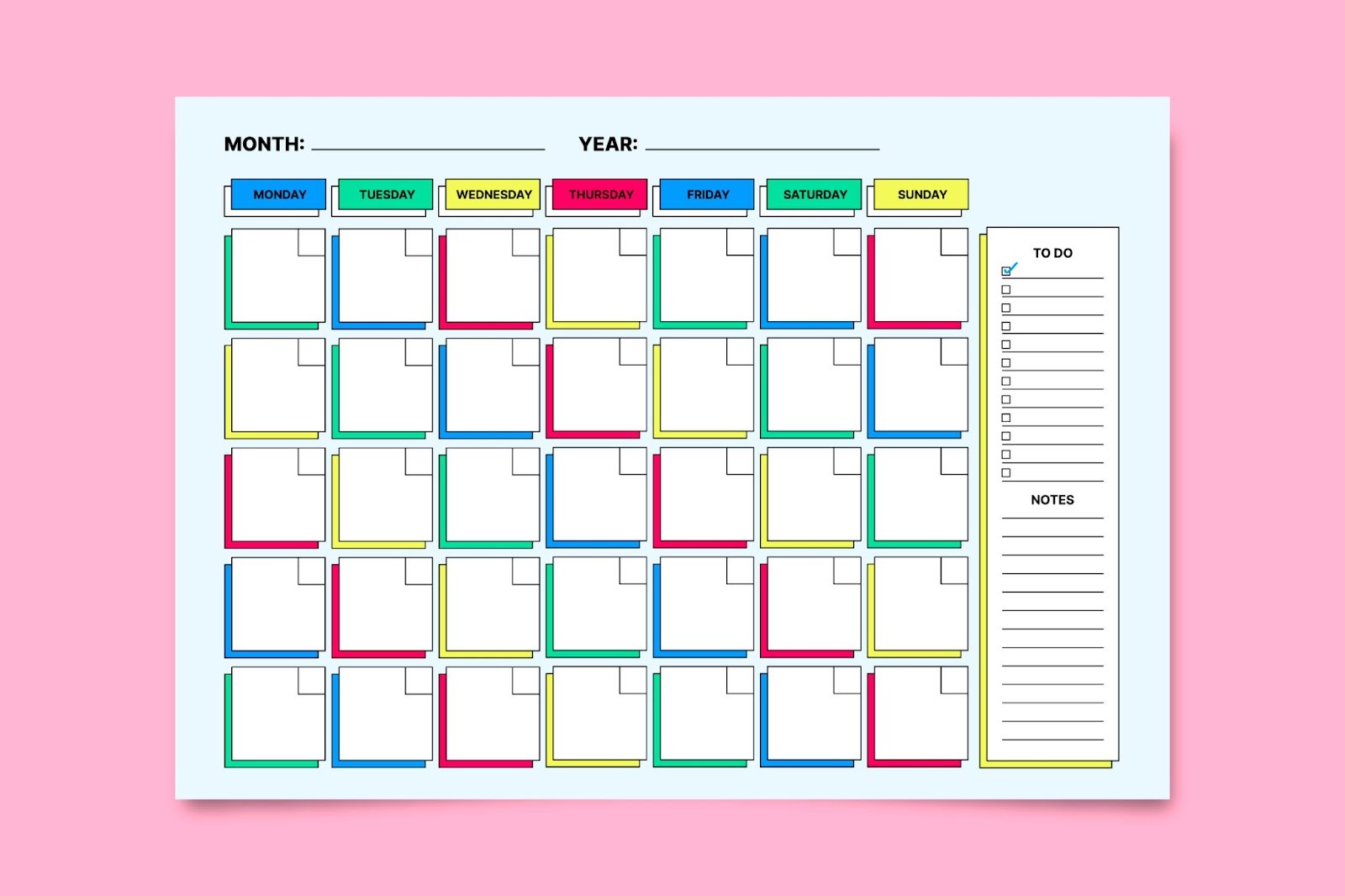
The process of developing employee plans every month is also a very important activity of managers and business owners. You can deal with a small group of colleagues or a huge amount of employees, but in any case, it is easier to schedule everything with the help of appropriate tools. Monthly staff work schedules templates are a convenient means to have all the work hours, shifts, and leave of your staff in one clear sheet.
Here, we will give you all the information on monthly employee schedule templates, how to use them, what constitutes a good template, and how new scheduling technologies can eliminate additional complications in your life.
### What Are Monthly Employee Schedule Templates?
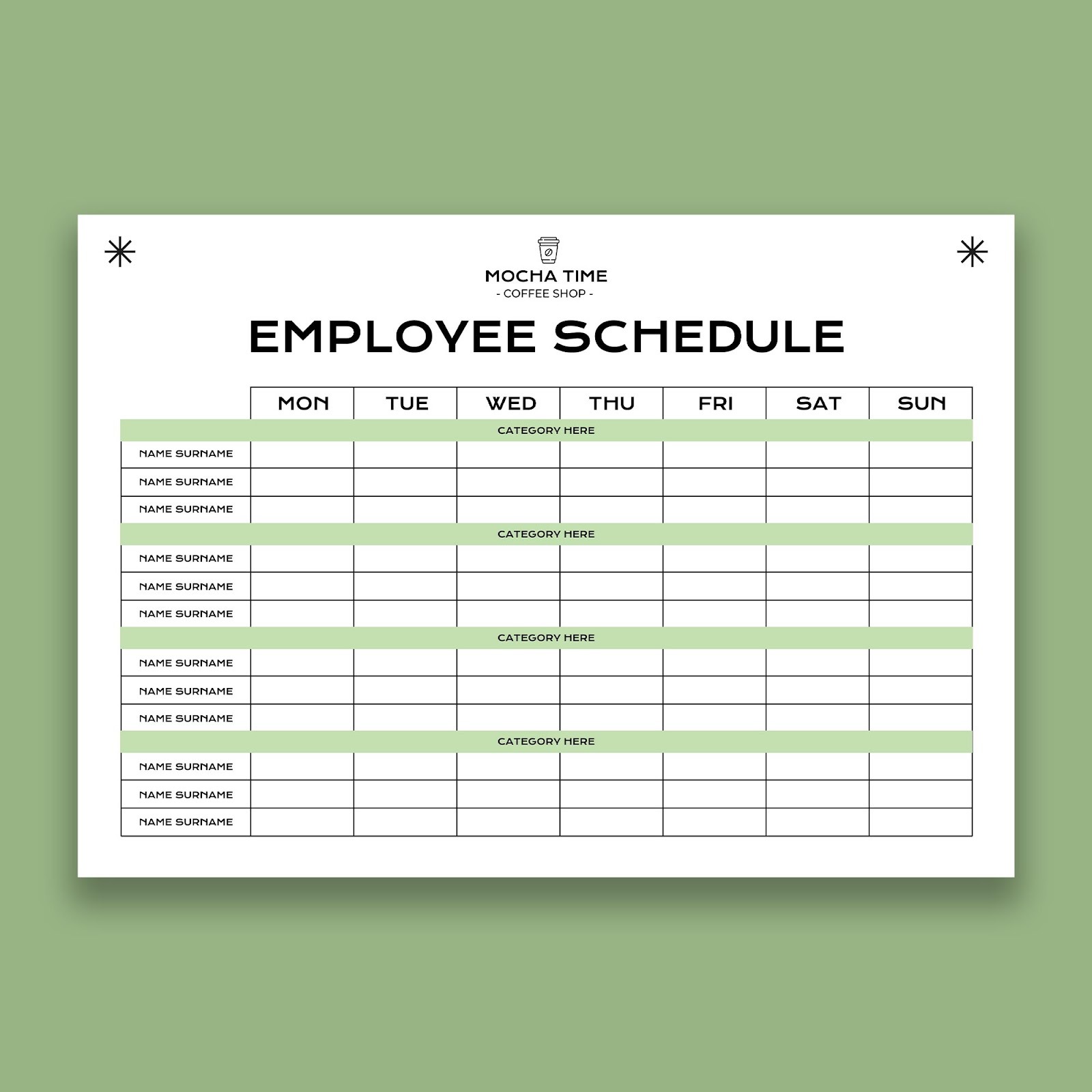
Monthly employee schedule templates are ready-made templates that guide you to organize and plan the working schedules of employees for a whole month. These templates normally comprise:
* Month calendar with all the days of the month.
* Space for employee names
* Shifts and hours columns or rows.
* Time to be marked off, vacations, or special notes.
* Total hours calculations
You can find these templates in various formats including Excel spreadsheets, Word documents, PDF files, or printable paper forms. The goal is to have one clear document that shows who works throughout the entire month.
### Why Use Monthly Employee Schedule Templates?
Using monthly employee schedule templates offers several important benefits:
**See the Big Picture:** A monthly view lets you see patterns, coverage gaps, and staffing needs at a glance. You can identify busy weeks and plan accordingly.
**Better Planning:** When you schedule a full month ahead, employees have more notice about their work hours. This helps them plan personal activities and reduces last-minute schedule requests.
**Fair Distribution:** Monthly templates make it easier to distribute shifts fairly among employees, ensuring everyone gets a balanced mix of desirable and less desirable shifts.
**Time Savings:** Starting with a template saves time compared to creating schedules from scratch each month.
**Consistency:** Using the same template format each month creates consistency that both managers and employees appreciate.
**Professional Appearance:** A well-formatted template looks professional and is easy to read and understand.
While templates are helpful, many businesses find that[ digital scheduling software](https://www.opentimeclock.com/) provides even more benefits with automation and real-time updates.
### Types of Monthly Employee Schedule Templates
Different businesses need different scheduling approaches. Here are common types:
**Simple Monthly Schedule Template:** Basic calendar grid with employee names and shift times. Best for small businesses.
**Rotating Shift Schedule Template:** Designed for multiple shifts with rotation patterns clearly marked. Best for 24/7 operations.
**On-Call Schedule Template:** For businesses needing on-call coverage with primary and backup designations.
**Part-Time Employee Schedule Template:** Tailored for many part-time workers with maximum hours tracking.
**Multi-Location Schedule Template:** Separate sections for each location. Best for chain stores and franchises.
### Essential Elements of Good Monthly Employee Schedule Templates
An effective monthly employee schedule template should include these key elements:
**Clear Calendar Layout:** The month should be laid out clearly with all dates visible. Include the day of the week (Monday, Tuesday, etc.) along with the date number.
**Employee Information:** Space for employee names, and ideally their contact information and position/role.
**Shift Details:** Clear indication of shift start and end times. Some templates use abbreviations like "M" for morning, "A" for afternoon, "N" for night.
**Hour Totals:** Automatic or manual calculation of total hours per employee for payroll purposes.
**Color Coding:** Different colors for different shift types, time off, or special designations makes the schedule easier to read.
**Notes Section:** Space for important notes, schedule changes, or special instructions.
**Legend/Key:** Explanation of any symbols, abbreviations, or color coding used.
**Version Control:** Date created and version number to avoid confusion when schedules change.
### How to Create a Monthly Employee Schedule
Follow these steps to create an effective schedule using monthly employee schedule templates:
**Step 1:** Gather Information
* List all employees and their availability
* Note any time-off requests
* Identify business needs (busy days, required coverage)
* Check previous schedules for reference
**Step 2:** Choose Your Template Select a monthly employee schedule template that fits your business type and complexity.
**Step 3:** Block Out Unavailable Days Mark holidays, approved time off, and days when certain employees can't work.
**Step 4:** Schedule Core Coverage Fill in shifts for your busiest times first, ensuring adequate coverage when you need it most.
**Step 5:** Distribute Shifts Fairly Balance desirable and less desirable shifts among employees. Track who worked weekends, nights, or holidays.
**Step 6:** Check for Gaps Review the completed schedule for any coverage gaps or potential problems.
**Step 7:** Calculate Hours Total up hours for each employee to ensure they're scheduled appropriately and within budget.
**Step 8:** Review and Finalize Double-check for errors, conflicts, or overtime issues before publishing.
**Step 9:** Share with Team Distribute the schedule to all employees with enough advance notice.
**Step 10:** Keep Backup Copies Save multiple copies and keep them accessible for reference.
While manual scheduling with templates works,[ automated scheduling tools](https://www.opentimeclock.com/) can complete these steps in minutes instead of hours.
### Best Practices for Using Monthly Employee Schedule Templates
To get the most value from monthly employee schedule templates, follow these practices:
**Schedule in Advance:** Publish schedules at least two weeks before the month starts.
**Be Consistent:** Publish schedules on the same day each month.
**Rotate Fairly:** Keep records of who worked which shifts to distribute them fairly.
**Build in Flexibility:** Leave some flexibility for sick days or unexpected needs.
**Clear Communication:** Ensure everyone understands abbreviations or symbols used.
**Allow Shift Swaps:** Create a clear process for employees to swap shifts with approval.
**Plan for Busy Periods:** Schedule more staff during busy times and less during slow periods.
**Keep Records:** Archive old schedules for reference and dispute resolution.
### Common Challenges with Paper Monthly Employee Schedule Templates
While monthly employee schedule templates are helpful, they have limitations:
**Time-Consuming:** Creating schedules manually can take several hours each month.
**Difficult to Update:** Updating paper schedules and notifying everyone is tedious.
**Calculation Errors:** Manually adding up hours can result in payroll mistakes.
**Limited Accessibility:** Paper schedules posted in one location aren't accessible to remote employees.
**No Real-Time Updates:** Employees can't see changes immediately.
**Communication Delays:** Getting schedules to all employees takes time.
Many businesses discover that[ modern scheduling software](https://www.opentimeclock.com/) solves these challenges while providing additional benefits.
### Advantages of Digital Scheduling Over Templates
While monthly employee schedule templates serve a purpose, digital scheduling systems offer significant advantages:
**Automatic Calculations:** Software automatically calculates total hours, overtime, and labor costs.
**Instant Updates:** Changes appear in real-time for everyone with access.
**Mobile Access:** Employees can check schedules anytime from their phones.
**Built-in Communication:** Notifications alert employees about new schedules or changes.
**Conflict Detection:** Software prevents scheduling conflicts like double-booking or violating availability.
**Time-Off Integration:** Employee time-off requests integrate directly with scheduling.
**Template Reuse:** Save and reuse successful schedules with just a few clicks.
**Reporting:** Generate reports on labor costs, overtime, and scheduling patterns.
**Shift Swap Management:** Employees can request shift swaps through the system with manager approval.
**Compliance Assistance:** Alerts help ensure compliance with labor laws regarding breaks, hours, and overtime.
### How to Transition from Templates to Digital Scheduling
If you're currently using monthly employee schedule templates and want to upgrade to digital scheduling:
**Step 1:** Evaluate Your Needs Identify what's not working with your current templates and what features would help most.
**Step 2:** Research Options Look for[ scheduling software](https://www.opentimeclock.com/) that fits your industry, team size, and budget.
**Step 3:** Start with a Trial Most scheduling platforms offer free trials. Test before committing.
**Step 4:** Import Data Move your employee information, shift patterns, and scheduling rules into the new system.
**Step 5:** Train Your Team Show managers how to create schedules and teach employees how to access and use the system.
**Step 6:** Run Parallel For the first month, create schedules in both your old template and new system to ensure accuracy.
**Step 7**: Go Digital Once comfortable, switch completely to the digital system.
**Step 8:** Gather Feedback Ask employees and managers for feedback and make adjustments as needed.
### Tips for Creating Effective Monthly Schedules
Whether using monthly employee schedule templates or digital tools, these tips help:
**Know Your Busiest Times:** Use historical data to predict when you'll need more staff.
**Consider Employee Preferences:** Try to respect preferences when possible.
**Cross-Train Employees:** Having multi-skilled employees gives you more flexibility.
**Set Clear Policies:** Establish rules about time-off requests and shift swaps.
**Be Transparent:** Let employees see how schedules are created.
**Plan for Absences:** Build in coverage for predictable absences.
**Monitor Labor Costs:** Track spending compared to your budget.
**Stay Flexible**: Be prepared to adjust when changes happen.
Using comprehensive[ workforce management tools](https://www.opentimeclock.com/) makes implementing these tips easier with built-in features.
### Legal Considerations for Employee Scheduling
When creating monthly employee schedule templates, be aware of legal requirements:
**Predictive Scheduling Laws:** Some cities and states require advance notice of schedules. Check local laws.
**Minimum Rest Periods:** Ensure adequate time between shifts.
**Overtime Regulations:** Track hours to ensure compliance with overtime laws.
**Meal and Rest Breaks:** Schedule required breaks according to laws.
**Minor Labor Laws:** Follow restrictions on hours for employees under 18.
**Documentation:** Keep schedule records for the required period (typically 3-7 years).
**Fair Treatment:** Apply scheduling rules consistently to all employees.
### Free vs. Paid Monthly Employee Schedule Templates
You can find both free and paid monthly employee schedule templates:
**Free Templates:**
* Available online from various websites
* Basic functionality
* Good for very small businesses
* Limited customization
* No support
**Paid Templates:**
* More sophisticated features
* Better design and formatting
* Customizable to your needs
* May include support
* Often part of template packages
**Scheduling Software:**
* Most feature-rich option
* Includes automation and calculations
* Regular updates and support
* Mobile access
* Integration with other systems
* Monthly or annual subscription
For businesses serious about efficient scheduling, investing in proper scheduling software typically provides the best return on investment.
### Conclusions
Monthly employee schedule templates serve as a practical tool for organizing your workforce, especially for small businesses or those just starting with structured scheduling. They provide a clear monthly overview, help with planning, and ensure everyone knows when they're expected to work.
However, as your business grows or your scheduling becomes more complex, the limitations of paper or spreadsheet templates become apparent. Manual scheduling consumes significant time, is prone to errors, and lacks the flexibility that modern businesses need.
Digital scheduling solutions offer the structure and clarity of templates while adding automation, real-time updates, mobile access, and powerful features that save time and reduce errors. The investment in proper scheduling software typically pays for itself through reduced administrative time, fewer scheduling mistakes, and improved employee satisfaction.
### FAQs:
#### 1. What are monthly employee schedule templates?
Monthly employee schedule templates are pre-formatted documents that help managers organize and plan employee work schedules for an entire month. They include calendar grids, spaces for employee names, shift times, and hour calculations to simplify the scheduling process.
#### 2. Where can I find free monthly employee schedule templates?
You can find free monthly employee schedule templates online through Microsoft Office templates, Google Sheets template gallery, and various business resource websites. However, digital scheduling software often provides more features and saves more time than manual templates.
#### 3. What's better: Excel templates or scheduling software?
Excel templates work for very small businesses but become time-consuming and error-prone as teams grow. Scheduling software automates calculations, provides real-time updates, offers mobile access, and includes features like shift swap management that templates can't provide.
#### 4. How far in advance should I create monthly schedules?
Best practice is to create and publish monthly schedules at least two weeks before the month begins. This gives employees adequate notice to plan their personal lives. Some locations have laws requiring specific advance notice periods.
#### 5. Can I use monthly employee schedule templates for multiple locations?
Yes, you can use multi-location monthly employee schedule templates that have separate sections for each location. However, managing multiple locations with templates becomes complex quickly, and digital scheduling tools handle this much more efficiently with better visibility across all sites.
---
# Agent Instructions
This documentation is published with GitBook. GitBook is the documentation platform designed so that both humans and AI agents can read, navigate, and reason over technical content effectively. Learn more at gitbook.com.
## Querying This Documentation
If you need additional information that is not directly available in this page, you can query the documentation dynamically by asking a question.
Perform an HTTP GET request on the current page URL with the `ask` query parameter, and the optional `goal` query parameter:
```
GET https://www.opentimeclock.com/docs/blog2/december-2025/printable-monthly-employee-schedule-templates.md?ask=&goal=
```
`ask` is the immediate question: it should be specific, self-contained, and written in natural language.
`goal` is optional and describes the broader end goal you are ultimately trying to accomplish on behalf of the user. GitBook uses it to tailor the answer towards what is most useful for that goal.
The response will contain a direct answer to the question and relevant excerpts and sources from the documentation.
Use this mechanism when the answer is not explicitly present in the current page, you need clarification or additional context, or you want to retrieve related documentation sections.