> For the complete documentation index, see [llms.txt](https://www.opentimeclock.com/docs/llms.txt). Markdown versions of documentation pages are available by appending `.md` to page URLs; this page is available as [Markdown](https://www.opentimeclock.com/docs/blog2/november-2025/mobile-time-tracking-app-manage-time-efficiently-from-anywhere.md).
# Mobile Time Tracking App: Manage Time Efficiently from Anywhere
Use a mobile time tracking app to manage work hours from anywhere. Simple, easy time tracking for employees and teams on the go.
A [time-tracking mobile application](https://www.opentimeclock.com/) helps you track your working hours anywhere. You can apply it to your tablet or phone. This renders timekeeping extremely simple and easy. It is no longer necessary to sit at a desk and have your time recorded. Most of the workers nowadays work at various locations. Some work from home. Some work in the office. Others work while traveling. A time-tracking mobile app enables everyone to track their time, regardless of their location. This is highly beneficial to present-day workers and enterprises.
### What Is a Mobile Time Tracking App?
A time tracker application is a software program installed on your phone. It assists in documenting the time you start and finish work. The application stores all the hours in a single location. You will be able to view the amount of time that you spend on various activities and projects.
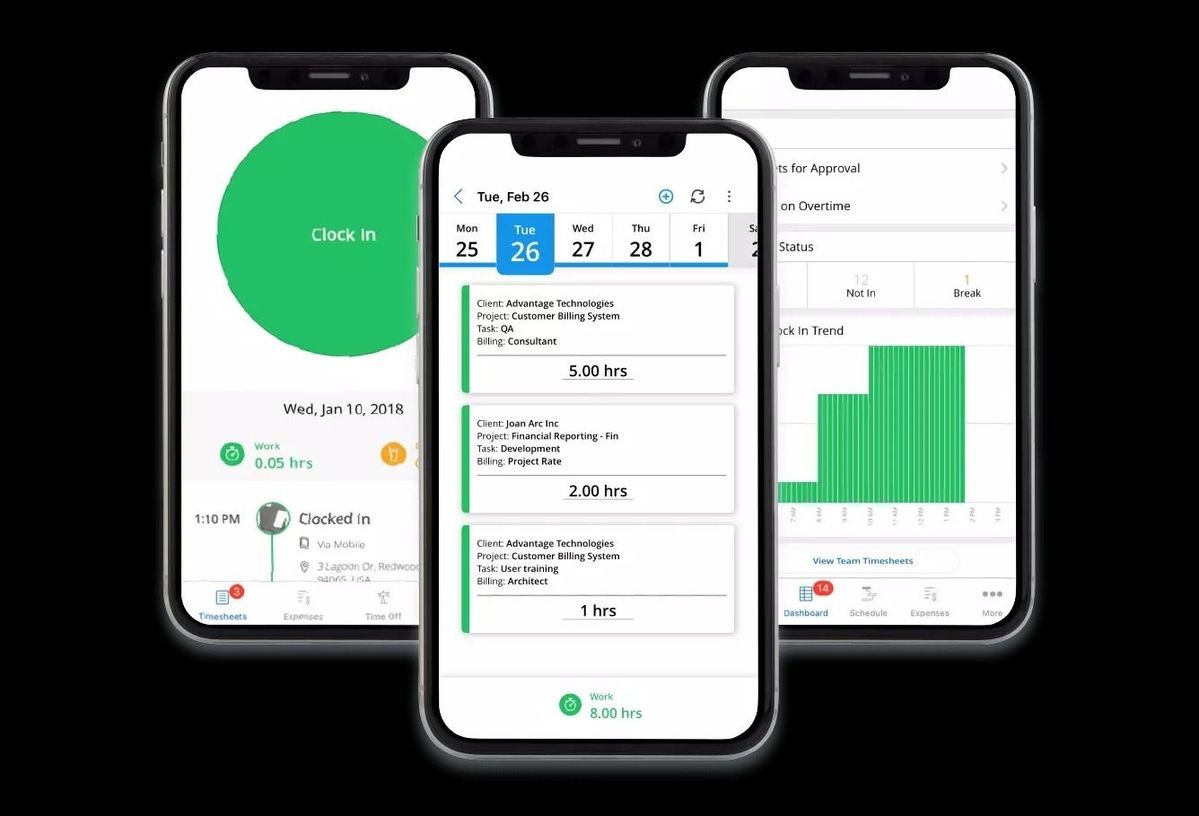
Such applications are straightforward to operate. A majority of the mobile time tracking software contains large buttons. You only need to tap to begin keeping time. You tap again to stop. The mobile time tracking application calculates everything. It displays reports on your working hours to you. A time tracking application is a mobile app that operates on tablets and smartphones.
The apps are available to both iPhone and Android users. The time tracking app is a mobile application that is with you throughout the day. The app is always at your fingertips, allowing you to keep track of time whenever you need to.
### Why Every Worker Needs a Mobile Time Tracking App
The most effective aspect of the mobile time tracker app is that it can be used anywhere. Are you working in a client's office? Use your mobile time tracker application. Do you work in a coffee shop? Use your app. The mobile time tracking application is around where you are. This is best suited for individuals who do not work in a single location daily. A mobile time tracking app is handy for field workers, salespeople, and remote workers alike. Construction workers use a mobile time-tracking app at job sites. Delivery drivers use it during stops. It is applied by consultants when visiting clients. A time tracking application is a time-saving mobile app that saves time and energy. You don't even have to remember them later. You do not need to imprint them on paper.
All these are automatically logged in the mobile time tracking application. You are all set with your hours at the end of the week or month. You do not waste time trying to recall the things you did. The time tracking app is a mobile app that keeps all the organization in place. Using a mobile time tracking app will provide you with more accurate time records. You record time as you work.
This implies that there is no guessing and no forgetting of hours. The time tracking application on the mobile phone prevents typical errors. It avoids mistakes in timesheets. Information gets to your employer. You receive compensation for every hour worked.
### How a Mobile Time Tracking App Works
Using a mobile time tracking app is very simple. Here are the easy steps:
* Download the App: First, you download the mobile time tracking app on your phone. Most apps are compatible with both iPhone and Android phones.
* Create Your Account: After downloading, you open the mobile time tracking app and create an account. You usually need to enter your email and create a password.
* Clock In to Start Work: When you begin work, you open the mobile time tracking app and tap the "Clock In" or "Start" button. The mobile time tracking app begins recording your time immediately.
* Pause for Breaks: When you take a break, you can pause the timer in your mobile time tracking app. When you return to work, you start again. The mobile time tracking app keeps track of your break time separately from work time.
* Clock Out When Done: When you finish work for the day, you open the mobile time tracking app and tap "Clock Out" or "Stop". The mobile time tracking app automatically saves your time entries.
### Key Features of the Best Mobile Time Tracking App
Here are the essential features to look for in a mobile time tracking app:
* Simple and Easy to Use: A good mobile time tracking app should be straightforward to use. Anyone should be able to use it without training. The buttons should be clear, and the app should work fast. When you open a mobile time tracking app, you should know what to do right away.
* Works Without Internet: Sometimes you work in places without internet. A good mobile time tracking app works even when you're offline. It saves you time by eliminating the need to enter data on your phone. When you reconnect to the internet, the mobile time tracking app uploads all the information.
* GPS Location Tracking: Some mobile time tracking apps can track your location when you clock in. This is particularly helpful for businesses that need to track the locations of their employees. The mobile time tracking app can show that you were at the right job site.
* Project and Task Selection: A mobile time tracking app should let you choose what you're working on. You can select different projects or tasks in the app. This helps you see how much time each job takes. When you finish the month, the mobile time tracking app shows you reports.
### Conclusions
A time-tracking application in mobility is a must-have tool in the contemporary workplace and for businesses. It simplifies and ensures accuracy in tracking work hours. A mobile time-tracking application can be used anywhere and at any time. The app is a mobile time-tracking tool that helps you spend your time more effectively each day.
You will see that regardless of what job place you are in, whether in a formal or home-based environment, or at various workplaces, a mobile time tracking application will help you manage your time better. It is time-saving, minimizes errors, and streamlines payroll. To the company, a mobile time tracking application will provide valuable data on time utilization. Teams will be more successful in their work when they all have a mobile time tracking application.
To enhance your time tracking, consider using a mobile time tracking app today. Visit[ OpenTimeClock](https://www.opentimeclock.com/) to find a solution that works for your needs. A mobile time tracking app will make your work life easier and more organized. Start using a mobile time tracking app now and see the difference it makes in managing your time efficiently from anywhere.
### FAQs:
#### 1. What is a mobile time tracking app?
A mobile time tracking app is a tool you use on your phone or tablet to record your work hours. It helps you track when you start work, when you take breaks, and when you finish your tasks. The mobile time tracking app saves all your time information and creates reports.
#### 2. Do I need the internet to use a mobile time tracking app?
Most good mobile time tracking apps work even without an internet connection. The mobile time tracking app saves your time entries on your phone when you're offline. When you reconnect to the internet, the mobile time tracking app automatically uploads all your saved data.
#### 3. Can my boss see where I am when I use a mobile time tracking app?
Some mobile time tracking apps have GPS location features, but not all of them. If your mobile time tracking app has GPS tracking enabled, it can record your location when you clock in and out. This feature is usually optional and depends on your company's policies.
#### 4. How much does a mobile time tracking app cost?
The cost of a mobile time-tracking app varies depending on its features. Some mobile time tracking apps are free for basic features. Others charge a monthly fee, usually between $5- $15 per user per month. Some mobile time-tracking apps offer free trials, allowing you to test them before making a purchase.
#### 5. Is it hard to learn how to use a mobile time tracking app?
No, most mobile time tracking apps are straightforward to learn. They are designed to be user-friendly and straightforward. You typically should tap a button to start tracking time and tap it again to stop using the mobile time tracking app. Most people learn how to use a mobile time tracking app in just a few minutes.
---
# Agent Instructions
This documentation is published with GitBook. GitBook is the documentation platform designed so that both humans and AI agents can read, navigate, and reason over technical content effectively. Learn more at gitbook.com.
## Querying This Documentation
If you need additional information that is not directly available in this page, you can query the documentation by asking a question.
Perform an HTTP GET request on the following URL with the `ask` and `goal` query parameters:
```
GET https://www.opentimeclock.com/docs/blog2/november-2025/mobile-time-tracking-app-manage-time-efficiently-from-anywhere.md?ask=&goal=
```
`ask` is the immediate question: it should be specific, self-contained, and written in natural language.
`goal` is what the user is ultimately trying to achieve, the reason they need the answer. Sharing it helps GitBook give you a better, more relevant answer. A goal is most helpful when it describes the outcome the user wants rather than restating the question. For example, with `ask=how do I create an API token`, a goal like `automate deployments from our CI pipeline` lets GitBook tailor the answer to that use case.
The response will contain a direct answer to the question and relevant excerpts and sources from the documentation.
Use this mechanism when the answer is not explicitly present in the current page, you need clarification or additional context, or you want to retrieve related documentation sections.