OpenTimeClock vs Timeero: Free Time Clock vs GPS Employee Tracking
Compare OpenTimeClock and Timeero on pricing, GPS tracking, clock-in methods, and reports to find the right fit for your team.
Choosing time tracking software is an important decision for any business. The right tool helps you pay employees correctly, control labor costs, and stay organized. The wrong tool can mean wasted money, confused employees, and features you never use.
Two popular options that often come up are OpenTimeClock and Timeero. Both help businesses track employee hours, but they are built with different goals in mind. OpenTimeClock focuses on a full-featured time clock with a free plan and flat company pricing. Timeero focuses on GPS tracking and mileage for mobile and field teams, with per-user pricing.
In this guide, we will compare OpenTimeClock vs Timeero in simple terms. We will look at pricing, clock-in methods, GPS features, scheduling, reports, and which type of business each tool fits best.
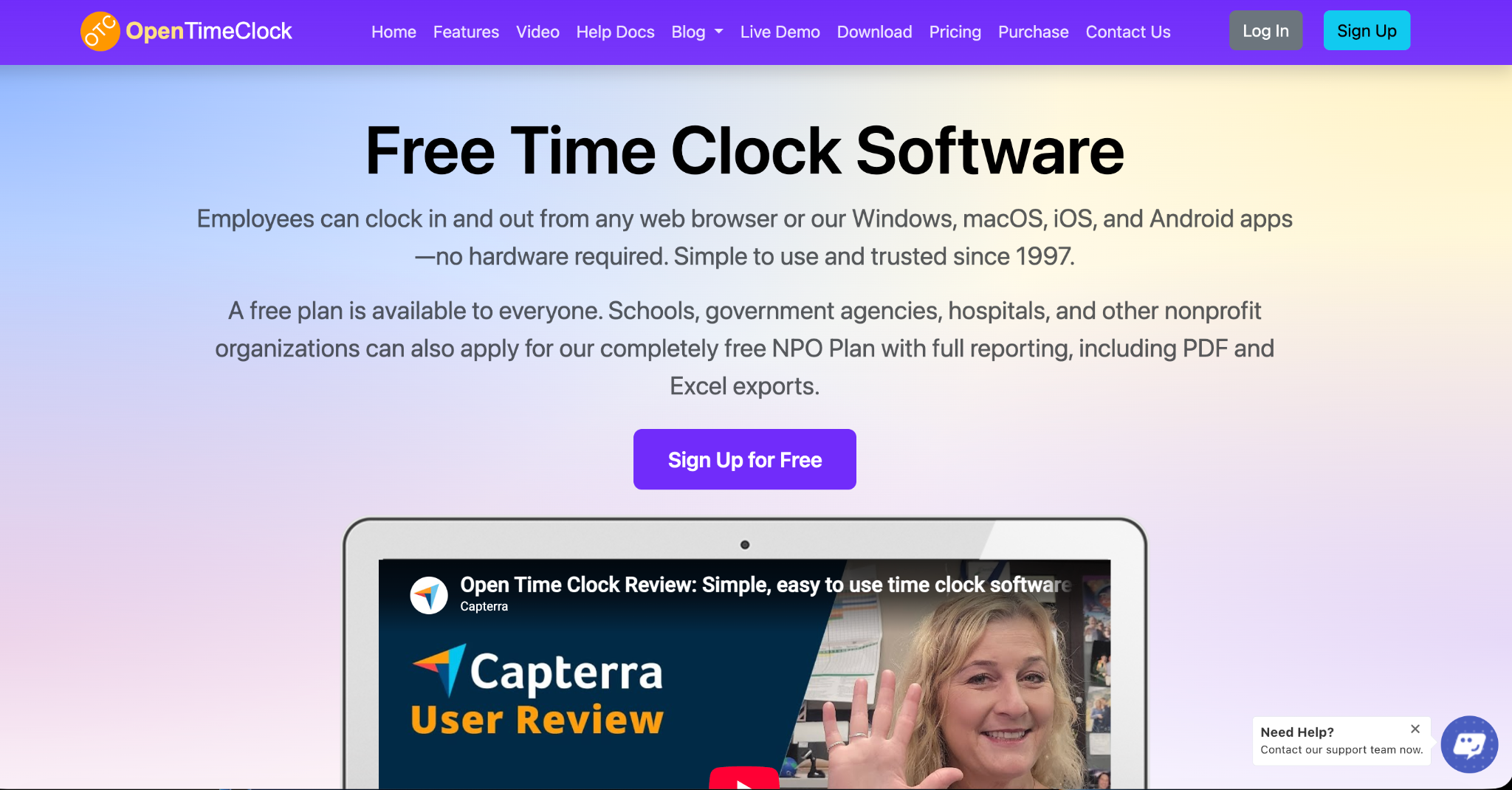
Quick Overview of OpenTimeClock
OpenTimeClock is a cloud-based time clock and attendance system that has been in business since 1997. It lets employees clock in and out from web browsers and from apps for Windows, macOS, iOS, and Android, so no special hardware is required.
Its main strengths are its many clock-in options, strong attendance management features, and simple pricing. It offers a free plan with unlimited users, a low-cost paid plan priced per company instead of per user, and a free plan for schools, government agencies, hospitals, and other nonprofits.
OpenTimeClock is a good fit for businesses that work mainly at fixed locations, such as offices, schools, stores, clinics, and factories, as well as teams that need simple GPS checks at clock-in.
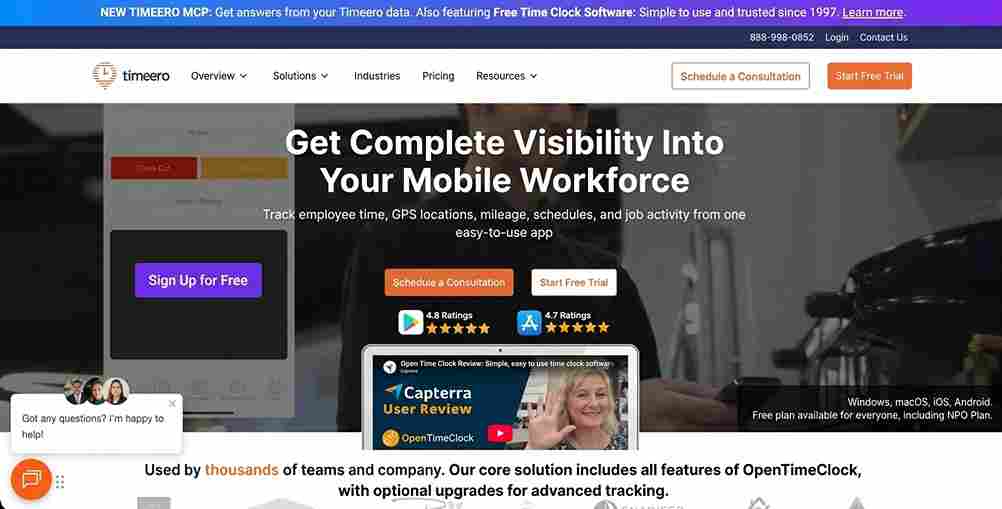
Quick Overview of Timeero
Timeero is a time tracking app built mainly for mobile and field teams. Its focus is on GPS location tracking, mileage tracking, and compliance tools for workers who travel during the day, such as home service technicians, construction crews, cleaners, and home care workers.
Its main strengths are GPS tracking during shifts, mileage tracking, and features designed for field work, such as job tracking, geofencing, and automatic clock-in and out on higher plans. It uses per-user monthly pricing across several plans.
Timeero is a good fit for businesses whose employees spend much of their day driving or moving between job sites.
Pricing Comparison
Pricing is one of the biggest differences in OpenTimeClock vs Timeero.
OpenTimeClock Pricing
OpenTimeClock offers several plans.
The Free Plan costs nothing and includes unlimited users and free support. It includes full features except downloading reports in PDF and Excel formats, and it gives 30 days of free access to those reports.
The Paid Plan costs $39 per month or $399 per year per company, with unlimited users. This means the price stays the same whether you have 5 employees or 500.
The NPO Plan gives schools, government agencies, hospitals, and other nonprofits free access to paid plan features after they apply.
The Sponsor Link Plan gives free access to paid features to businesses willing to place a small text link to OpenTimeClock on their website's homepage.
You can see full details on the OpenTimeClock pricing page.
Timeero Pricing
Timeero uses per-user pricing, which means the cost grows as your team grows.
The Basic Plan costs about $5 per user per month when paid annually, or $6 monthly. It includes time tracking, GPS tracking, mileage tracking, and break tracking, and it is limited to 10 users.
The Pro Plan costs about $7.50 per user per month annually, or $9 monthly. It adds features such as automatic clock-in and out, job tracking, payroll and accounting integrations, scheduling, geofencing, California break tools, and photo attachments.
The Premium Plan costs about $10 per user per month annually, or $12 monthly. It adds time-off management, facial recognition kiosk, commute and suggested mileage, electronic visit verification, a public API, and more.
There is also an Enterprise plan with custom pricing. Timeero offers a 14-day free trial with no credit card required, and some features, such as segmented tracking and messaging, are paid add-ons.
What This Means for Your Budget
Let us look at a simple example. A business with 25 employees on Timeero's Pro plan would pay about $187.50 per month when billed annually. The same business on OpenTimeClock's Paid Plan would pay $399 per year, or about $33 per month, no matter how many employees it has.
For larger teams, the difference grows even bigger. However, if your business truly needs Timeero's mileage and route tracking features, the extra cost may be worth it.
Clock-In Methods
How employees clock in matters a lot, especially for teams without smartphones or with shared devices.
OpenTimeClock Clock-In Options
OpenTimeClock offers a wide range of clock-in methods. Employees can clock in with a username and password, PIN code, QR code or barcode, RFID or NFC card, or by selecting their name from a list. Managers can also clock in a whole group at once, and employees can quickly switch between jobs or departments during a shift.
For identity checks, it offers facial recognition and photo capture at clock-in. It can also turn any tablet into a wall-mounted or desktop time clock kiosk, which works well for teams that share one device.
Timeero Clock-In Options
Timeero is built mainly around its mobile app. Employees usually clock in and out from their smartphones, with GPS recording their location. Higher plans add automatic clock-in and out based on geofences, and the Premium plan includes a facial recognition kiosk.
Which Is Better?
If your employees share a kiosk, do not have smartphones, or need card or code-based clock-ins, OpenTimeClock offers more options. If every employee has a smartphone and works in the field, Timeero's mobile-first approach fits well.
GPS and Location Tracking
This is where the two tools are most different.
OpenTimeClock GPS Features
OpenTimeClock focuses on location checks at the moment of clock-in and clock-out. It records the GPS street address of each clock-in, shows locations on a map, and supports GPS geolocation and geofencing so managers can limit clock-ins to approved areas.
It also offers other ways to confirm location, such as restricting clock-ins to company WiFi networks, approved IP addresses, or specific devices. This is very useful for indoor workplaces where GPS signals can be weak.
Timeero GPS Features
Timeero goes further with GPS. Beyond clock-in location, it is designed to track employee location during the shift, show routes, and calculate mileage. It can even clock users out if they turn off GPS. Higher plans add commute mileage, suggested mileage, and segmented tracking that shows a timeline of the workday.
Which Is Better?
If you only need to confirm that employees are in the right place when they start and end work, OpenTimeClock's location checks are enough for most businesses. If you need to track routes and mileage throughout the day, Timeero is the stronger choice.
Mileage Tracking
Mileage tracking is one of Timeero's main features. It is included even on the Basic plan, and higher plans add more advanced options. This is helpful for businesses that reimburse employees for driving their personal vehicles.
OpenTimeClock does not list built-in mileage tracking as a main feature. Businesses that need mileage logs for reimbursement will likely find Timeero more helpful in this area.
Scheduling and Attendance Management
Both tools include scheduling, but in different ways.
OpenTimeClock includes shift scheduling, job schedules, paid time off tracking with automatic accruals, absence management, manager approvals, live views of who is working, and email notifications for events such as late arrivals, early departures, and overtime limits. These features are included in its plans without per-user charges.
Timeero includes scheduling and geofencing on its Pro plan, while time-off management is part of its Premium plan.
For businesses focused on attendance, shifts, and leave management, OpenTimeClock offers a strong set of tools at a lower cost.
Working Without Internet
Some employees work in places with poor or no internet connection. OpenTimeClock offers offline mode, which lets employees clock in through the mobile app without internet. The data is sent once the connection returns.
This is helpful for basements, rural sites, warehouses, and other areas with weak signals.
Reports and Integrations
OpenTimeClock Reports
OpenTimeClock offers over 80 ready-made reports for payroll, attendance, and projects. On the Paid, NPO, and Sponsor Link plans, reports can be downloaded in PDF, Excel, CSV, and other formats. Paid plans also include a developer API, and the company offers custom development for special needs. The Free Plan includes reports in the app but limits PDF and Excel downloads to the first 30 days.
Timeero Reports and Integrations
Timeero offers reports for time, GPS, and mileage. Its Pro and Premium plans include integrations with accounting and payroll software, and the Premium plan includes a public API.
Which Is Better?
If you want direct payroll software integrations, Timeero's Pro plan includes them. If you mainly need detailed reports you can export to payroll, OpenTimeClock offers many reports at a flat company price.
Support
OpenTimeClock offers free technical support to all customers, including those on the Free Plan, through toll-free phone, live chat, tickets, email, and remote desktop sharing during business hours.
Timeero also offers phone, email, and live chat support, and its Enterprise plan includes a dedicated account manager.
Pros and Cons Summary
OpenTimeClock Strengths
A free plan with unlimited users. Flat company pricing that does not grow with team size. A free plan for nonprofits, schools, and government agencies. Many clock-in methods, including kiosks, PIN, QR codes, RFID, and facial recognition. Strong attendance, scheduling, and leave features. Offline clock-in and multiple location controls.
OpenTimeClock Limitations
GPS is focused on clock-in and clock-out, not full route tracking. No built-in mileage tracking listed. PDF and Excel report downloads require a paid or approved free plan after the first 30 days.
Timeero Strengths
Strong GPS tracking during shifts. Built-in mileage tracking. Field-focused tools like automatic clock-in, job tracking, and electronic visit verification. Payroll and accounting integrations on higher plans.
Timeero Limitations
Per-user pricing that grows with team size. The Basic plan is limited to 10 users. Many features, such as scheduling, geofencing, and time-off management, require higher plans. Some features are paid add-ons.
Which Should You Choose?
The right choice in OpenTimeClock vs Timeero depends on how your team works.
Choose OpenTimeClock If
Your employees work mainly at fixed locations, such as offices, stores, schools, clinics, or factories. You want a free option or flat pricing for a growing team. You need kiosk, PIN, card, or QR code clock-ins for employees without smartphones. You are a nonprofit, school, hospital, or government agency. You mainly need to confirm location at clock-in rather than track routes.
Choose Timeero If
Your employees spend most of the day driving between job sites. You need mileage tracking for reimbursement. You want GPS tracking throughout the shift, not just at clock-in. You need field-specific tools such as electronic visit verification for home care.
Try Before You Decide
Both tools let you test before committing. OpenTimeClock's Free Plan has no time limit, and Timeero offers a 14-day free trial. Testing each tool with a small group of employees is the best way to see which fits your workflow.

Conclusion
Both OpenTimeClock and Timeero are solid time tracking tools, but they serve different needs. OpenTimeClock is a full-featured time clock with many clock-in methods, strong attendance tools, a free plan with unlimited users, and flat company pricing. Timeero is a GPS-focused app built for mobile teams that need route and mileage tracking, with per-user pricing.
When comparing OpenTimeClock vs Timeero, think about where your employees work, how they clock in, whether you need mileage tracking, and how your costs will grow as your team grows. For most fixed-location businesses and budget-conscious teams, OpenTimeClock offers strong value. For field teams that live on the road, Timeero's GPS and mileage features may be worth the extra cost. Understanding OpenTimeClock vs Timeero in this way helps you choose the tool that truly fits your business.
FAQ’s
Is OpenTimeClock really free?
Yes. OpenTimeClock offers a Free Plan with unlimited users and full features except PDF and Excel report downloads, which are available free for the first 30 days.
How much does Timeero cost?
As of October 2026, Timeero plans range from about $5 to $12 per user per month, depending on the plan and billing cycle. Enterprise pricing is custom.
Which is better for GPS tracking?
Timeero offers more advanced GPS tracking during shifts, including routes and mileage. OpenTimeClock focuses on GPS checks and geofencing at clock-in and clock-out.
Which is better for employees without smartphones?
OpenTimeClock offers more options, including tablet kiosks, PIN codes, QR codes, RFID cards, name selection, and group clock-in by managers.
Do nonprofits get a discount?
OpenTimeClock offers a free NPO Plan for schools, government agencies, hospitals, and other nonprofits that apply. Check with Timeero directly for any nonprofit pricing.