How to Set Up an RFID Time Clock for Fast and Accurate Attendance Tracking
Learn how to set up an RFID time clock step by step to track employee attendance faster, reduce errors, and simplify payroll for your business.
Managing employee attendance is one of the most important daily tasks in any workplace. But it is also one of the easiest to get wrong. Paper sheets get lost. PINs get forgotten. Mobile apps do not always work in every environment.
An RFID time clock solves all of these problems in one simple step. Employees tap a card. The system records the time. Done.
This guide walks you through everything you need to know to set up an RFID time clock for your business. You will learn what the technology does, what you need to get started, and how to run the system properly once it is in place.
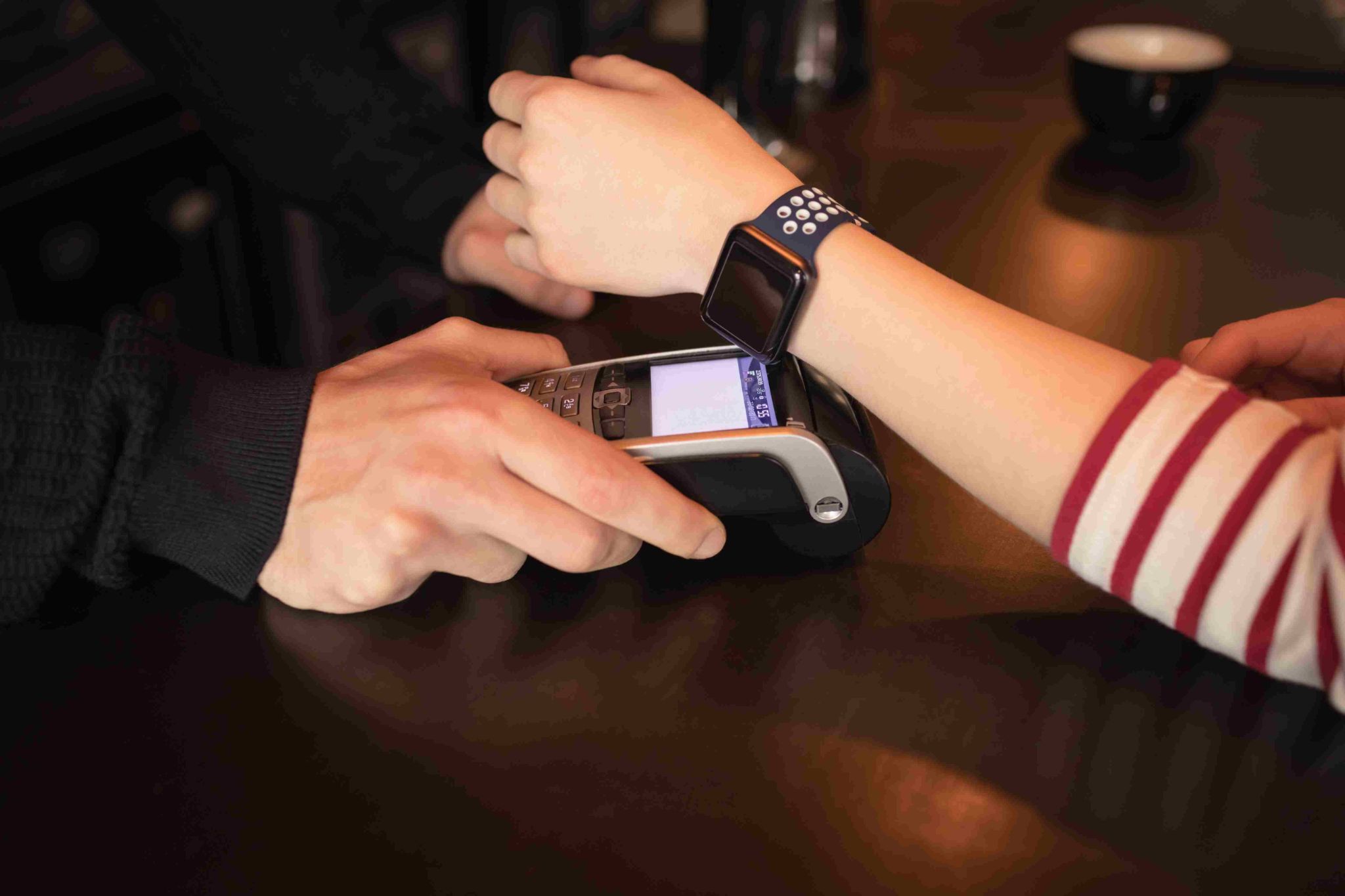
What Makes an RFID Time Clock Different
There are many ways to track employee attendance. PIN codes, paper timesheets, QR codes, facial recognition, and mobile apps are all commonly used. Each has its place. But an RFID time clock stands out for one key reason. It is fast. Not just fast compared to paper. Fast compared to almost every other method available.
When an employee taps their RFID card near the reader, the clock-in is recorded in under a second. No typing. No waiting. No looking at a screen. Just a quick tap and the record is made.
For businesses where dozens of employees start at the same time, this speed is a real operational advantage. It keeps lines short and keeps shifts starting on time. RFID also works without any cooperation from the employee beyond the tap. They do not need to remember anything. They do not need good lighting. They do not need a charged phone. The card works every time, every shift, every day.
Understanding How RFID Technology Works
You do not need to be a technology expert to use an RFID time clock. But a basic understanding of how it works will help you set it up confidently.
RFID stands for Radio Frequency Identification. The system has two main parts. The first is the card or key fob that each employee carries. The second is the reader that is mounted at your workplace entrance.
Inside each RFID card there is a small chip and a thin antenna. The chip holds a unique identification number. No two cards have the same number.
When the employee holds the card near the reader, the reader sends out a short radio signal. That signal powers the chip inside the card. The chip responds by transmitting its unique ID number back to the reader.
The reader captures that number and sends it to the time clock software. The software looks up which employee that number belongs to and records the clock-in or clock-out with a precise timestamp.
Why So Many Businesses Are Switching to RFID
Businesses that have used other attendance methods often switch to an RFID time clock for very practical reasons.
Speed during busy shift changes is the most common reason. When multiple employees arrive at the same time, a slow clock-in method creates a bottleneck. RFID handles high volumes quickly and keeps things moving.
Hygiene is another growing reason. In food production, healthcare, and laboratory environments, employees cannot share touch surfaces freely. RFID requires no contact with the reader. The employee keeps their distance and the tap still works.
Durability matters too. RFID cards are tough. They do not have screens to crack or batteries to die. They work in cold storage areas, on construction sites, and in warehouses where other devices might not survive.
Low maintenance is also a major benefit. Once the system is running, it requires very little ongoing attention. Cards rarely fail. Readers are built to last. And because everything is recorded automatically, there is nothing for a manager to do between clock-in and report generation.
What You Need Before You Start
Setting up an RFID time clock system requires three things. You need the right hardware, the right software, and a simple plan for getting your team set up.
RFID Reader Hardware
The reader is the device your employees tap their cards against. It is typically mounted on a wall near the main entrance of your workplace. Some readers are standalone units with a small display. Others connect to a tablet or a dedicated computer that runs the time clock software.
When choosing a reader, check which card formats it supports. Most workplaces use one of two frequencies. Cards operating at 125 kHz are the older standard. Cards at 13.56 MHz are more modern and offer better security. Make sure your reader and your cards match.
RFID Cards or Key Fobs
Each employee needs their own unique card or fob. Cards look like standard credit cards and fit easily in a wallet. Key fobs are small tags that clip onto a keyring. Cards are very affordable, often costing less than one dollar each. Key fobs cost a little more but are easier for employees who do not carry a wallet to work.
Each card comes with a unique ID number printed on the back or provided on a list from the supplier. You will use this number to link the card to the correct employee in your software. Order a few extra cards beyond your current headcount. You will need them for new hires and to replace any that get lost.
Time Clock Software With RFID Support
The software is where all your attendance data lives. It receives the signal from the reader, matches it to an employee, stores the record, and lets you generate reports for payroll and management.
Cloud-based software is the best option for most businesses. It stores data securely online, lets managers access records from any device, and updates automatically without any maintenance on your part.
Open Time Clock supports RFID card and key fob clock-in and is completely free to use. It works on any device with a browser and connects to RFID readers through your local network. All attendance data is stored securely in the cloud and available to managers in real time.
Setting Up Your RFID Time Clock System Step by Step
Once you have your hardware and software ready, follow these steps to get everything running.
Step 1: Create Your Software Account
Go to Open Time Clock and create a free account. No credit card is required. Enter your company name and basic details. This becomes your central dashboard for all attendance management. Once inside, take a few minutes to explore the settings. You will configure things like your pay period, overtime rules, and departments before adding employees.
Step 2: Set Up Your Company Rules
Before adding any employees, set your attendance rules. Define your workweek. Choose whether overtime is calculated daily, weekly, or both. Set your pay period frequency, whether that is weekly, biweekly, or semimonthly.
Open Time Clock lets you configure custom overtime rules, break deduction settings, shift schedules, and department structures. All of this is done through a simple browser interface that requires no technical knowledge.
Step 3: Add Your Employees
Create a profile for each employee. Enter their name, department, job title, and pay rate. You can add employees one at a time or import them in bulk from a spreadsheet if you have a large team.
After creating each employee profile, assign their RFID card ID to their account. Type in the unique ID number from the back of their card or use a card enrollment feature if your reader supports it.
Step 4: Connect Your RFID Reader
Follow the setup instructions that come with your reader. Most readers connect to your local network via ethernet or WiFi. Once connected to the same network as your time clock software, the reader and software pair automatically.
Place the reader at the most practical clock-in location for your team. Usually this is near the main entrance or at the beginning of the production floor. Mount it at a height that is comfortable for most employees, typically between waist and chest height.
Step 5: Test the System Before Going Live
Before rolling out to your full team, test with a small group first. Give three or four employees their cards and have them clock in and out several times. Check that the correct names and timestamps are appearing in your software dashboard.
Step 6: Distribute Cards to Your Full Team
Once testing is complete, hand out cards to all employees. Keep a record of which card belongs to whom. This is important for deactivating cards quickly if someone leaves or loses their card.
Show each employee how to use the card. The demonstration takes about 30 seconds. Hold the card near the reader. Wait for the confirmation signal. Done. That is the entire training process.
Step 7: Switch Off Your Old System
Stop using your previous attendance method from day one of going live. Running two systems simultaneously creates confusion and extra work. Trust the new system from the start.
Open Time Clock shows managers a live attendance view in real time. You can see at any moment which employees are clocked in, which have clocked out, and which have not yet arrived.
Conclusion
Setting up an RFID time clock is one of the most practical upgrades a business can make to its attendance tracking process. The technology is simple. The cards are affordable. The setup takes only a few hours. And the benefits are felt from the very first day. Employees clock in faster. Records are more accurate. Payroll takes less time. And managers have real-time visibility into who is working without having to chase anyone down.
Whether you run a warehouse, a clinic, a school, a restaurant, or an office, an RFID time clock fits into your operation cleanly and delivers results immediately. Sign up for a completely free account at Open Time Clock today. There is no credit card required. No setup fee. Just fast, reliable, and accurate attendance tracking from the very first tap.
FAQ’s
1. How does an RFID time clock work for employee attendance?
An RFID time clock uses radio frequency technology to identify employees when they tap a card or key fob near a reader. Each card has a unique ID stored on a tiny chip inside.
2. Is it difficult to set up an RFID time clock system?
No. The setup process is straightforward for most businesses. You mount the reader near your entrance, create employee profiles in your time clock software, assign each employee's card ID to their profile, and then test the system with a small group before going live. Most businesses complete the full setup in a few hours.
3. What happens if an employee loses their RFID card?
If a card is lost, the manager should log into the time clock software and deactivate that card ID immediately. This takes less than a minute. A new card is then ordered and assigned to the employee's profile.
4. Can an RFID time clock prevent buddy punching?
RFID reduces buddy punching compared to PIN-based systems because the physical card must be present at the reader. An employee cannot clock in for someone else without physically having that person's card. To eliminate buddy punching completely, businesses can combine RFID with photo capture at clock-in.
5. Does Open Time Clock support RFID card clock-in and is it free?
Yes. Open Time Clock supports RFID card and key fob clock-in as one of several available clock-in methods. The platform is completely free for businesses of all sizes including nonprofits, schools, hospitals, and government agencies.