GPS and Photo Verification in Time Clock Software: How It Works and Why It Matters
Learn how GPS and photo verification in time clock software improves attendance accuracy, stops time fraud, and simplifies payroll for every business.
Employee attendance tracking has always been one of the most important and most challenging parts of running a business. For decades, businesses relied on paper timesheets, punch cards, and manual records that were slow, error prone, and easy to manipulate. As technology improved, digital time clocks replaced many of these old methods. But even digital systems had a critical weakness: they could not verify whether the right employee was actually clocking in or whether they were clocking in from the right place.
This is the problem that GPS and photo verification solves. By combining location data with visual identity confirmation at the moment of every clock in, businesses gain a level of attendance accuracy and accountability that simply was not possible with older systems.
What Is GPS and Photo Verification in Time Clock Software?
GPS and photo verification is a dual layer attendance verification system that works in two ways simultaneously at the moment an employee clocks in.
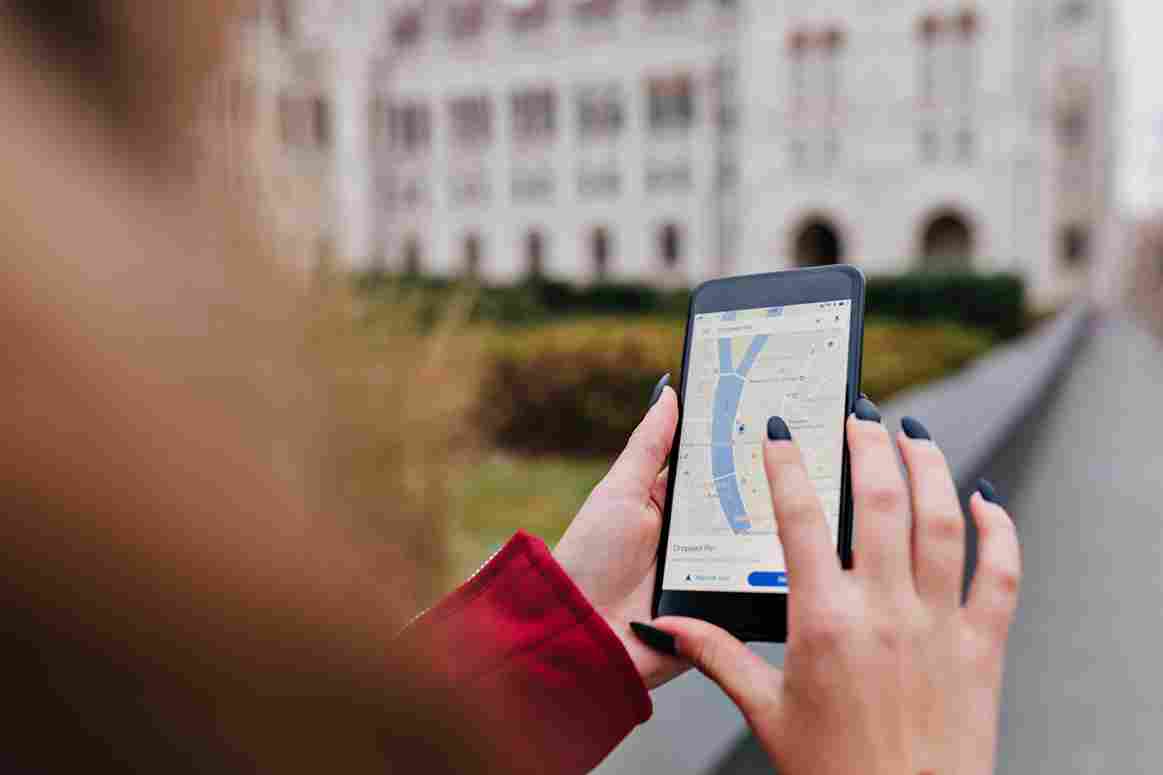
The GPS component records the exact physical location of the device being used to clock in. Using the device's built-in GPS receiver, the system captures the employee's precise coordinates at the moment the clock in happens. This data is stored alongside the attendance record and is immediately visible to managers in the dashboard. If a geofence has been configured for the work location, the system also checks whether the employee is within the approved boundary before accepting the clock in.
The photo verification component captures an image of the person clocking in at the exact moment they tap the clock in the button. This photo is linked directly to the attendance record and stored in the system for manager review. When a manager checks the attendance records, they can see not just when someone clocked in and where they were, but also a photo of the person who actually did it.
Why Traditional Time Tracking Systems Fall Short
To understand why GPS and photo verification matters so much, it helps to look at the limitations of the systems that came before it.
Paper timesheets gave employees complete control over what they wrote. There was no way to verify location, identity, or exact timing. Employees could write any hours they wanted, and managers had to take their word for it. Timesheet fraud was common, easy to commit, and nearly impossible to detect without direct supervision.
Basic digital time clocks were an improvement in that they created electronic records with automatic timestamps. But most early digital systems used PINs or simple badge swipes for authentication. A PIN can be shared. A badge can be handed to a colleague. Neither method verifies that the right person is actually present at the time of clock in.
Even more importantly, early digital systems had no way to verify location. An employee could clock in from a computer at home, from their phone in a parking lot, or from anywhere else with internet access. The system recorded the time but had no information about where the employee actually was.
How GPS Verification Works in Practice
When an employee opens the time tracking app or web interface and taps to clock in, the system requests the device's current GPS coordinates. This happens automatically using the location services built into any modern smartphone, tablet, or computer. The process takes less than a second and requires no action from the employee beyond initiating the normal clock in.
The GPS coordinates captured at that moment are recorded permanently as part of the attendance entry. Managers can view these coordinates in the attendance dashboard and can often see them plotted on a map to confirm the employee was in the right place.
For businesses that use geofencing, the GPS verification goes one step further. A geofence is a virtual boundary drawn around an approved work location. The radius can be set to whatever distance makes sense for the site, whether that is 30 meters for a small office, 200 meters for a large warehouse floor, or a kilometer for an outdoor job site.
When an employee attempts to clock in, the system compares their GPS coordinates to the approved geofence boundaries. If the employee is inside the boundary, the clock in is accepted. If they are outside every approved boundary, the system either blocks the clock entirely or records it with an automatic flag for manager review.
This means managers no longer have to wonder whether an employee who claims to be on site is actually there. The GPS data either confirms it or flags a discrepancy, and the manager can investigate from anywhere without being physically present at the location.
How Photo Verification Works in Practice
At the same moment the GPS coordinates are captured, the system activates the device's camera and captures a photo of the person performing the clock in. This photo is linked to the attendance record and stored in the system alongside the GPS data, the timestamp, and all other record details.
The photo capture process is automatic and takes no additional time for the employee. They initiate the clock in, the system captures the photo during the brief processing moment, and the clock in is recorded. The entire process from opening the app to completing the clock takes just a few seconds.
For managers, the photo becomes a powerful tool for attendance verification. When reviewing attendance records, managers can click on any individual entry and see the photo of the person who clocked in at that time. They can compare this photo to the employee's registered profile photo to confirm that it is the same person.
If the photos do not match, the manager knows immediately that someone clocked in using another employee's credentials. This is the clearest possible evidence of buddy punching, and it makes the fraud extremely easy to identify and address.
The Business Problems That GPS and Photo Verification Solves
The practical impact of implementing GPS and photo verification extends across several areas of business operations. Here is a detailed look at the specific problems it addresses.
Buddy Punching and Time Theft
Buddy punching is estimated to cost businesses billions of dollars every year globally. It happens when Employee A arrives on time and clocks in for Employee B, who is running late or has not shown up at all. From the attendance record, both employees appear to have arrived on time, even though one of them was not there.
GPS and photo verification makes buddy punching essentially impossible in two different ways. The GPS component confirms that the clock in happened at the right location. The photo component confirms that the right person performed the clock in. An employee who tries to clock in for an absent colleague will appear in the photo, immediately exposing the fraud to any manager who reviews the records.

Remote Clock In Fraud
Remote clock in fraud happens when employees log attendance from unauthorized locations, clocking in as if they are at work when they are actually somewhere else entirely. This is particularly common in workplaces that use app based time tracking without location verification.
GPS geofencing eliminates remote clock fraud by restricting clock-ins to approved physical locations. No matter how the employee accesses the system, if they are not physically within the geofence boundary, their clock either fails or is flagged for review. The GPS data is captured directly from the device's location services and cannot be easily falsified by the employee.
Disputed Attendance Records
Disputes over attendance records are a common source of conflict between employees and managers. An employee insists they arrived at a certain time. The system shows a different time. Without any verification data, there is no way to resolve the dispute objectively.
When every clock includes both GPS coordinates and a photo, disputes have an immediate, objective resolution. The manager can show the employee the exact coordinates of their clock in location and the photo taken at that moment. The record speaks for itself, and the dispute is resolved quickly without damaging the relationship between the employee and management.
Payroll Errors and Inaccuracy
Payroll errors are costly, time consuming to fix, and damaging to employee trust. When attendance records contain fraudulent or inaccurate entries, every payroll calculation built on those records is potentially wrong. Overpayments, underpayments, incorrect overtime calculations, and compliance violations can all trace back to attendance data that was not properly verified.
GPS and photo verification ensures that the attendance records feeding into payroll are accurate and trustworthy. When managers can confirm that every clock in was made by the right employee at the right location, the attendance data becomes a reliable foundation for all downstream payroll calculations.
How Open Time Clock Delivers GPS and Photo Verification
Open Time Clock is one of the most complete and accessible free time tracking platforms available today. Its GPS and photo verification features are built directly into the core platform and available to every business at no cost.
The GPS tracking feature records the exact coordinates of every clock in event automatically. Businesses can view these coordinates in the attendance dashboard and can set up geofences around any number of work locations. The geofencing system allows managers to define approved boundaries for each site and configure whether out of boundary clock ins are blocked automatically or flagged for review.
Open Time Clock's geofencing and GPS tools are designed for businesses with both fixed and mobile workforces. Office based employees can be restricted to a single location geofence. Field employees and remote workers can have multiple approved locations assigned to their profile. The system handles all of this within a single, unified dashboard.
The photo verification feature works alongside GPS to capture a timestamped image of every employee at the moment of clock in. These photos are stored securely in the system and are immediately accessible to managers for review. The comparison between the clock in the photo and the registered employee profile photo can be done at a glance, making it quick and easy to spot any discrepancies.
Conclusion
GPS and photo verification represents one of the most significant advances in time tracking technology available to businesses today. By capturing both location data and visual identity confirmation at every single clock in event, it creates attendance records that are accurate, verifiable, and fraud resistant in a way that no previous system could match.
The problems it solves are real and costly. Buddy punching, remote clock in fraud, disputed records, payroll errors, and compliance documentation gaps all shrink dramatically when GPS and photo verification is part of the attendance process. And the technology that delivers these benefits is no longer expensive or complicated to implement.
Open Time Clock makes GPS and photo verification available to every business, completely free, through a platform that works on any device without requiring any hardware investment. Combined with geofencing, facial recognition, QR code clock in, and a comprehensive reporting suite, it gives businesses everything they need to track employee time with complete accuracy and confidence.
FAQ’s
Q1. How does GPS and photo verification prevent buddy punching?
GPS and photo verification stops buddy punching through two simultaneous verification layers. The GPS component confirms that the clock happened at the right physical location. The photo component captures an image of the person actually performing the clock in.
Q2. Can employees disable GPS on their device to bypass location verification?
Employees can disable location services on their personal devices, but doing so will prevent the time tracking app from accepting a clock in at all, since the system requires GPS data to process the attendance entry. If an employee disables GPS and cannot clock in, this creates a visible gap in their attendance record that the manager will notice.
Q3. Are the photos captured during the clock stored securely?
Yes. Photos captured during clock in through Open Time Clock are stored securely in the cloud based platform. Access to these photos is restricted to authorized administrators and managers within the system.
Q4. Does GPS and photo verification work for remote and field based employees?
Absolutely. GPS and photo verification is particularly valuable for remote and field based employees because it provides the location and identity confirmation that a physical supervisor would otherwise need to be present to provide.
Q5. Is GPS and photo verification available for free on Open Time Clock?
Yes. GPS tracking, geofencing, and photo verification are all included in Open Time Clock's free plan. There is no credit card required to get started, no per user fee, and no feature restrictions on these capabilities in the free version.