Clockify vs Toggl for Small Teams Comparing Reporting, Projects, and Team Management
A full Clockify vs Toggl comparison covering reporting, projects, and team management to help small teams choose the right fit.
Choosing the right time tracking software can make a big difference for small teams. The best tool should not only record work hours but also help manage projects, monitor team progress, and generate useful reports. Two of the most popular options are Clockify and Toggl, each offering a different balance of simplicity, features, and team management tools.
In this Clockify vs Toggl comparison, we'll look at how both platforms perform in reporting, project tracking, and team management. Whether you're a growing business, a remote team, or a small agency, understanding these differences will help you choose the tool that best matches your workflow and business needs.
A Quick Overview of Both Tools
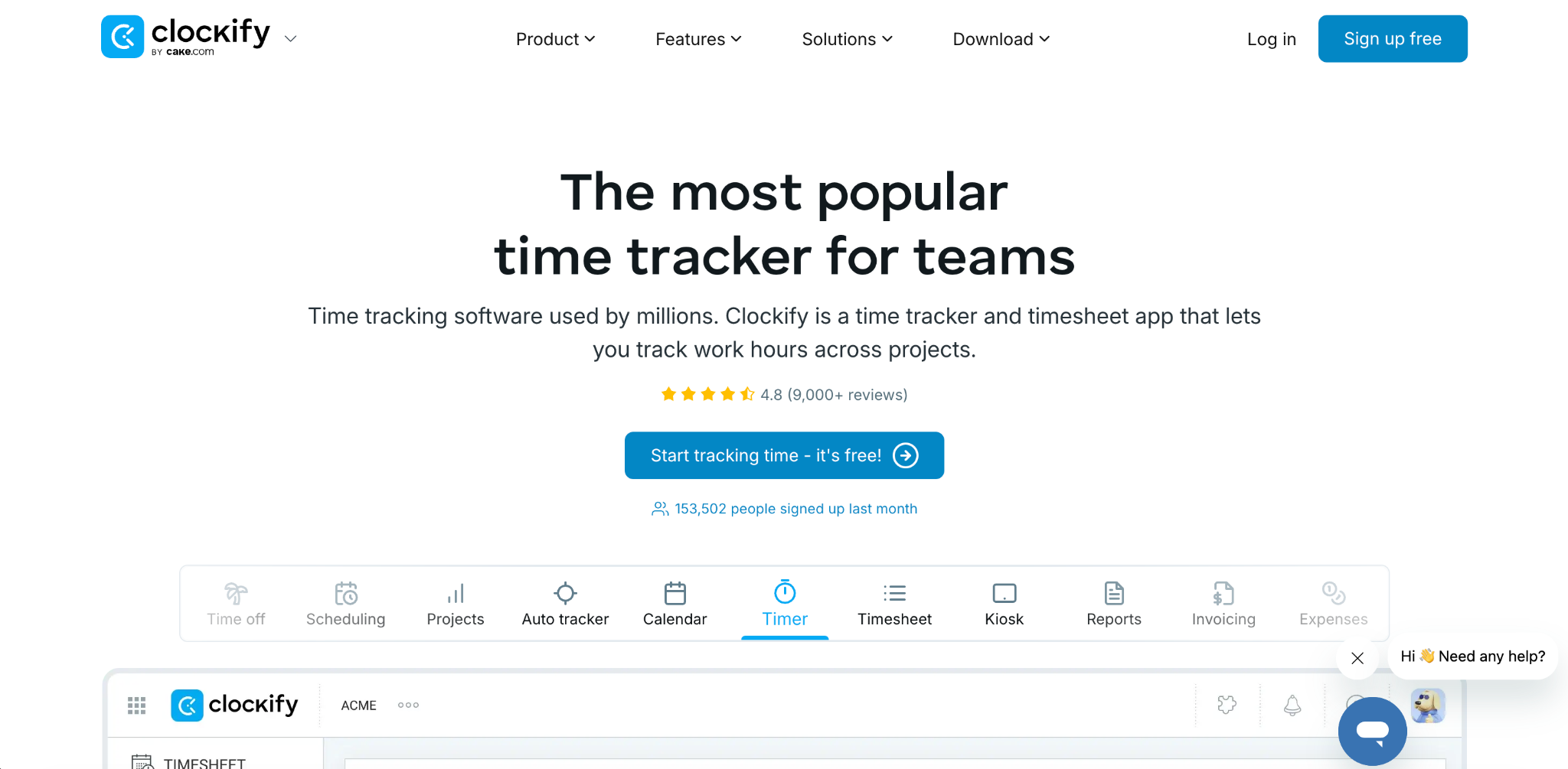
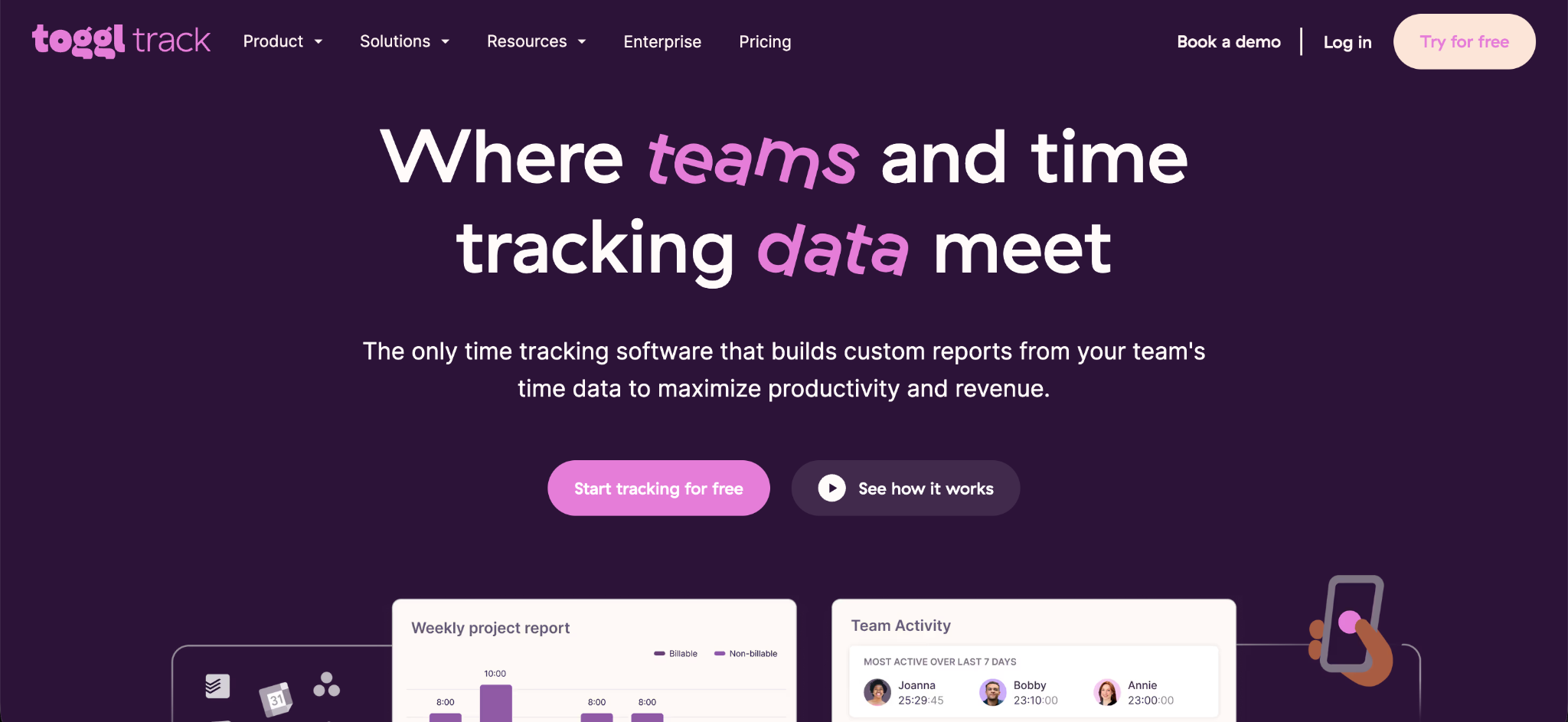
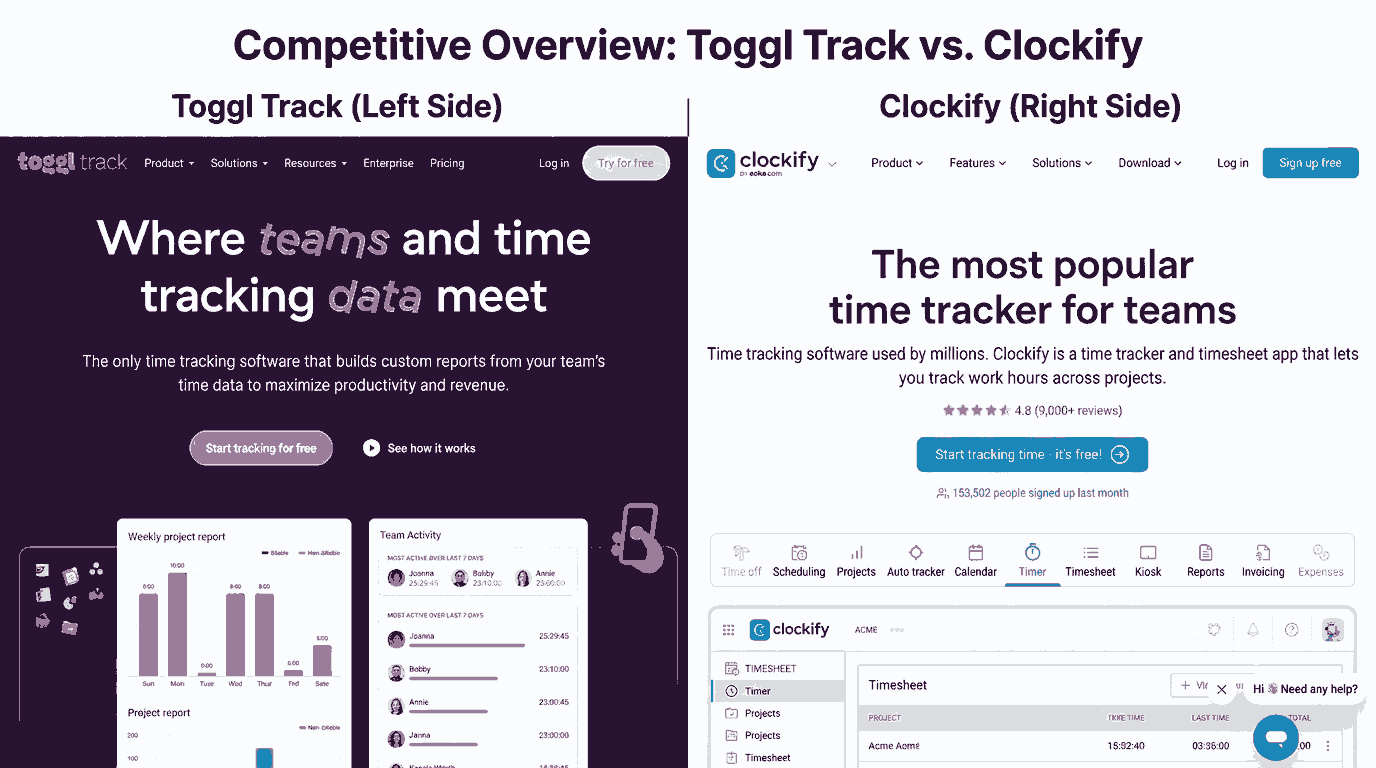
Clockify is known for its focus on affordability and administrative control. It offers a generous free plan and lower cost paid tiers, making it popular with teams that want strong functionality without a large budget. Toggl, on the other hand, focuses more on user experience and simplicity, aiming to keep the daily time tracking process fast and easy for individuals and small teams.
Both platforms handle the basic timer function well. You can start a timer, assign it to a project, and stop it when the task is done. However, the daily experience and depth of features differ significantly once you look beyond this basic function, which is where the real Clockify vs Toggl decision comes into play.
Comparing Pricing Between Clockify and Toggl
Pricing is often one of the biggest deciding factors for small teams. Clockify generally comes out cheaper across most comparisons. For a team of ten people, Clockify's paid plan often costs significantly less per month compared to Toggl's equivalent tier.
Toggl's paid plans typically start around nine to ten dollars per user each month, while Clockify's paid plans often start under five dollars per user, with some sources noting Clockify can be thirty to fifty percent cheaper for similar feature sets. This makes Clockify an attractive option for small teams trying to keep software costs low as they grow.
That said, price is not the only factor worth considering in the Clockify vs Toggl debate. Feature depth and daily usability also play a major role in choosing the right fit for your team.
Comparing the Daily User Experience
Toggl is often praised for feeling faster and smoother during everyday use. Many reviewers note that people can figure out Toggl quickly without needing much training, which makes it appealing for teams that want to get started right away without a learning curve.
Clockify, while slightly less polished in daily interaction, makes up for this with broader administrative features. Teams that need more oversight, structure, or lower cost scaling tend to lean toward Clockify, even if the day to day experience feels a bit less refined compared to Toggl.
This difference in daily experience is a key part of the Clockify vs Toggl comparison, especially for small teams deciding between ease of use and deeper administrative control.
Comparing Reporting Features
Reporting is where both tools show real strength, though with some differences in depth. Clockify offers several report types, including summary reports, detailed breakdowns, and weekly summaries that can be grouped by project or user. These reports can be shared with clients directly or exported as PDF, CSV, or Excel files.
Toggl also provides strong reporting tools, including detailed reports that show individual time entries over a chosen period. Toggl's reporting system received a notable redesign that added several new report types along with more filtering options, giving users more ways to slice their data.
For small teams, the Clockify vs Toggl reporting comparison often comes down to specific needs. Clockify may offer slightly broader built in report variety, while Toggl's more recent updates have added flexibility that some teams find easier to customize.
Comparing Project Management Features
Clockify positions itself as more than just a timer, describing itself as a tool that also supports productivity features like a built-in Pomodoro timer alongside standard project tracking. Toggl focuses more heavily on being a timesheet tool with strong project and team management support built directly into its core experience.
Neither tool is a full replacement for dedicated project management software, but both offer enough structure for small teams to organize time by project and task. The right choice often depends on whether your team needs extra productivity features, which Clockify leans toward, or a cleaner timesheet focused experience, which is where Toggl tends to shine.
Comparing Team Management Tools
Team oversight is another area where these platforms differ. Clockify's dashboard lets managers see where time is being spent across the team, including which activities take up the most hours and what each team member is currently working on. This gives managers a broad view of team activity in one place.
Toggl offers a team activity view that shows recent time entries from team members, along with automated email reminders for anyone who has not logged their expected hours. This reminder feature can help small teams stay consistent with their tracking habits without requiring a manager to manually follow up with each person.
Both approaches work well for small teams, but the Clockify vs Toggl difference here often comes down to whether your team prefers a broader dashboard view or more targeted reminder based nudges to keep tracking consistent.
Comparing Integrations
Toggl generally offers a larger number of integrations, often cited as over one hundred, including native connections with tools like Jira, Notion, and GitHub. Many reviewers describe Toggl's integration experience as more polished, especially for teams already using development or project management tools.
Clockify offers a smaller but still substantial number of integrations, often cited around eighty. While this is fewer than Toggl, it still covers many popular business tools that small teams rely on for daily operations.
If your small team already uses several specialized tools for development or project tracking, Toggl's stronger integration library may tip the Clockify vs Toggl decision in its favor.
Comparing Monitoring and Field Team Support
One of the clearest differences between these two tools involves monitoring features for field based or in person teams. Toggl has an explicit policy against surveillance style features, meaning it does not offer GPS tracking or screenshot monitoring at any pricing tier. This works well for teams that value a lighter touch approach to tracking.
Clockify, on the other hand, offers GPS tracking, screenshots, and kiosk based clock-in options on its higher tier plans. These features are aimed at supporting construction, healthcare, and field service teams where confirming physical attendance actually matters for the business. However, some reviews mention battery drain issues with GPS tracking on certain mobile devices.
For small teams that manage remote desk based work only, this difference may not matter much. But for small teams with field employees or multiple physical job sites, this gap becomes an important part of the Clockify vs Toggl comparison, and it may point toward looking at a more field focused option entirely.
Why Some Small Teams Look Beyond Both Tools
While Clockify and Toggl both work well for general project time tracking, teams with field employees, multiple job sites, or a need for strict attendance verification sometimes find that neither tool fully covers their needs. Toggl skips location tracking entirely, and while Clockify does offer GPS features, some users report technical issues with the mobile experience.
For businesses that need strong, reliable GPS tracking alongside biometric verification, a dedicated attendance system like Open Time Clock can be a better fit. You can review its full location tracking capabilities on the GPS and geofencing feature page, which is built specifically around confirming employee location during clock-in.
Considering Invoicing Needs
Invoicing is another area where these two tools differ. Clockify includes invoicing features on its paid plans, supporting things like taxes, discounts, and recurring invoices depending on the tier. Toggl does not include invoicing at any plan level, meaning teams would need a separate billing tool to handle client invoices.
For small teams that bill clients directly based on tracked hours, this difference matters. Clockify's built in invoicing may save time compared to exporting data and importing it into a separate tool, which is the workflow Toggl users would need to follow instead.
Which Tool Fits Which Type of Small Team
Clockify tends to fit small teams that want strong administrative control, lower costs, and built in invoicing, without worrying too much about the most polished day to day interface. It also fits teams that may eventually need field tracking features, since GPS and kiosk options are available on higher tiers.
Toggl tends to fit small teams that prioritize a fast, simple daily experience and strong reporting flexibility, especially teams already using popular integrations like Jira or Notion. It works especially well for teams that do not need invoicing or field based monitoring built directly into their time tracking tool.
Considering a Focused Time Tracking Alternative
Both Clockify and Toggl are built primarily around project time tracking for desk based or remote teams. If your small team also needs strong attendance tracking, such as clear payroll ready reports or accurate GPS verification for field staff, it may be worth comparing these tools against a more attendance focused platform.
Open Time Clock offers this kind of dedicated approach, combining time tracking with payroll reporting and job costing in one system. You can explore its full feature set on the Open Time Clock homepage, which may serve as a helpful comparison point if your team's needs go beyond general project time tracking.
Testing Both Before Committing
Since both Clockify and Toggl offer free plans or trials, it is worth testing each one directly with your team before making a final decision. Pay close attention to how your team actually uses the timer day to day, whether the reporting fits your specific needs, and whether integrations with your existing tools work smoothly.
Small issues that seem minor during a short test period can become bigger frustrations once a tool is fully adopted across the entire team, so taking the time to test properly is always a worthwhile step.
Conclusion
The right choice in the Clockify vs Toggl comparison depends on how your team works each day. Clockify is a strong option for small businesses that want affordable pricing, detailed reporting, and better control over projects, users, and billable hours. Toggl stands out for its clean interface, ease of use, and wide range of integrations, making it a great fit for teams that value a simple and efficient time tracking experience.
If your business also needs features like attendance tracking, shift management, GPS tracking, or payroll integration, you may benefit from a more complete workforce management solution instead of a standard time tracker. Before making a decision, take advantage of free trials or free plans to test each platform with your team. Real-world use is the best way to find the software that matches your workflow, budget, and future growth.
Frequently Asked Questions
1. Which is cheaper, Clockify or Toggl?
Clockify is generally cheaper across most pricing tiers, often costing significantly less per user compared to Toggl's equivalent paid plans.
2. Does Toggl offer GPS tracking?
No. Toggl has an explicit policy against surveillance style features, meaning it does not offer GPS tracking or screenshots at any pricing level.
3. Which tool has better integrations?
Toggl generally offers more integrations, often cited around one hundred or more, compared to Clockify's roughly eighty native integrations.
4. Does Clockify include invoicing?
Yes. Clockify includes invoicing features on its paid plans. Toggl does not offer invoicing at any tier, requiring a separate billing tool.
5. Is there a better option for field based teams?
Teams needing strong GPS tracking and biometric verification for field employees may want to consider a dedicated system like Open Time Clock, which focuses specifically on this kind of attendance tracking.