How to add and Print Employee's Barcodes
Please follow the steps below on how to ADD/EDIT EMPLOYEE’S BARCODE.
Step 1: Log in to your admin/manager access account.
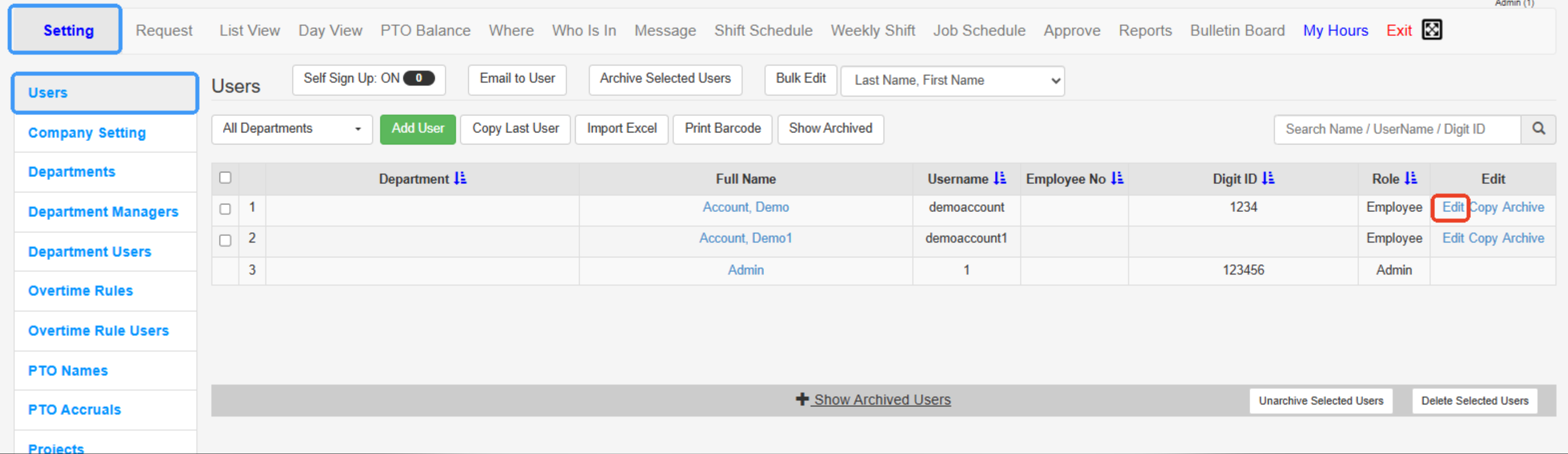
Step 2: Go to the SETTING tab and find the USERS/EMPLOYEES tab.
Step 3: Click the EDIT button alongside your employee’s name (the one you want to edit) and look for the “DIGIT ID” field, and type in the barcode combination in numeric figures.
Step 4: Click SAVE (you are now ready to print the barcode).
---
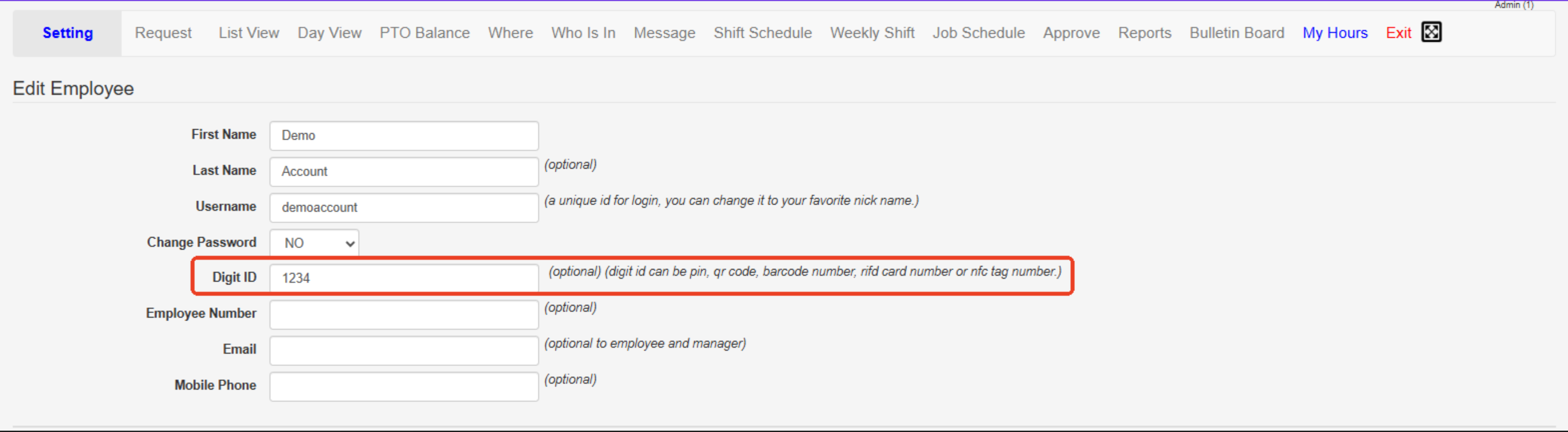
Make sure to click on "Save Changes" before you continue.
----
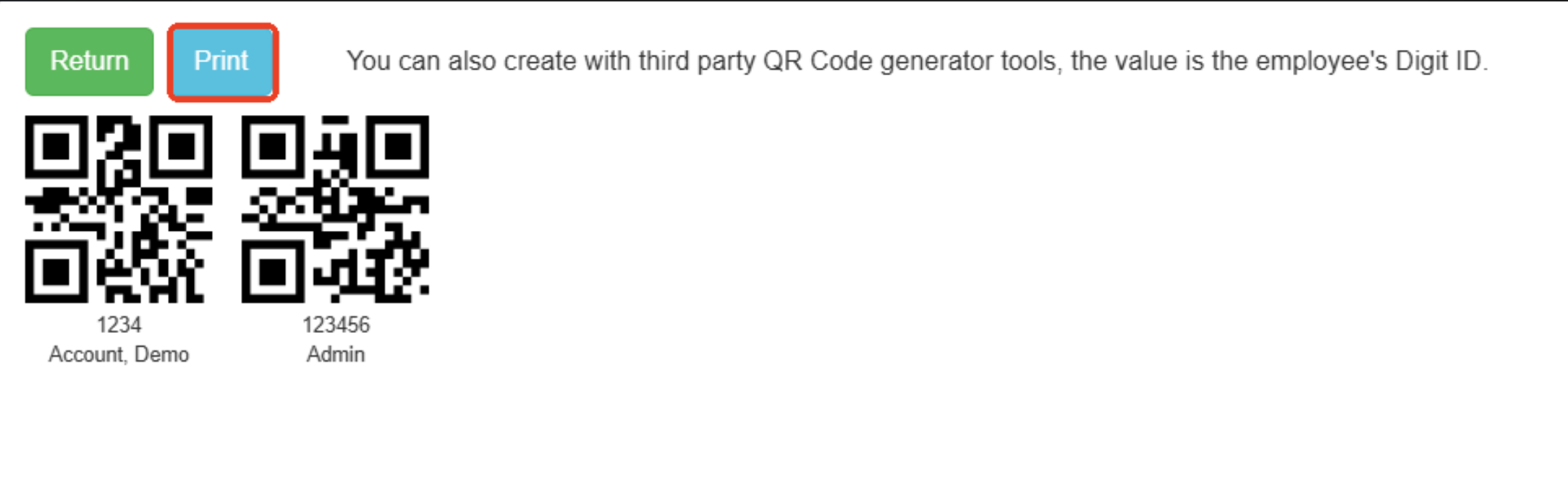
Please follow the steps below on how to print an employee’s BARCODE.
Step 1: Log in to your admin/manager access account.
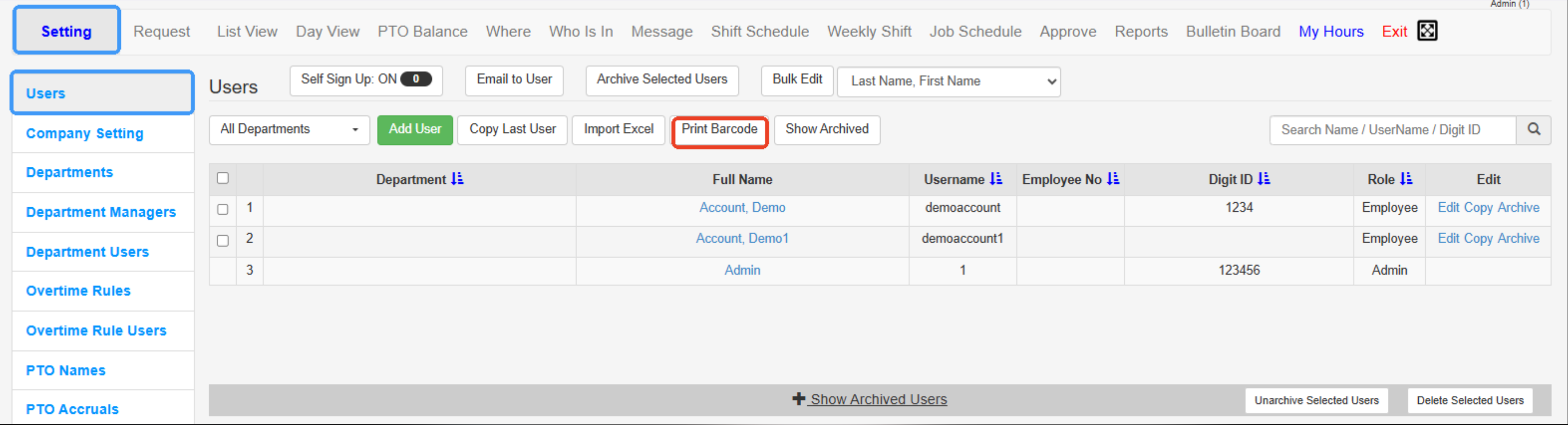
Step 2: Go to the SETTING>USERS tab, then click the “Print bar-code” button.
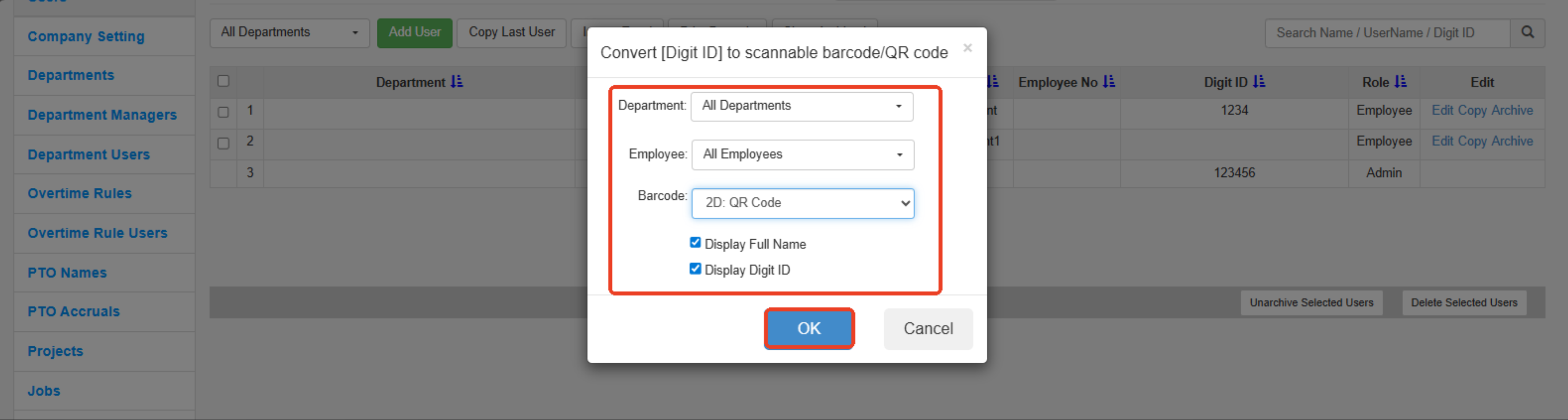
Step 3: Select the name of the employee and your preferred barcode type, then hit the “OK” button.
---
---
Created with the Personal Edition of HelpNDoc: Quickly and Easily Convert Your Word Document to an ePub or Kindle eBook