How to edit Employee Role
Please follow the steps below on how to ADD/EDIT YOUR EMPLOYEE's ROLE.
Step 1: Log in to your admin/manager access account.
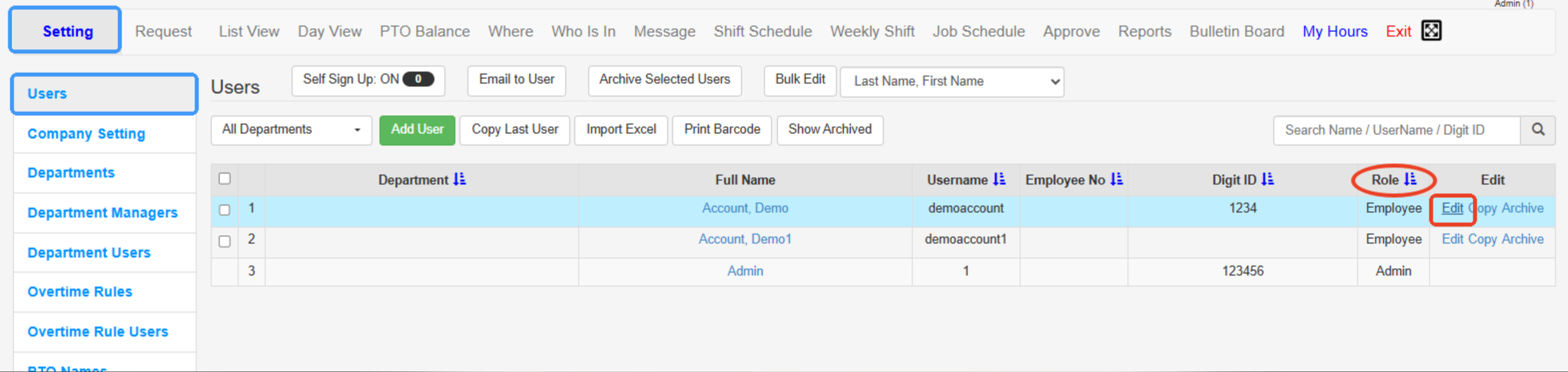
Step 2: Go to the SETTING tab and find the USERS/EMPLOYEES tab, then click the EDIT link alongside each employee name.
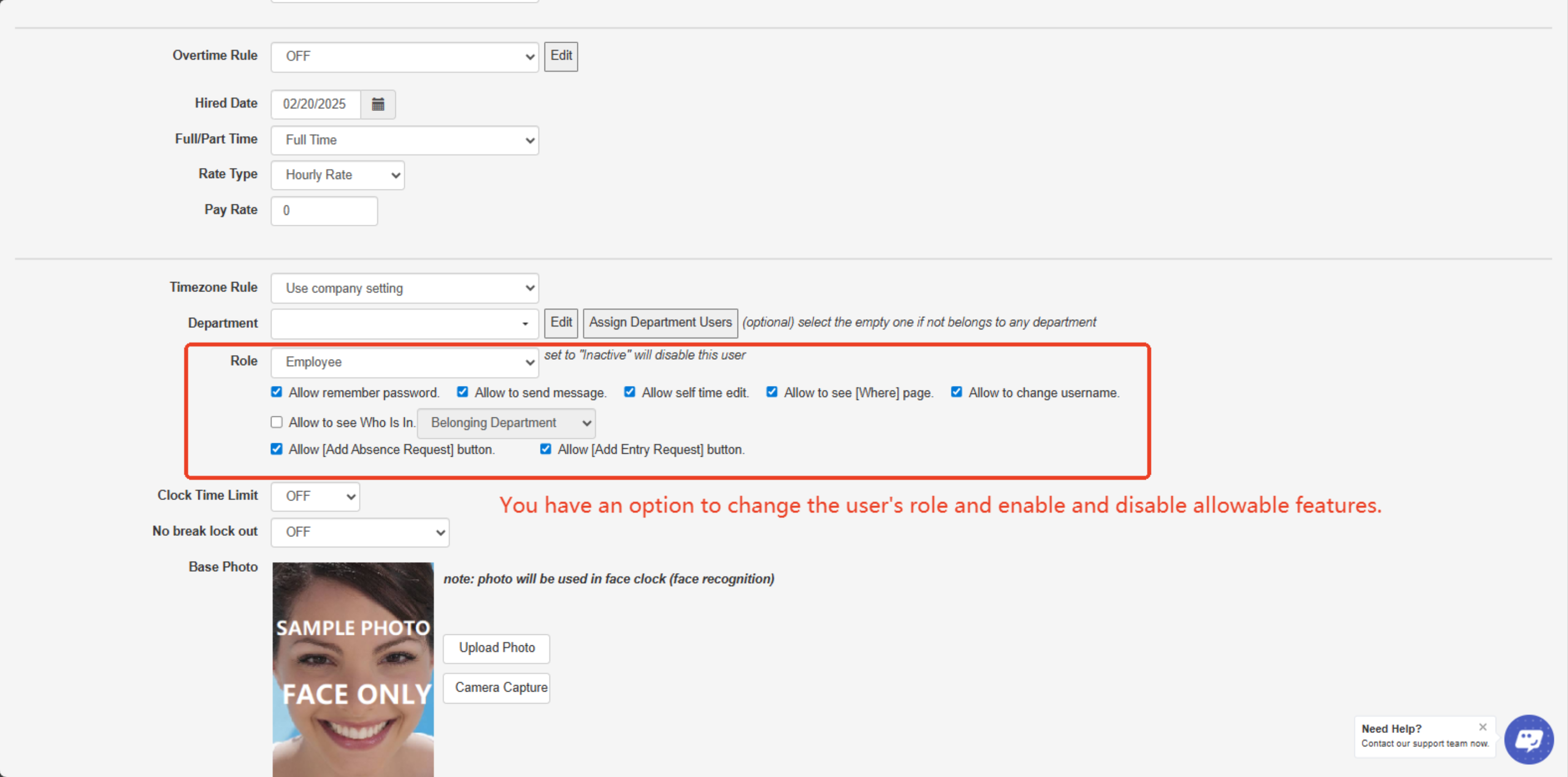
Step 3: Go to the “ROLE” field and change the user’s access to the ADMIN/ MANAGER/ EMPLOYEE or INACTIVE.
Step 4: Under the ROLE field, you can set the user’s access restrictions.
(You can also select what access restrictions you may want that user to have.)
Step 4: Click SAVE.
---
Don't forget to click on "Save Changes" before you continue!
Created with the Personal Edition of HelpNDoc: Easy EBook and documentation generator