How to add Employees
Follow the steps below on how to ADD USERS/EMPLOYEES.
Step 1: Log in to your admin access account.
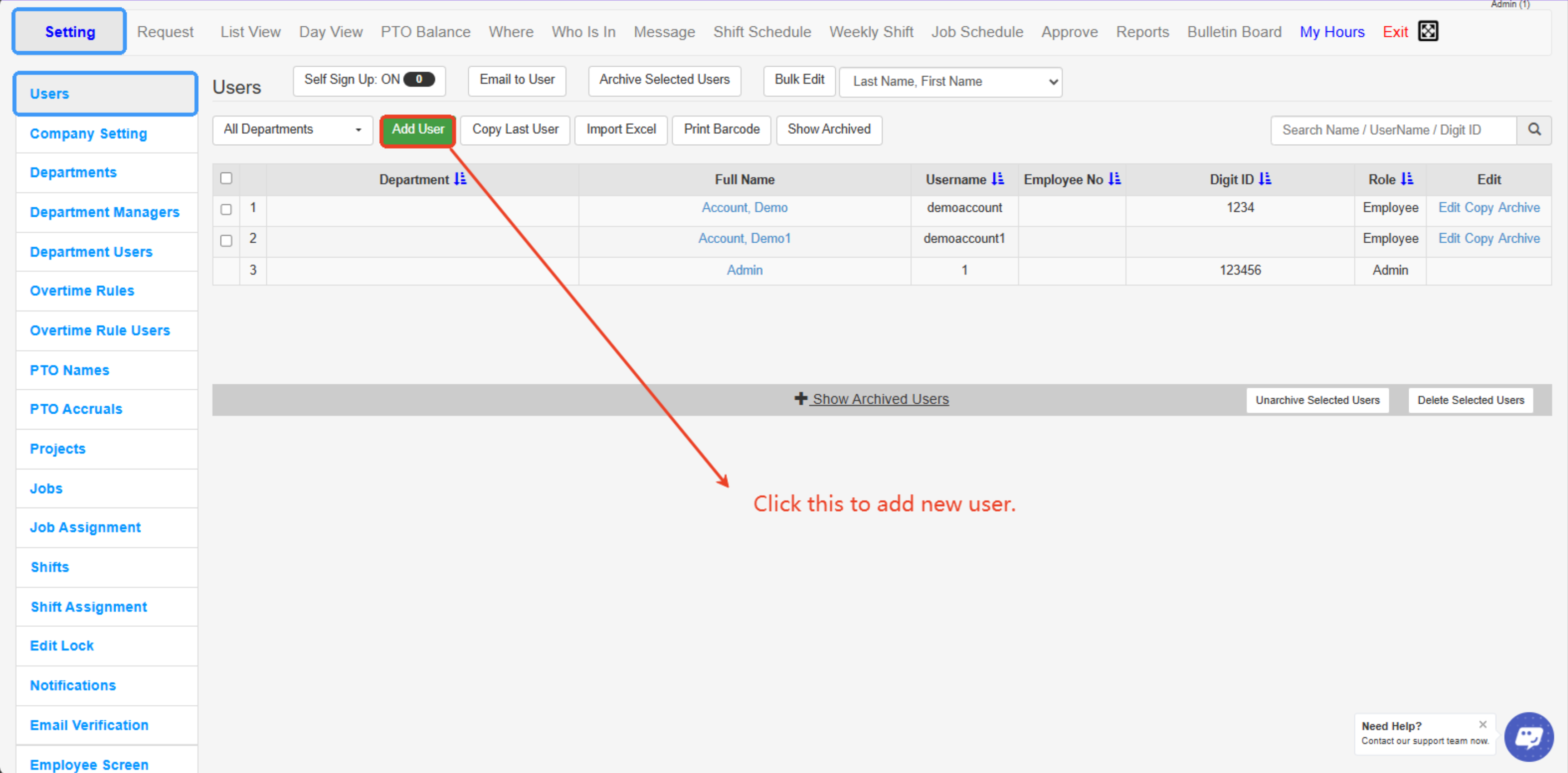
Step 2: Go to the SETTING tab and click the USERS tab.
Step 3: Click the ADD USER button.
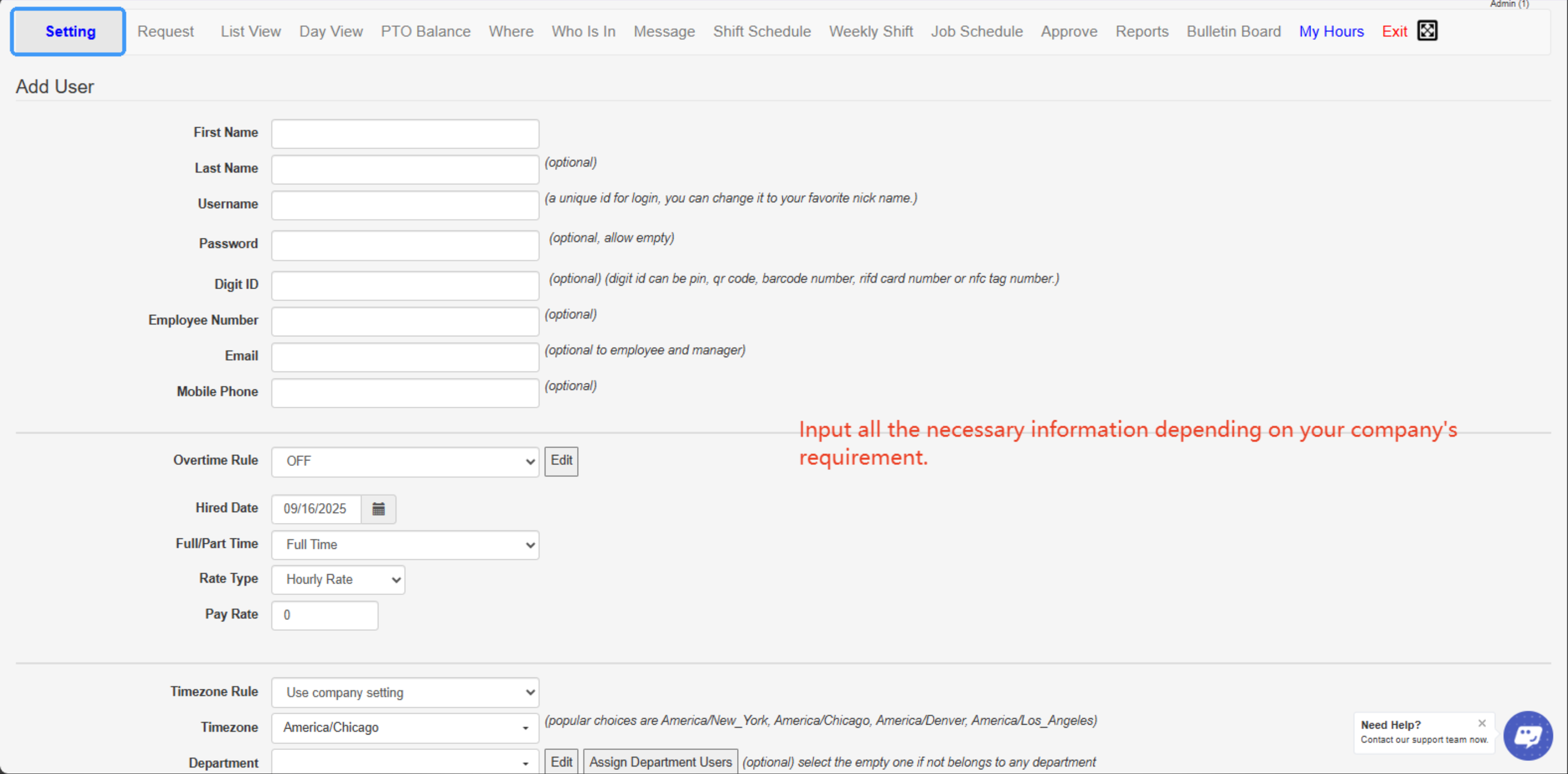
Step 4: Fill out the given information for employees (note: make sure you add value to the RATE field at least “0.00” otherwise the user’s profile won’t be saved)
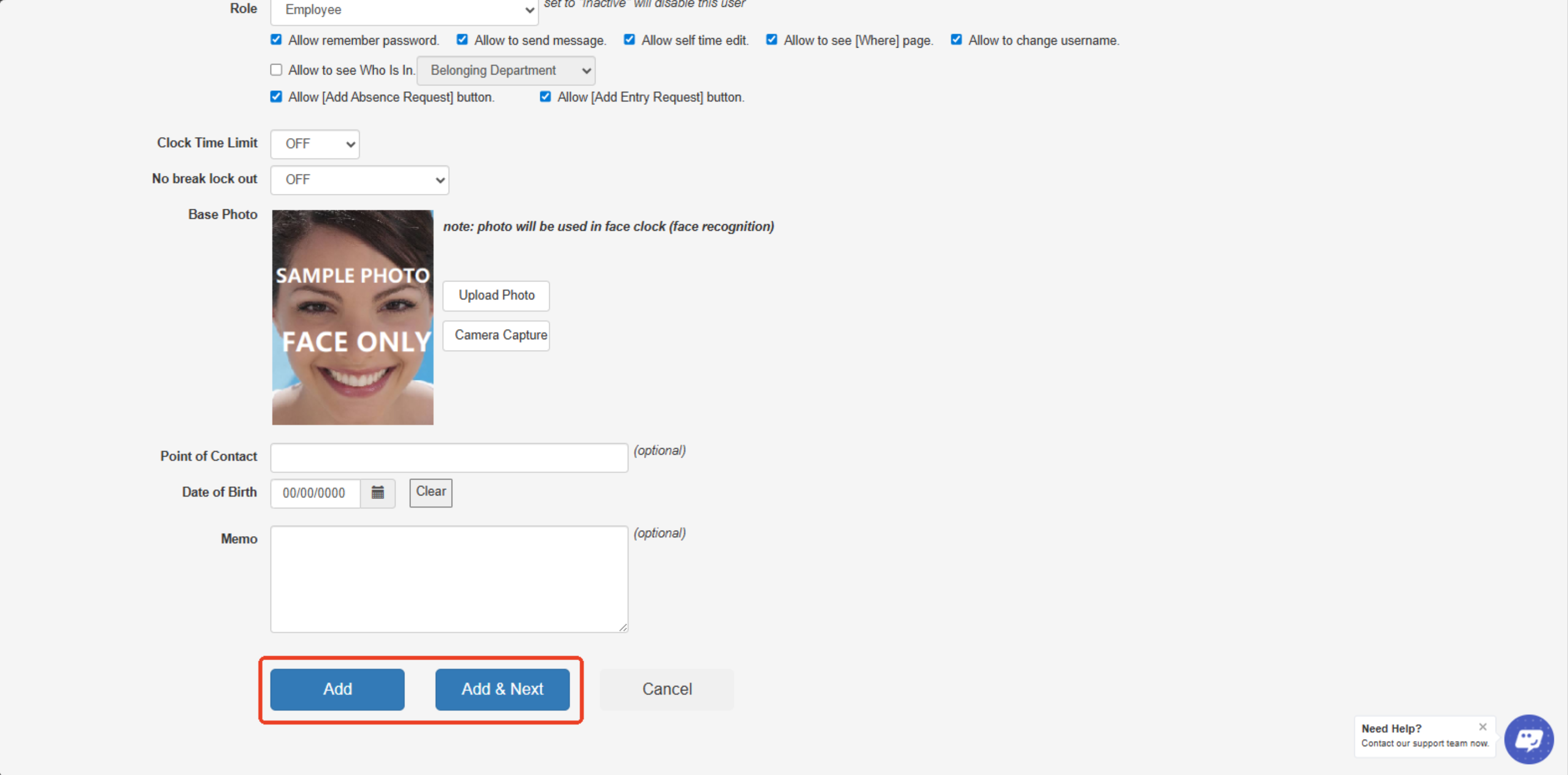
Step 5: Click ADD or Click ADD & Next to proceed adding another employee.
---
---
Created with the Personal Edition of HelpNDoc: Transform Your Documentation Workflow with HelpNDoc's Intuitive UI