Edit Lock
This function allows administrators to lock or restrict editing of time entries, shifts, or schedules after a set date or time.
It helps maintain data accuracy by preventing employees or managers from making unauthorized changes to past records once payroll or reports are finalized.
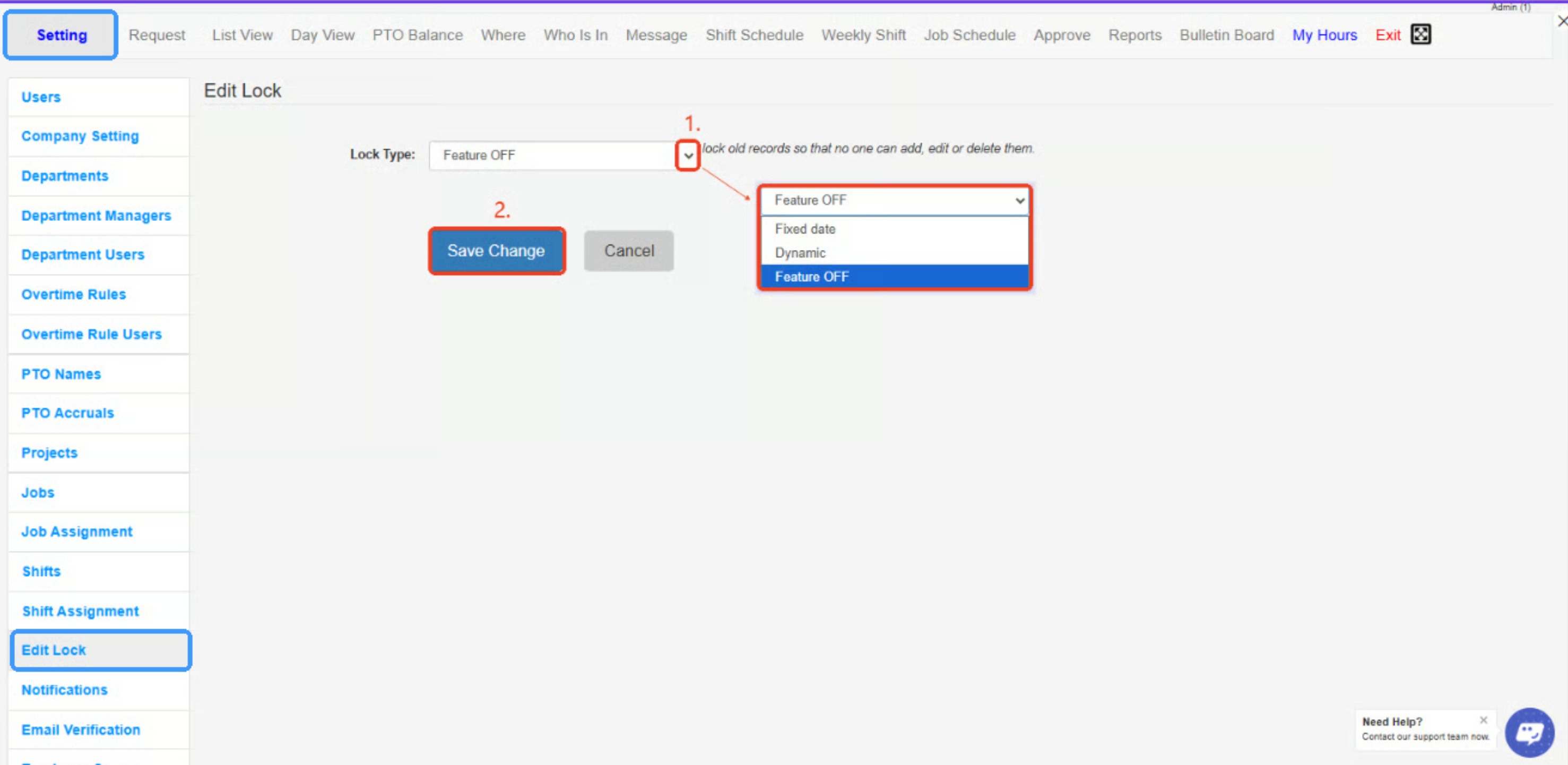
- Lock Type Dropdown – Selects the type of edit lock to apply:
- Feature OFF: No lock applied.
- Fixed Date: Locks records after a specific date.
- Dynamic: Automatically locks records based on a rolling time frame.
- Save Change Button – Saves and applies the chosen edit lock settings to restrict changes to past records.
Created with the Personal Edition of HelpNDoc: Easily create PDF Help documents