Shift Assignment
Assign existing shifts to employees or departments. This ensures each employee is scheduled for the correct shift, making time tracking, attendance, and payroll more accurate and organized.
How to Add/Assign Shifts
This is to prevent employees from selecting incorrect shifts when they clock in/out for work.
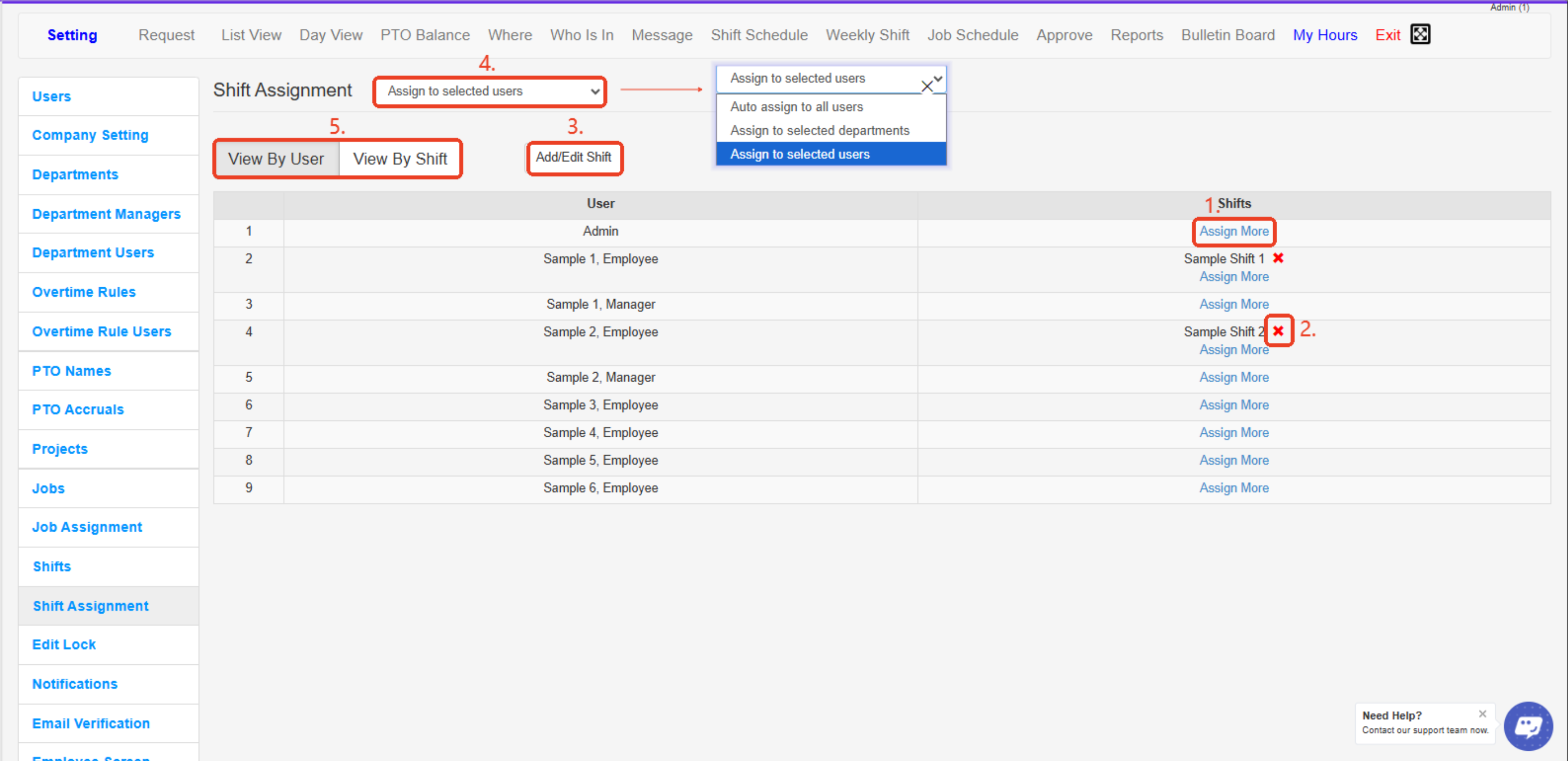
- Assign More – Lets you assign an additional shift to the selected employee.
- X (Remove Shift) – Click to remove or unassign a shift from the selected employee.
- Add/Edit Shift – Opens the window to create new shifts or edit existing ones.
- Assignment Dropdown – Choose how to assign shifts: to all users, selected departments, or selected users.
- View By User / View By Shift – Toggle between viewing shift assignments by employee or by shift for easier management.
Created with the Personal Edition of HelpNDoc: Modernize your help files with HelpNDoc's WinHelp HLP to CHM conversion tool