Notifications Overview
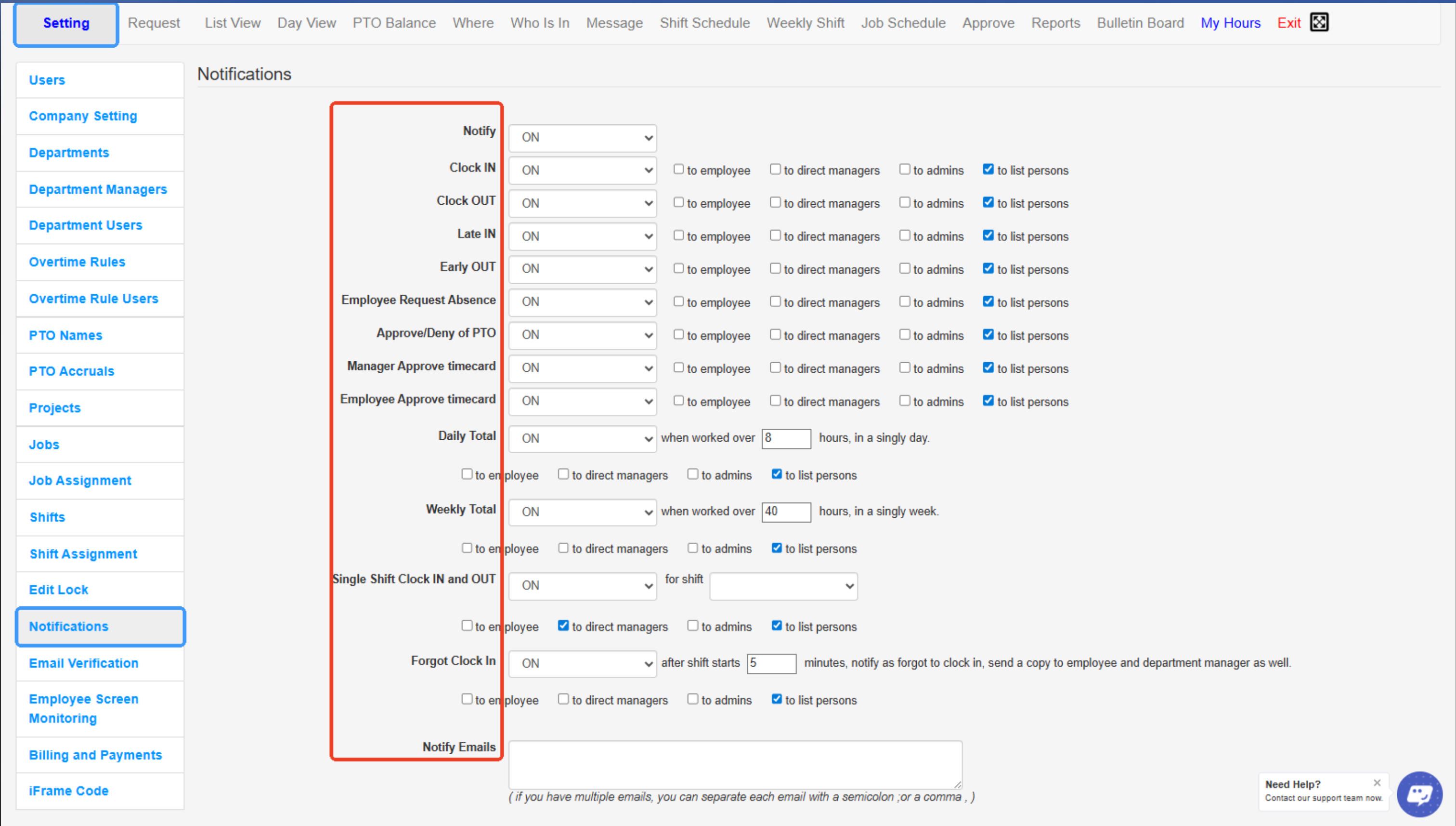
This section allows administrators to set up and manage automatic alerts or reminders for employees and managers.
Notifications can include clock-in/clock-out reminders, overtime alerts, shift changes, and other important updates, helping everyone stay informed and on schedule.
- Notify – Master switch to enable or disable notifications for the listed events.
- Clock IN – Sends a notification when an employee clocks in.
- Clock OUT – Sends a notification when an employee clocks out.
- Late IN – Notifies when an employee clocks in late for their scheduled shift.
- Early OUT – Notifies when an employee clocks out earlier than scheduled.
- Employee Request Absence – Sends alerts when employees submit absence requests.
- Approve/Deny of PTO – Sends notifications when paid time off requests are approved or denied.
- Manager Approve Timecard – Notifies when a manager approves an employee’s timecard.
- Employee Approve Timecard – Notifies when an employee approves their own timecard.
- Daily Total – Sends a notification if an employee exceeds the specified daily work hours.
- Weekly Total – Sends a notification if an employee exceeds the specified weekly work hours.
- Single Shift Clock IN and OUT – Notifies about single shift clock-in and clock-out activities for selected shifts.
- Forgot Clock IN – Sends alerts if employees miss clocking in after a set number of minutes.
- Notify Emails – Field to enter email addresses that will receive selected notifications (separate multiple emails with commas or semicolons).
Created with the Personal Edition of HelpNDoc: Streamline Your CHM Help File Creation with HelpNDoc