Who is in
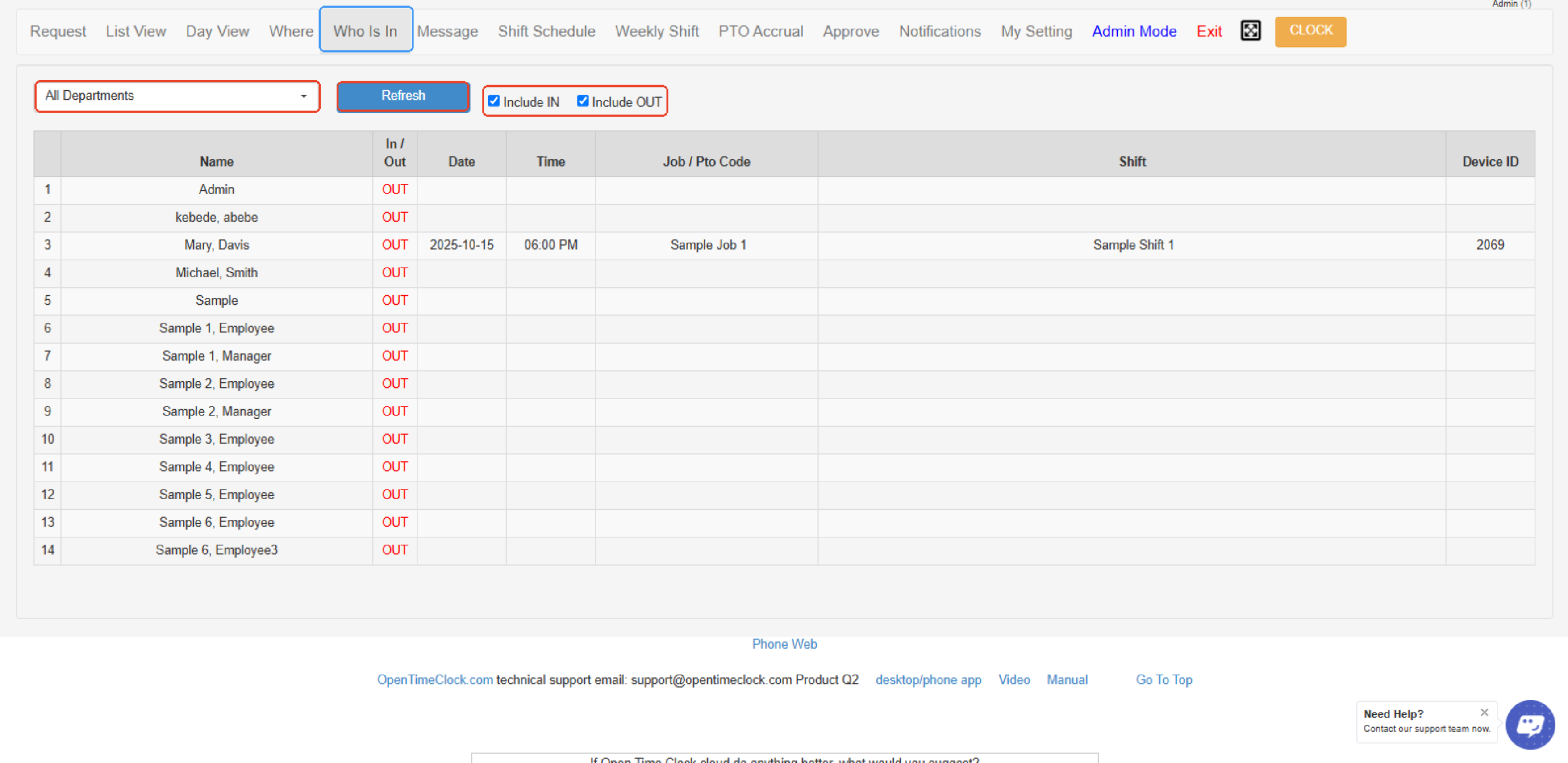
Who Is In shows a real-time list of employees currently clocked in, including their names, clock-in times, and locations.
It helps managers easily track attendance and monitor who is actively working at any given time.
- Department Filter – Allows you to select and view employees from a specific department or all departments.
- Refresh Button – Updates the page to show the latest clock-in and clock-out data in real time.
- Include IN/OUT Checkboxes – Let's you filter the list to display only employees who are clocked IN, clocked OUT, or both.
- Employee List Table – Displays employee information, including their name, clock-in/out status, date, time, job/PTO code, shift, and device ID used to clock in or out.
Created with the Personal Edition of HelpNDoc: Write EPub books for the iPad