Settings
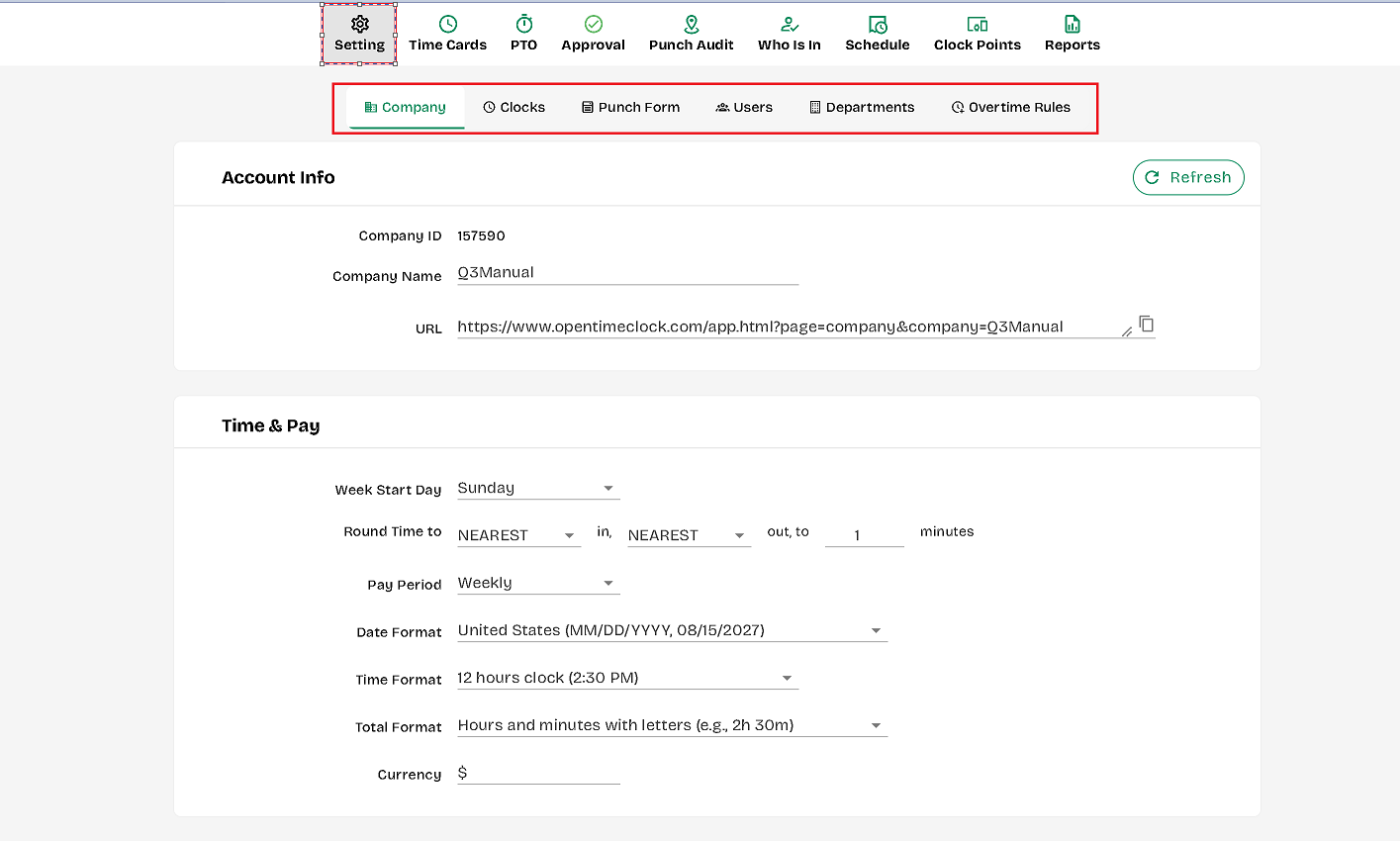
The Settings Tab in OpenTimeClock allows administrators to configure and customize various options for a seamless experience. This tab includes:
- General Settings: Adjust basic application settings, including time zone, company logo, and language preferences.
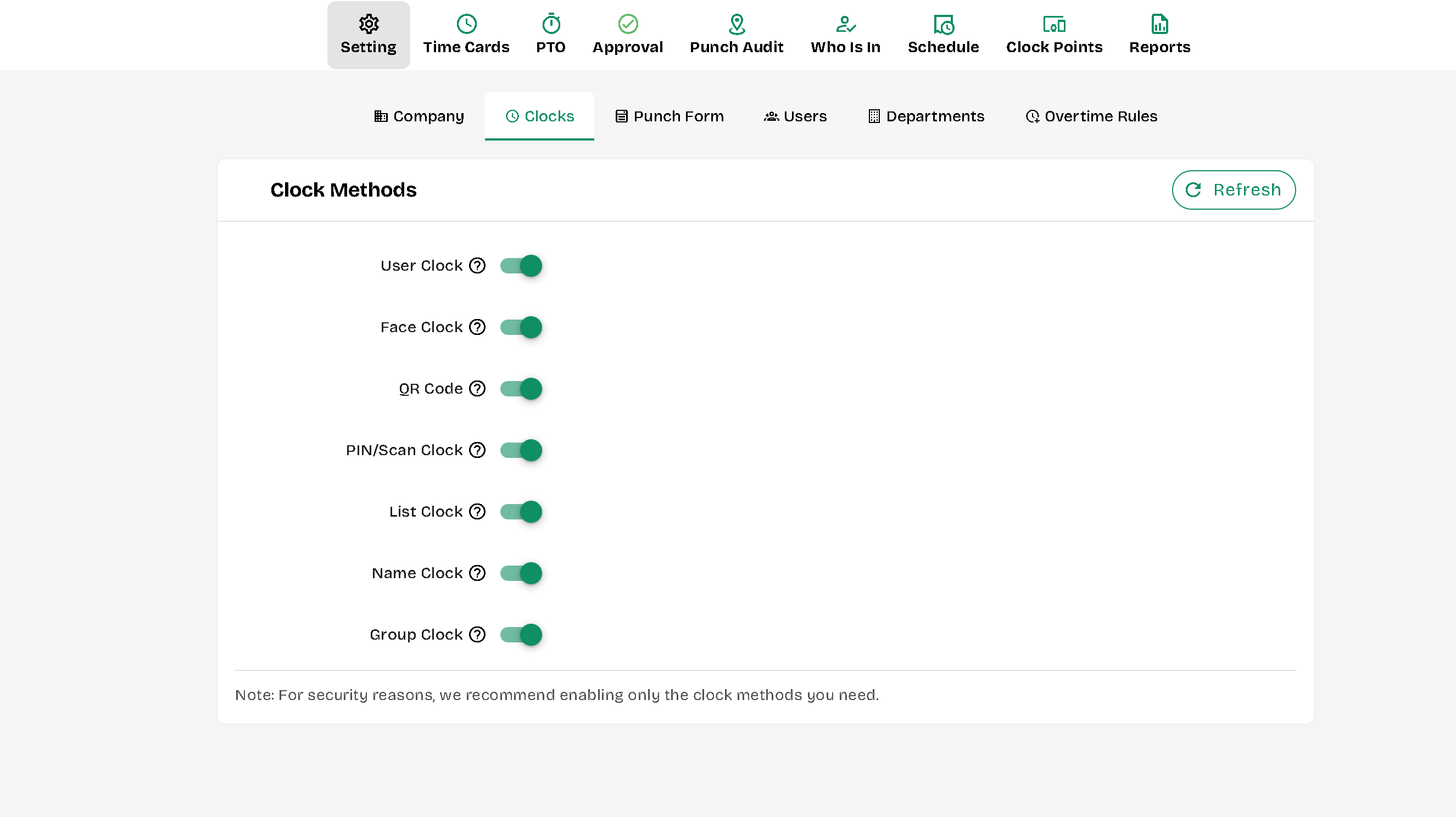
- Clocks: Add or remove the UI options available for the employees to clock in/out with.
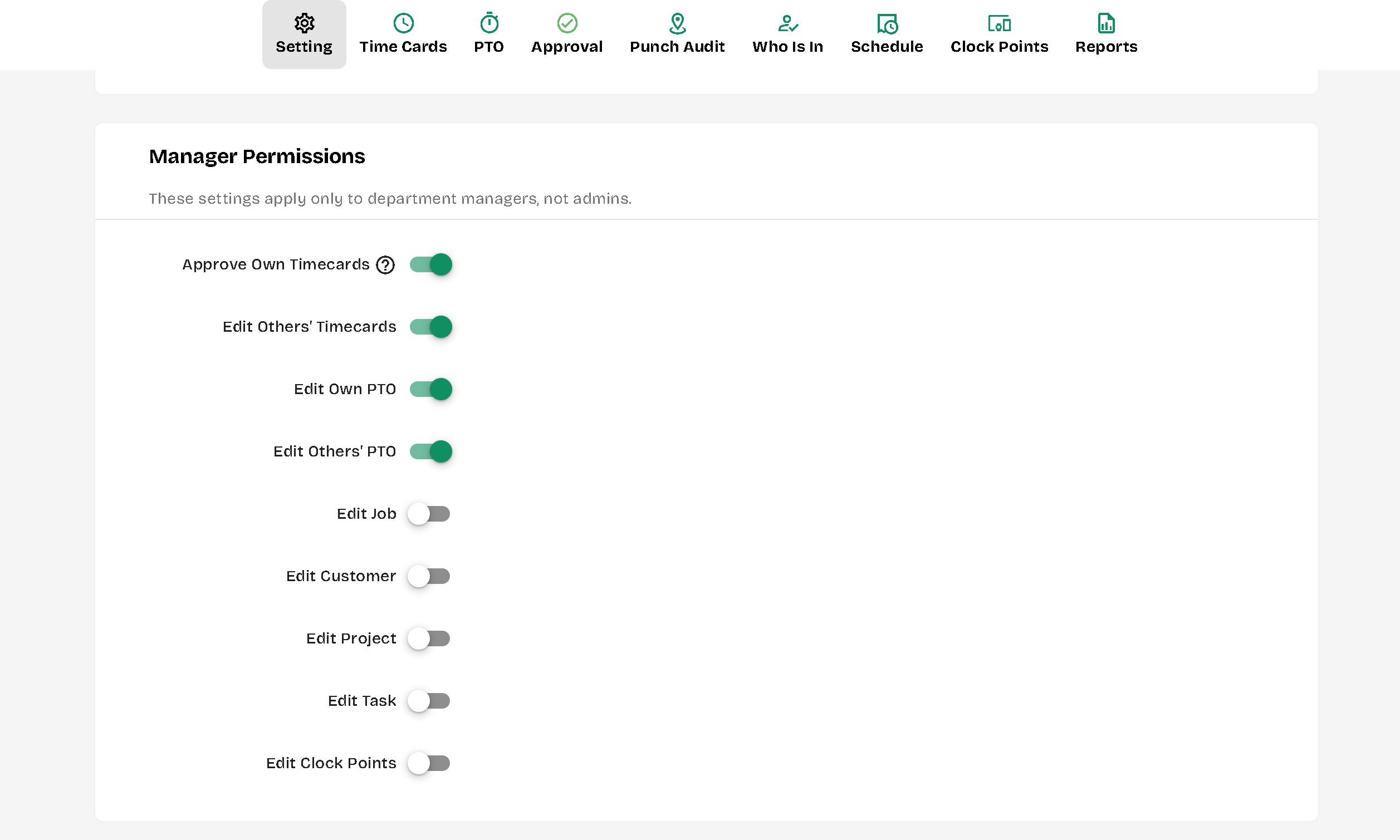
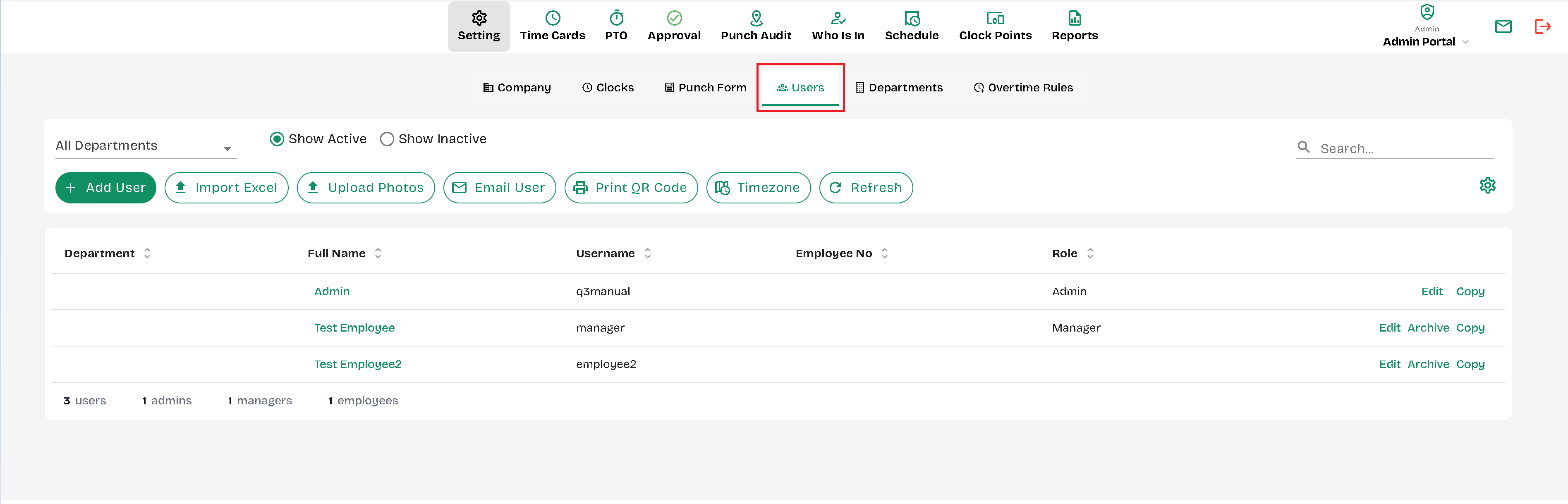
- User Management: Manage user access, assign roles, and set permissions.
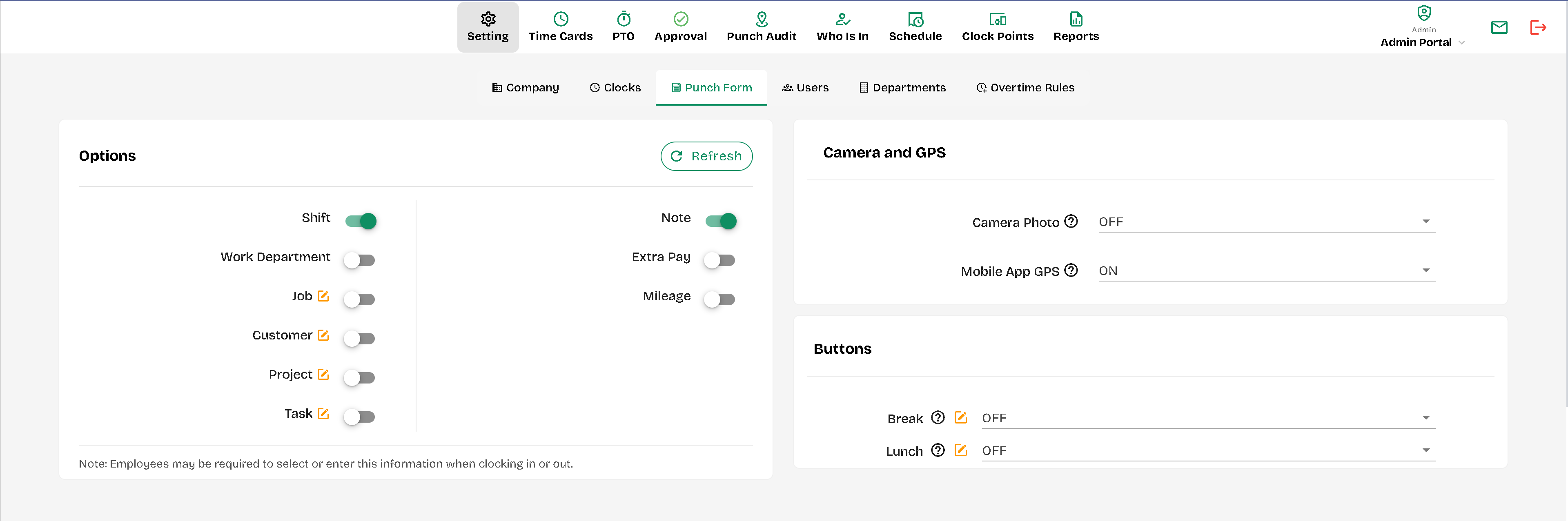
- Punch Form: Enable or desable shift selections, notatios, job selections etc. Apply or remove requirement for pictures (at the beginning and end of shifts), turn On, Off or set as Required the Mobile app GPS. Turn off or on the Break & Lunch buttons for employees
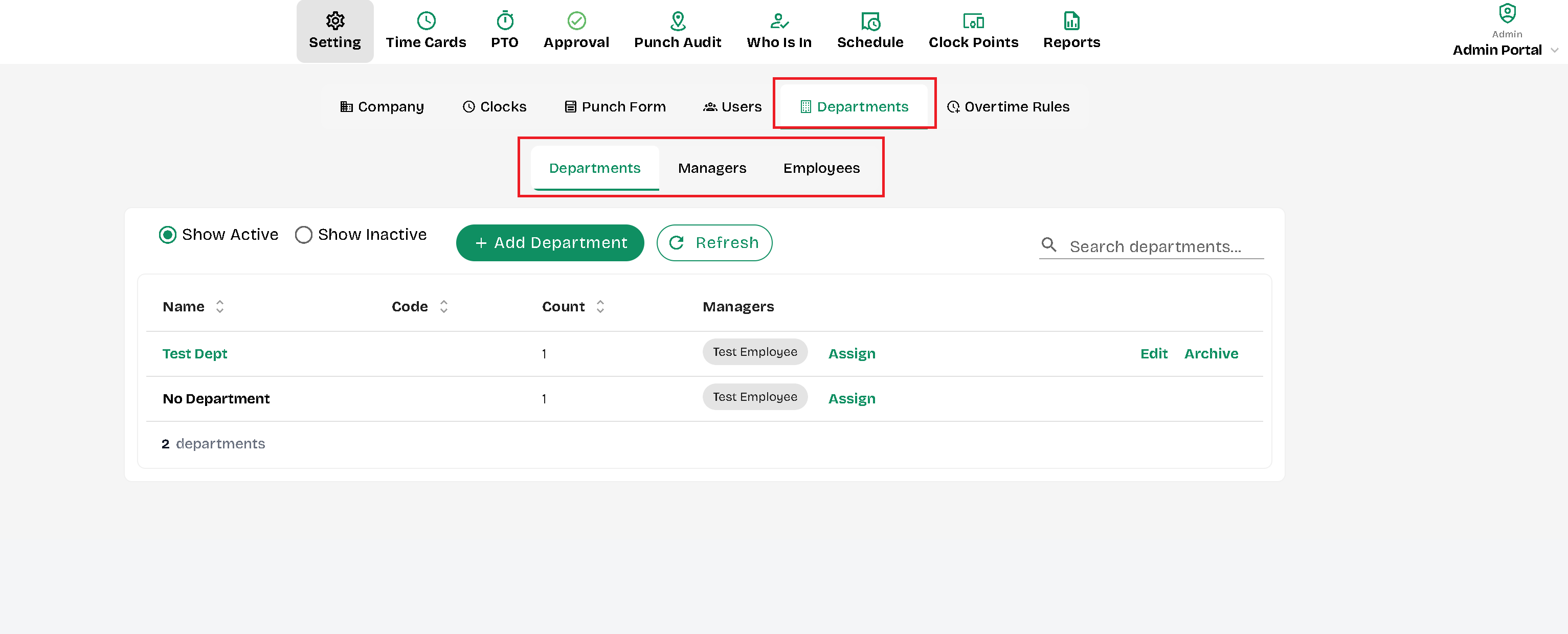
- Departments: Add, assign or remove department to employees, Managers or create departments.
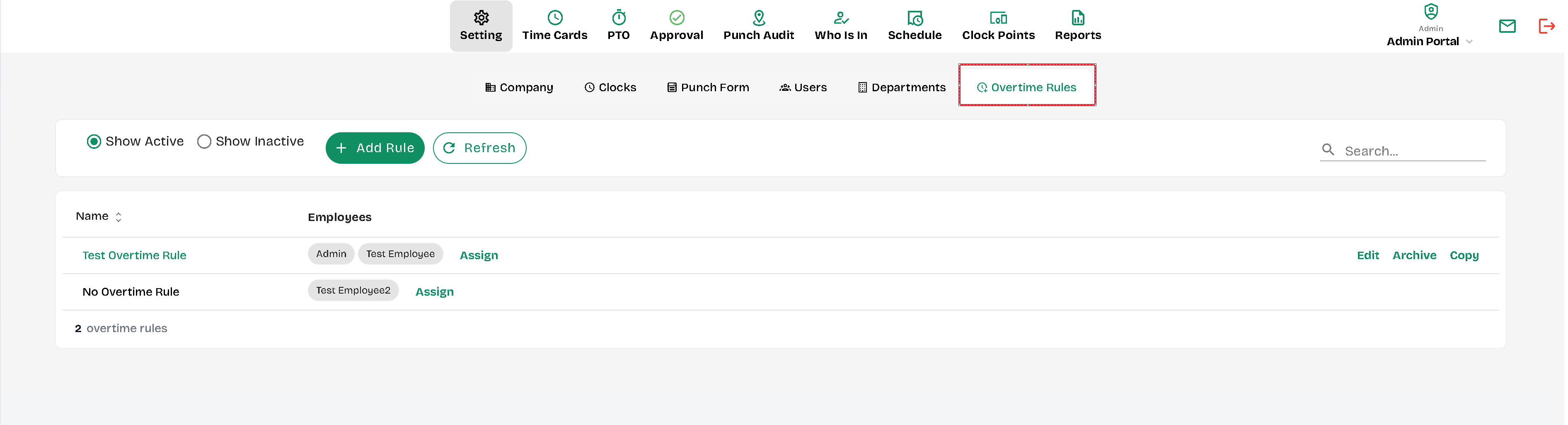
- Overtime Rules: Add, assign or remove overtime rules for the users.
These settings ensure that the clock system aligns with your organization's specific requirements and operational needs.
--
--
--
—
—
—
—
Created with the Personal Edition of HelpNDoc: Easily convert your WinHelp HLP help files to CHM with HelpNDoc's step-by-step guide