Request
It allows employees to submit time-related requests (such as time-off, shift changes, or adjustments) for manager review and approval, helping streamline scheduling and attendance management.
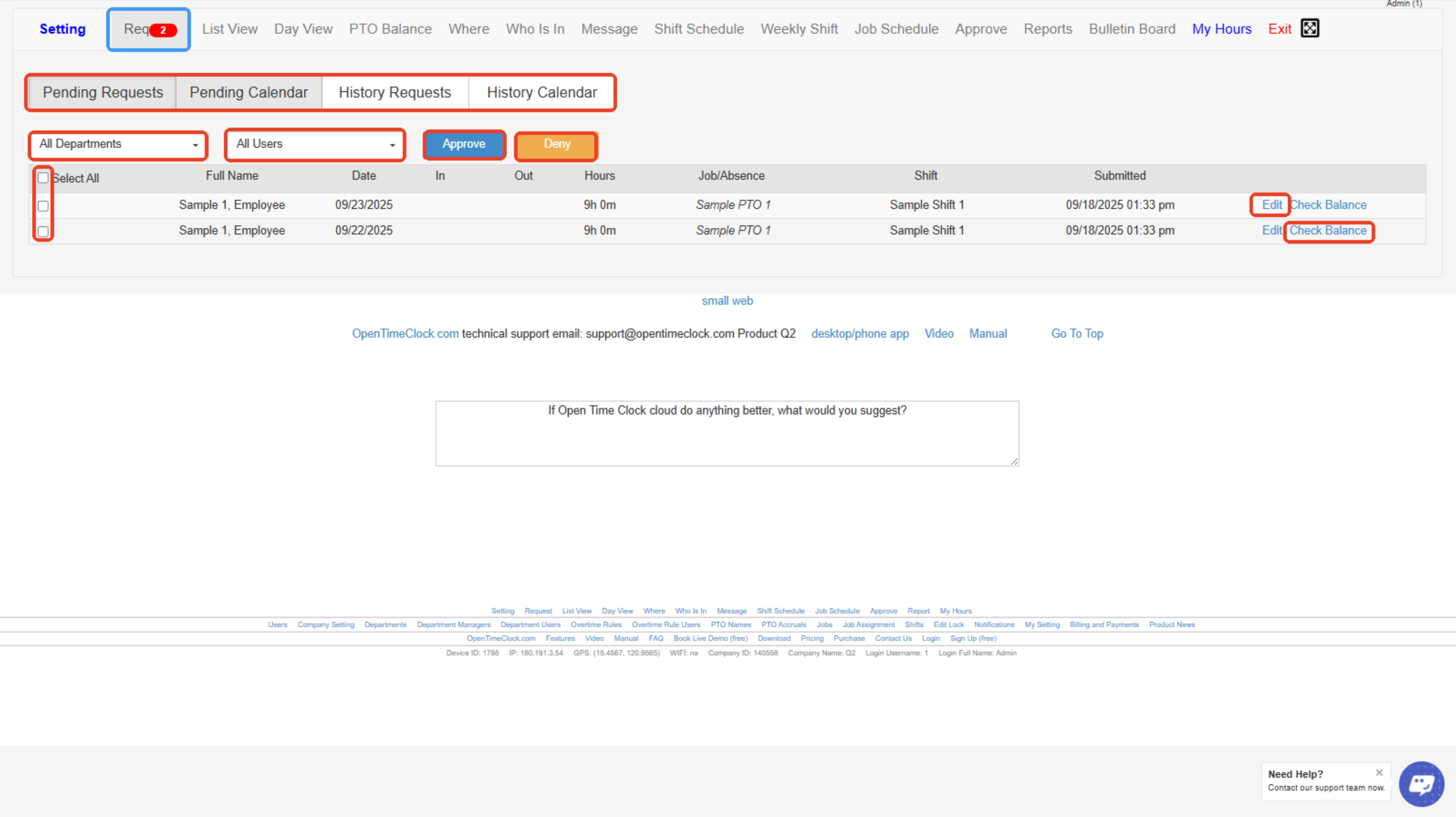
In Admin's View:
- Request Notification Icon – Shows the number of pending time-off or shift change requests awaiting approval.
- Tabs (Pending Requests, Pending Calendar, History Requests, History Calendar) – Lets you switch between viewing pending requests, the calendar view of requests, or request history.
- All Departments Dropdown – Filter requests by department to view only specific groups of employees.
- All Users Dropdown – Filter requests by a specific user or see all users’ requests.
- Approve / Deny Buttons – Approve or deny selected employee requests in bulk.
- Select All Checkbox – Select or deselect all requests at once for batch approval or denial.
- Edit Button – Allows you to edit the details of a submitted request (like dates or hours).
- Check Balance – Displays the employee’s available PTO or leave balance before approving the request.
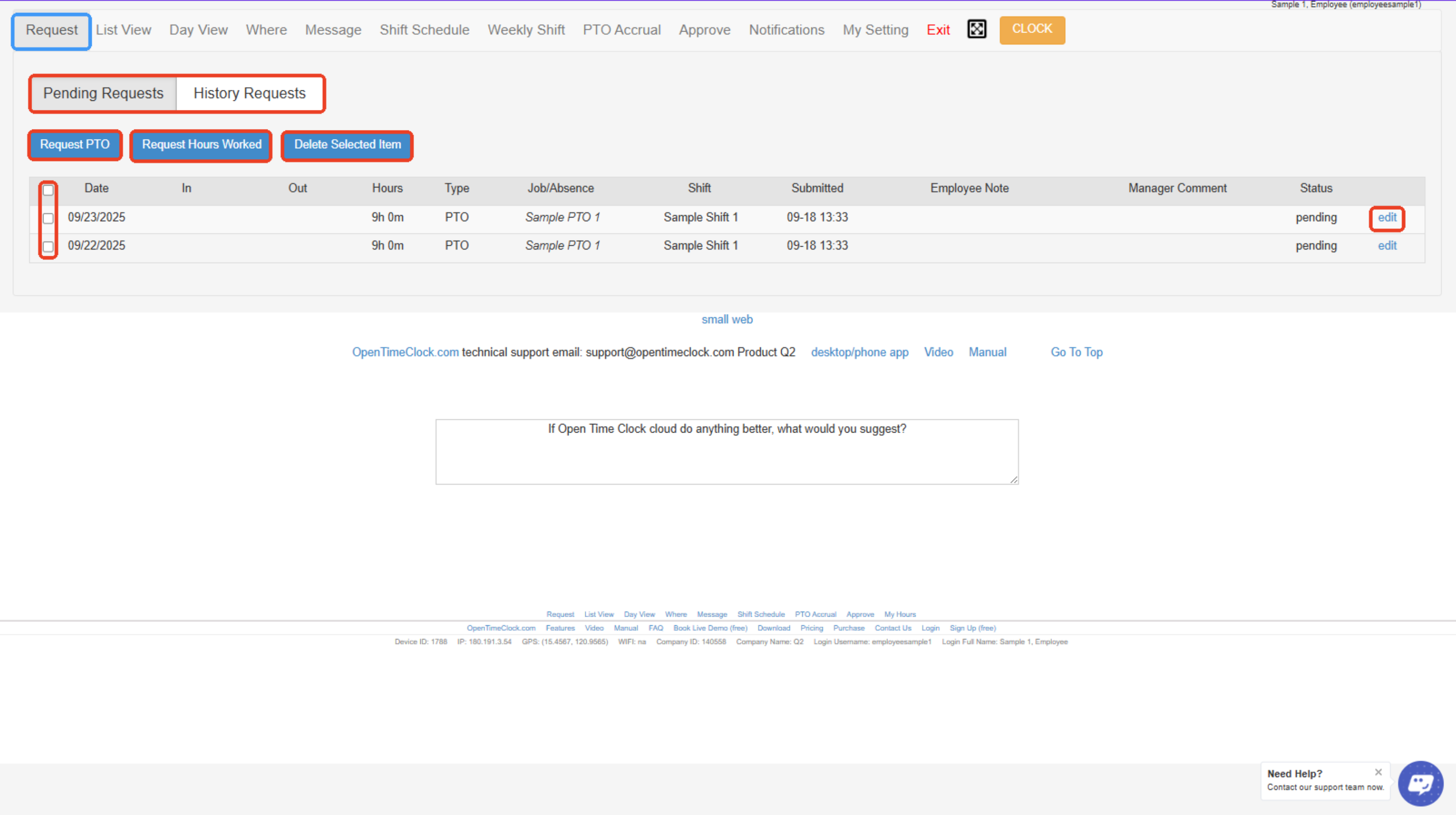
In Employee's View:
- Pending Requests / History Requests Tabs – Switch between viewing current pending requests or past request history.
- Request PTO Button – Employees click here to request Paid Time Off (PTO).
- Request Hours Worked Button – Allows employees to request adjustments to their recorded worked hours.
- Delete Selected Item Button – Deletes selected requests from the list.
- Select All Checkboxes – Allows you to select one or multiple requests for bulk actions, such as deletion.
- Edit Button – Opens the individual request for editing details like dates, hours, or notes.
Created with the Personal Edition of HelpNDoc: Quickly and Easily Convert Your Word Document to an ePub or Kindle eBook