Projects
This feature allows you to assign and track employee work hours by specific projects or tasks, making it easier to manage labor costs, productivity, and project-based reporting.
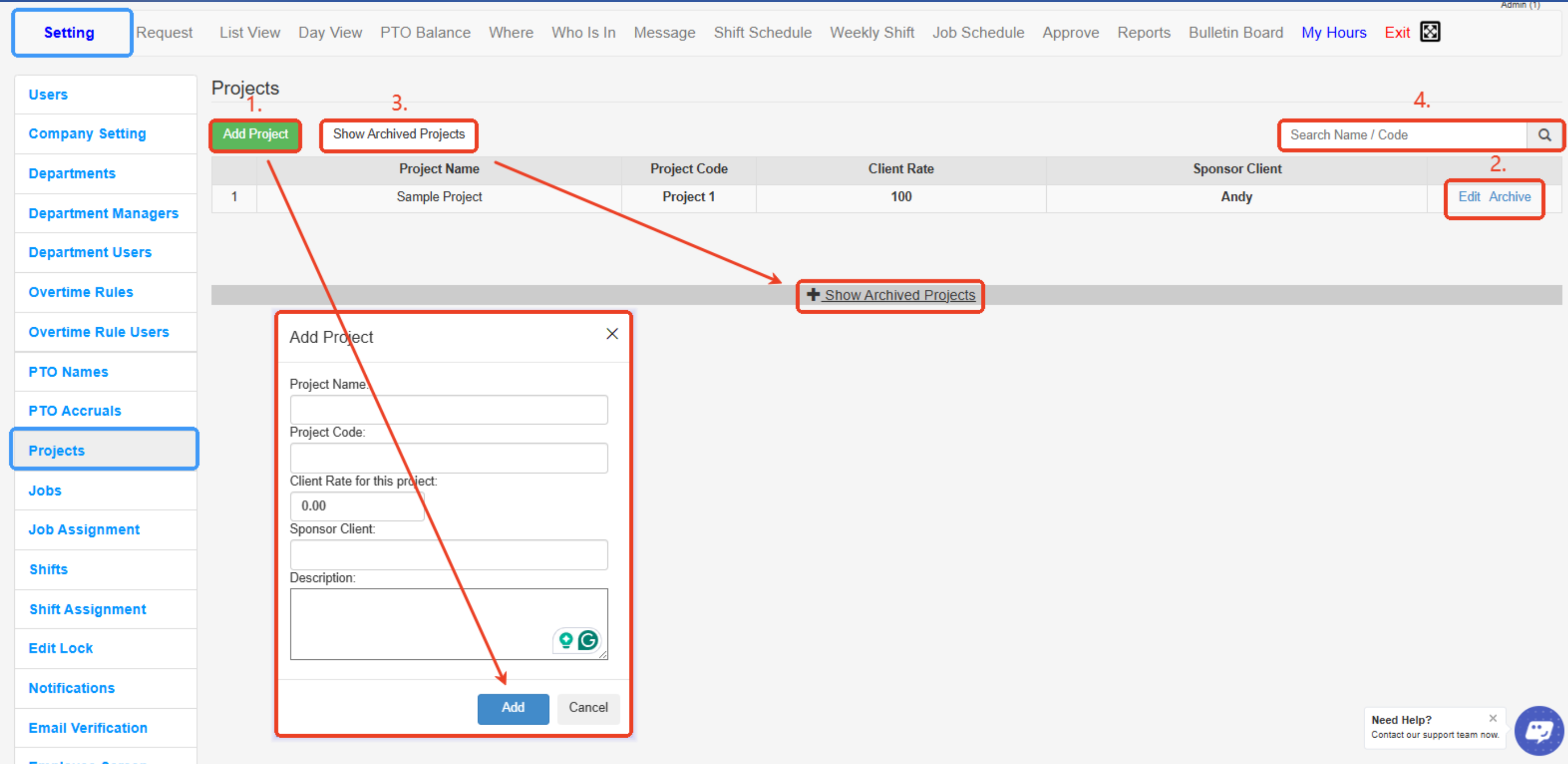
The Projects tab is where an Admin goes to create a new project. A project can have multiple Jobs. One Job can only belong to one project.
To Create a Project:
- Add Project – Opens the form to create a new project with details like name, code, client rate, sponsor, and description.
- Edit / Archive – Allows you to update project details (Edit) or remove the project from the active list without deleting it (Archive).
- Show Archived Projects – Displays projects that have been archived for review or possible reactivation.
- Search Name / Code – Lets you quickly find a project by entering its name or project code in the search bar.
Created with the Personal Edition of HelpNDoc: Effortlessly optimize your documentation website for search engines