Overtime Rules Overview
Set custom rules for daily or weekly overtime, including thresholds and pay rates. This feature automatically calculates overtime hours to ensure accurate payroll and compliance with labor laws.
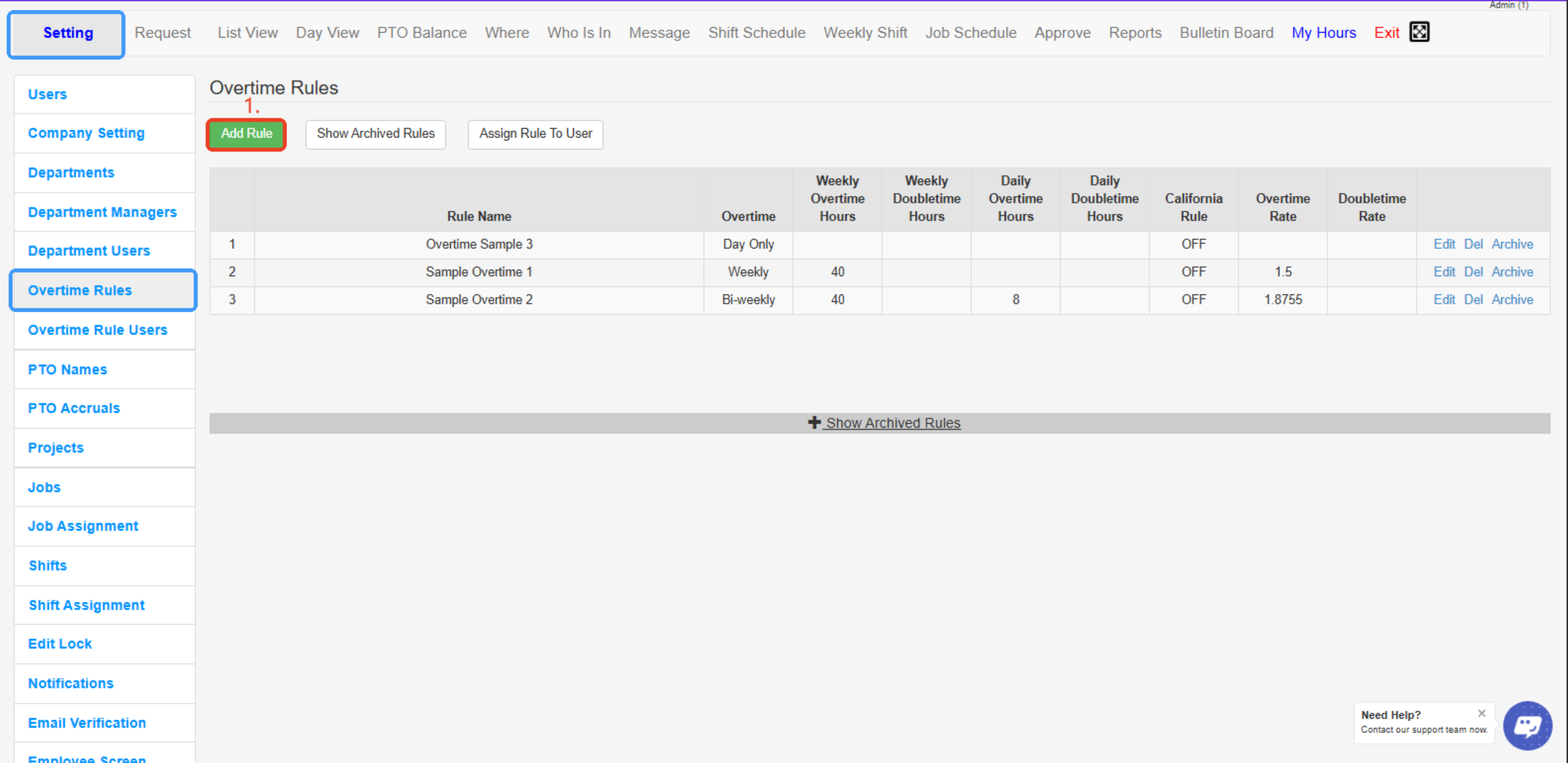
Overtime Rules allows the Admin to create, edit, and archive overtime rules.
To add an overtime:
- Select “Add Rule”
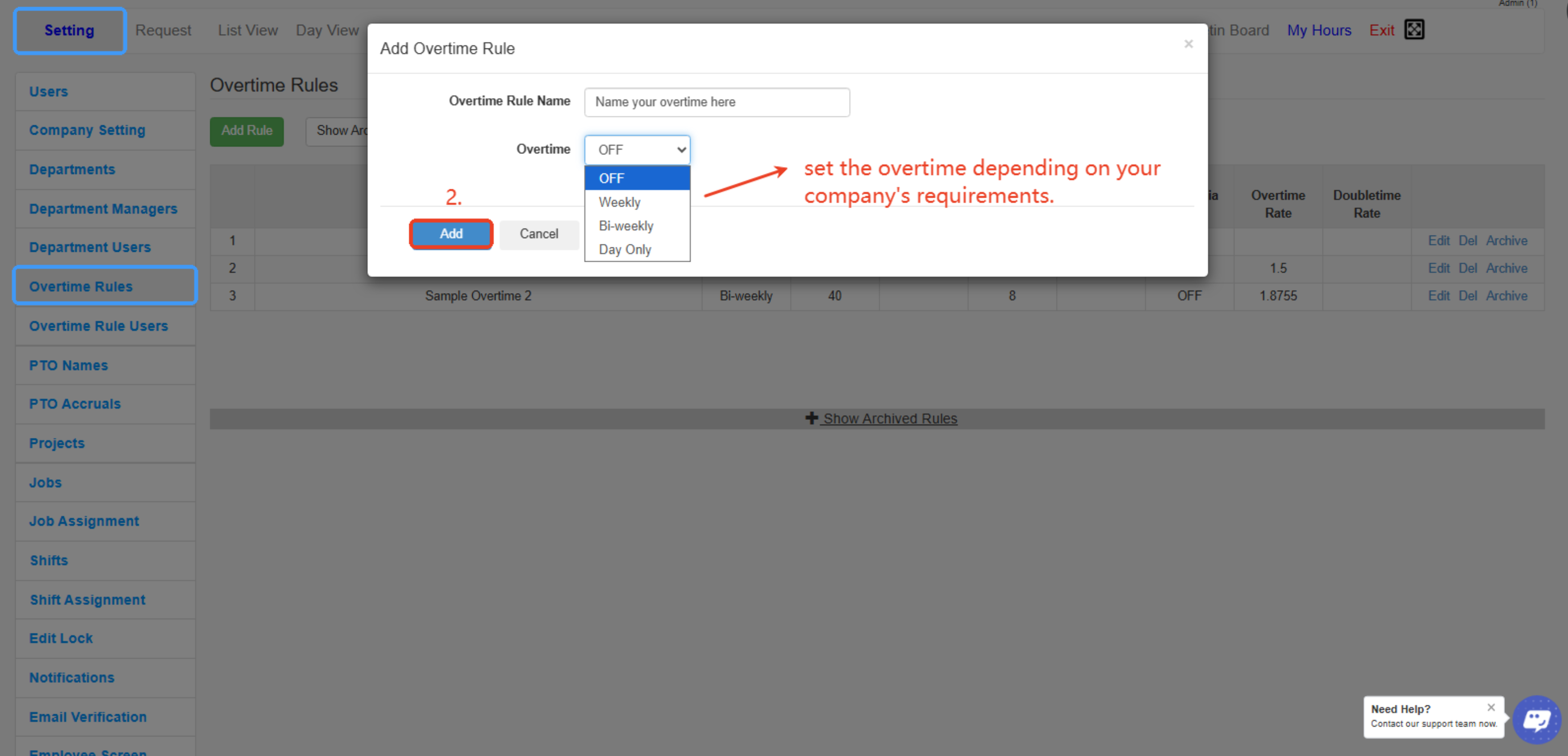
- A pop-up will appear, and the Admin can name the rule and then select the overtime setting:
- The settings are: Off, Weekly, Biweekly, Day Only
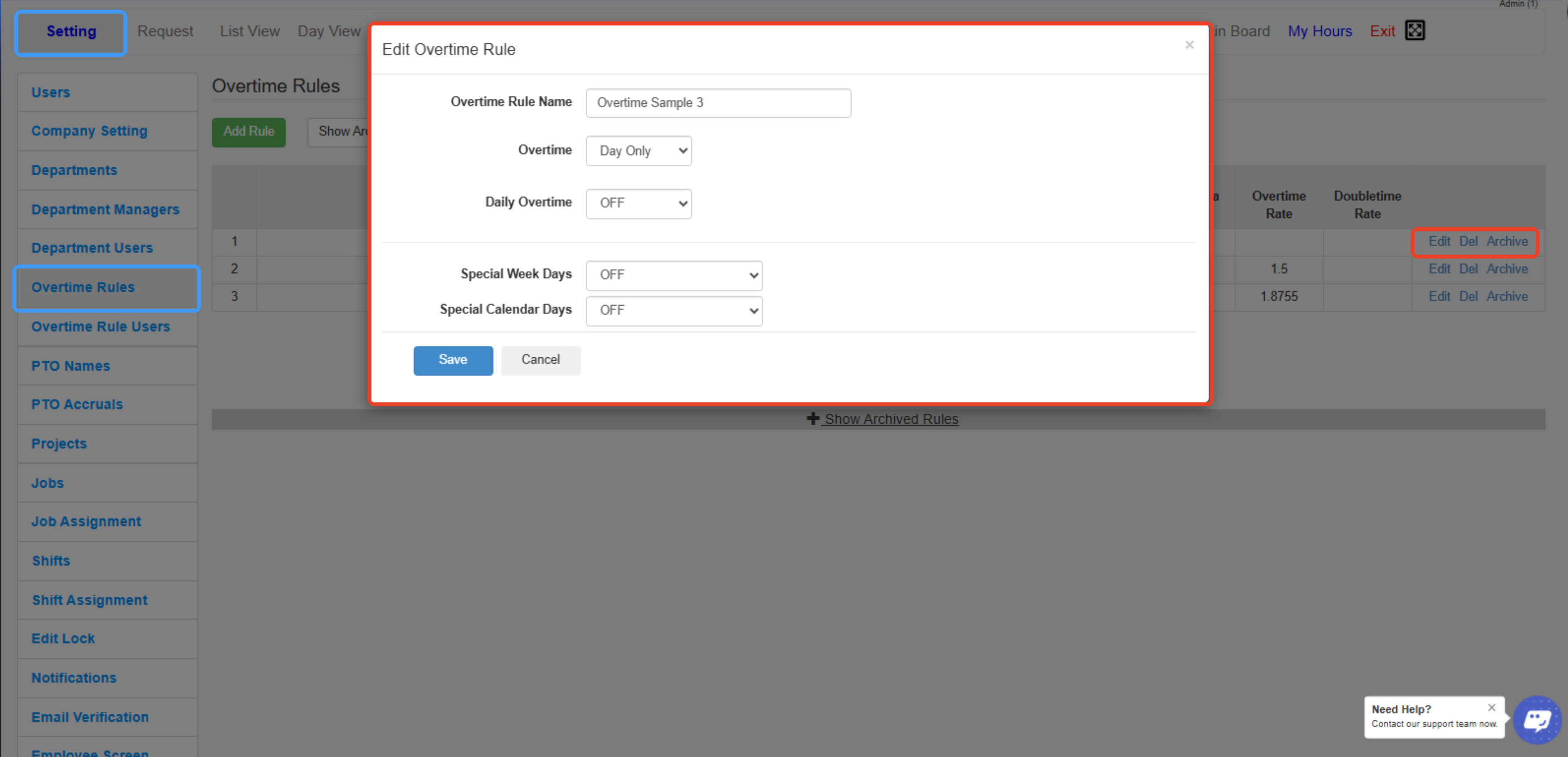
- When editing an overtime rule, the following settings are available:
- Edit Overtime Rule Name
- Edit Weekly Setting
- Edit Daily Setting
- Set Double Overtime Rule
- Set Overtime Rate (Pay)
- Set Special Week Days
- Set Special Calendar Days
---
---
Created with the Personal Edition of HelpNDoc: Quickly and Easily Convert Your Word Document to an ePub or Kindle eBook