Employee Screen Monitoring
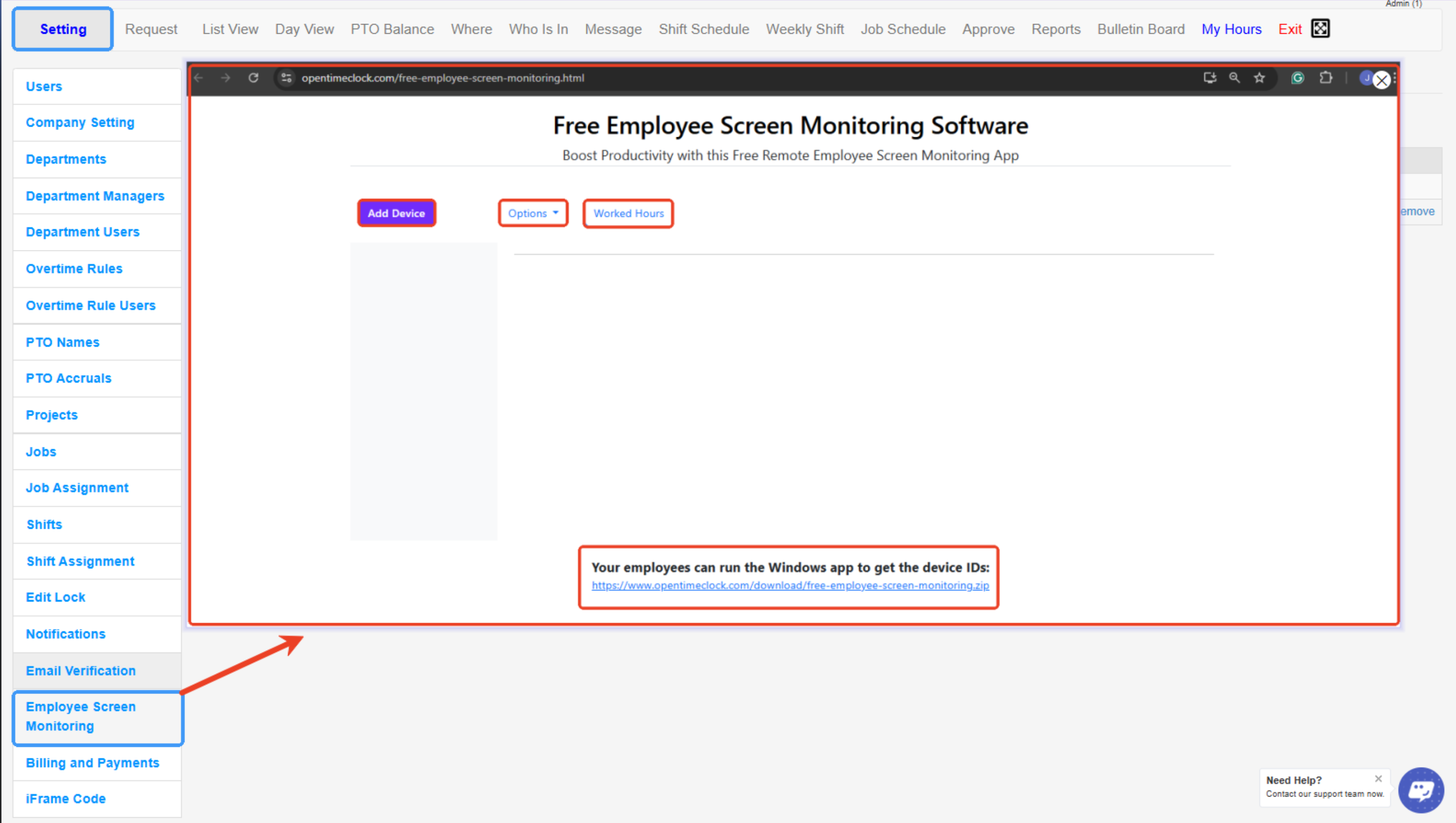
This tool allows administrators to link employee devices to OpenTimeClock so they can monitor work activity, track worked hours, and boost productivity.
Employees run a small Windows application to generate a device ID, which administrators can add to the system for tracking and reporting purposes.
- Add Device – Lets you register a new employee device for screen monitoring by entering its device ID.
- Options – Opens additional settings or preferences for managing screen monitoring (such as permissions or device configurations).
- Worked Hours – Displays the tracked working hours of monitored employees for review and reporting.
- Device ID Download Link – Provides the download for the Windows app that employees can run to obtain their device IDs, which are then used to register their devices in the system.
Created with the Personal Edition of HelpNDoc: Easy EPub and documentation editor