Approve
Approve allows managers or administrators to review and approve employee time records, such as clock-ins, clock-outs, PTO, or schedule changes.
This feature ensures all worked hours and requests are verified before payroll processing, helping maintain accurate and approved timesheets.
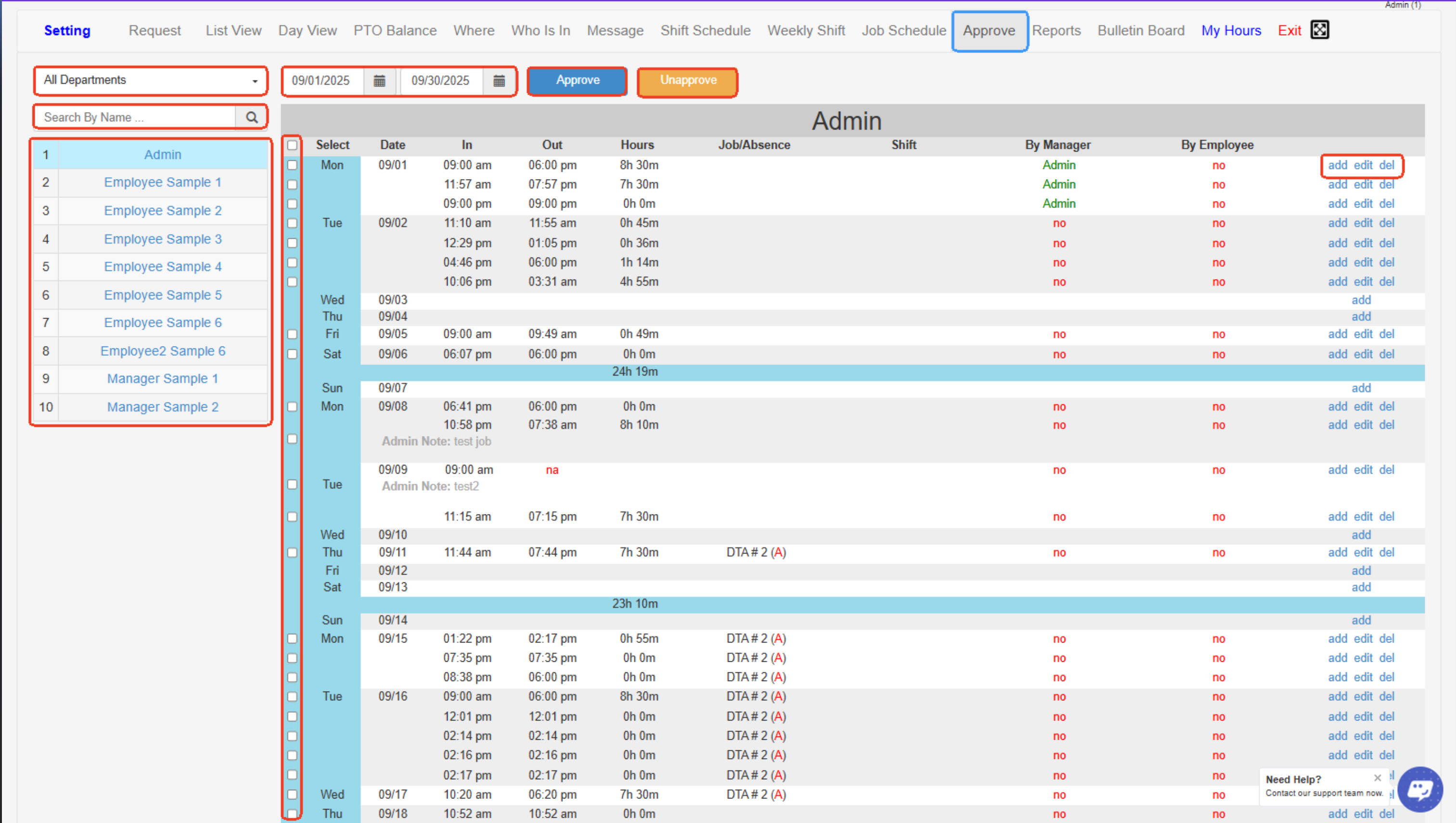
- All Departments- Dropdown filter to view and manage time records for employees from specific departments.
- Date Range Selector- Set the start and end dates to display employee clock-in/clock-out records for the selected time period.
- Approve Button- Click to approve the selected employee time entries so they’re marked as reviewed and ready for payroll.
- Unapprove Button- Click to remove approval status from previously approved time entries to allow edits or corrections.
- Search by Name- Quickly find specific employees by typing their name into the search field.
- Employee List- Displays all employees (by department) to select whose time records you want to view or approve.
- Select Checkboxes- Check these boxes to select which time records to approve or unapprove.
- Time Records Table- Shows detailed time entries, including date, clock-in/clock-out times, hours worked, job/absence, shift info, and approval status.
- By Manager / By Employee Status- Displays who approved the entry (manager) and whether the employee has confirmed it.
- Add/Edit/Delete Links- Allows adding new time entries, editing existing records, or deleting incorrect entries directly from the table.
Created with the Personal Edition of HelpNDoc: Transform Your Help Documentation Process with a Help Authoring Tool