Sign Up Company Account
On this section you will find the instructions on how to sign up and create a company account from scratch!
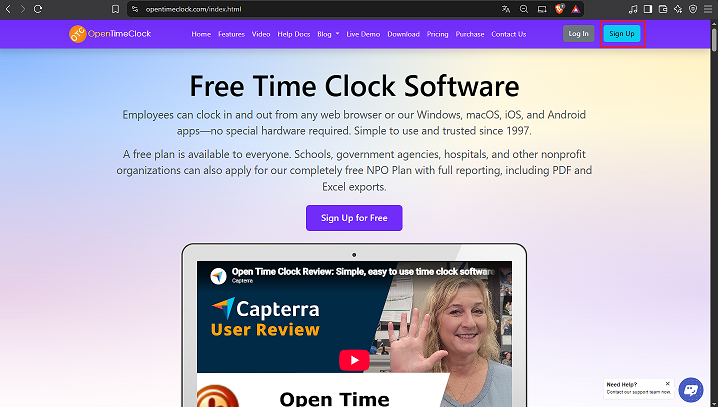
1. Visit our website (www.opentimeclock.com)
2. Locate the 'Sign up' button on the top right corner of your screen and press on it.
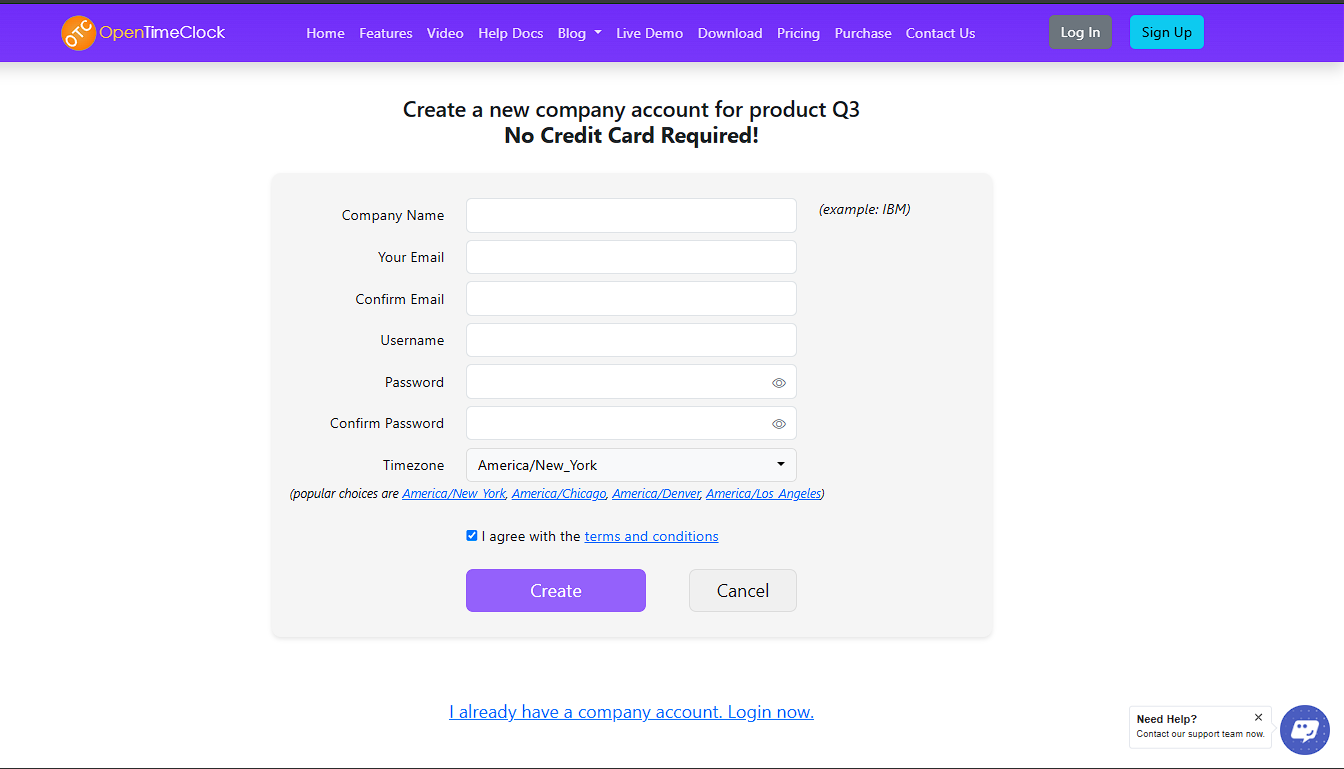
3. Once the platform changes, proceed to type in your company name, your email address, username and password for your Admin account, and timezone.
(BEWARE: The company name has to be clear and easy to remember since, if you forget how you created your company name, you may encounter login inquiries!)
4. Proceed to click on 'Create' to proceed. Our system will send you an automatic email confirming that your account has been successfully created!
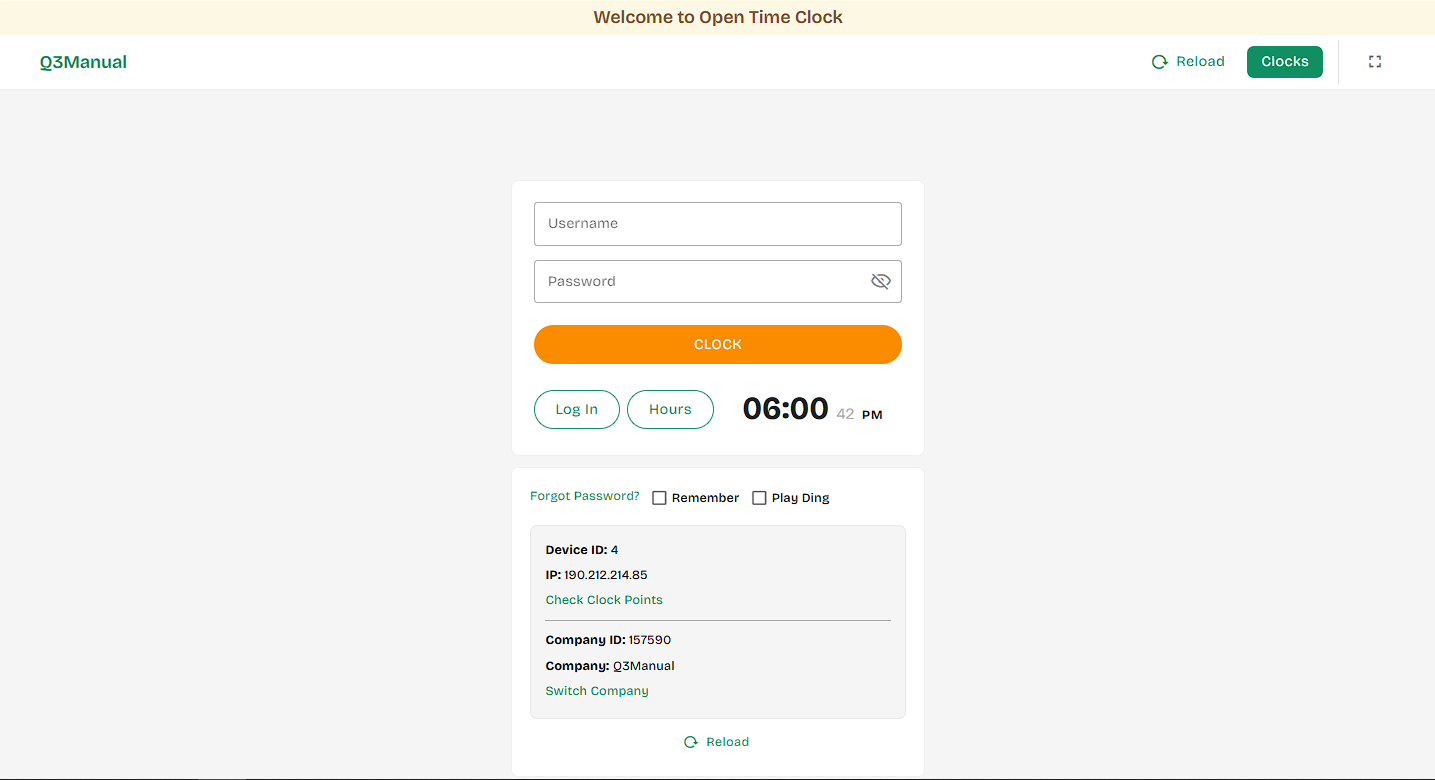
Congratulations! You have made it to your company's login screen! You can proceed to type your username and password and proceed to login or clock in.
—
—
—