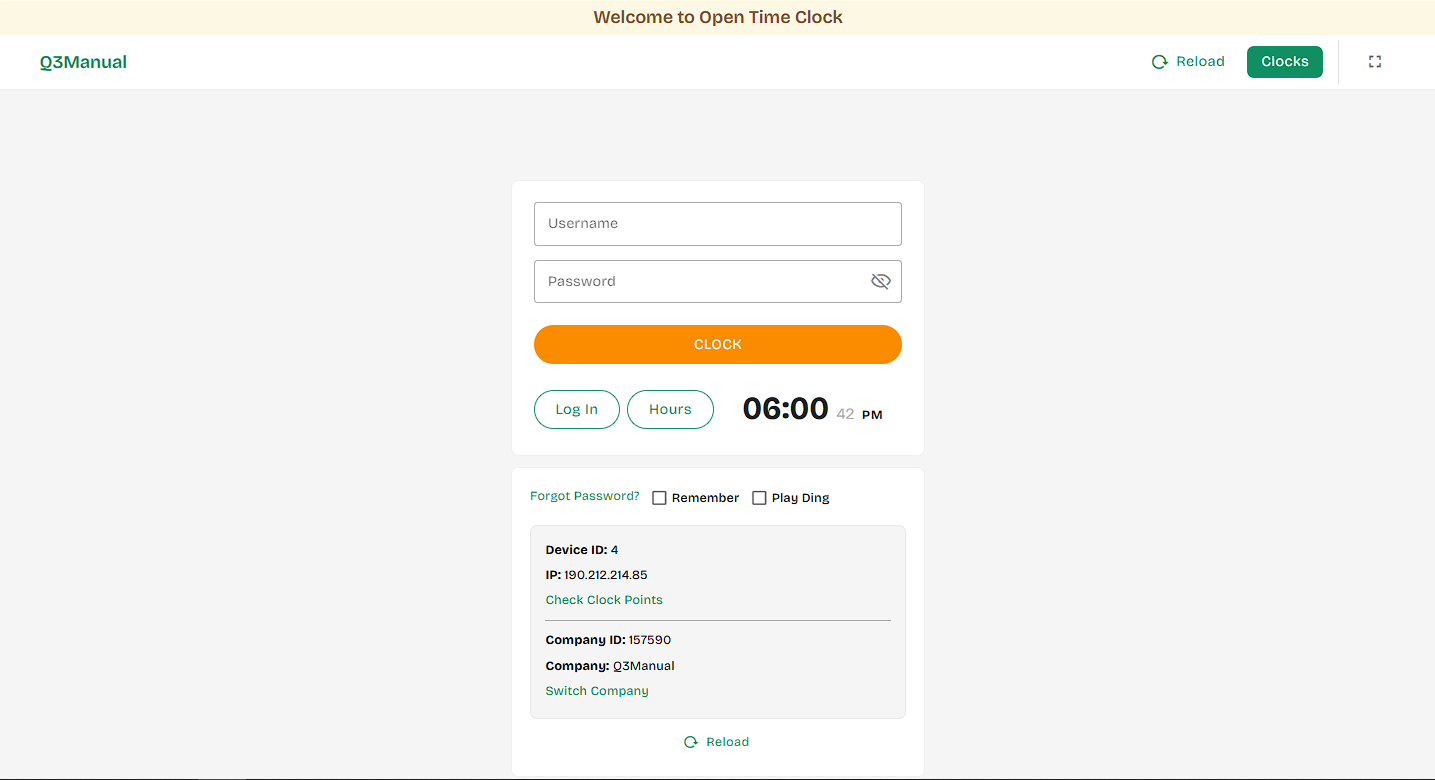
Enter Company Name Page
On this section you will find the instructions on how to find your company login page from the start!
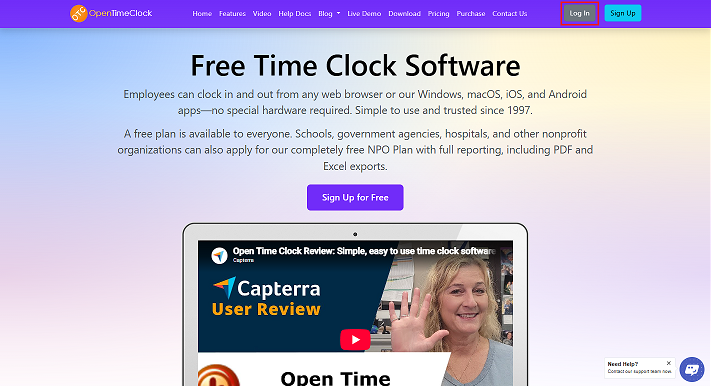
1. Visit our website (www.opentimeclock.com)
2. Locate the 'Login' button on the top right corner of your screen and press on it.
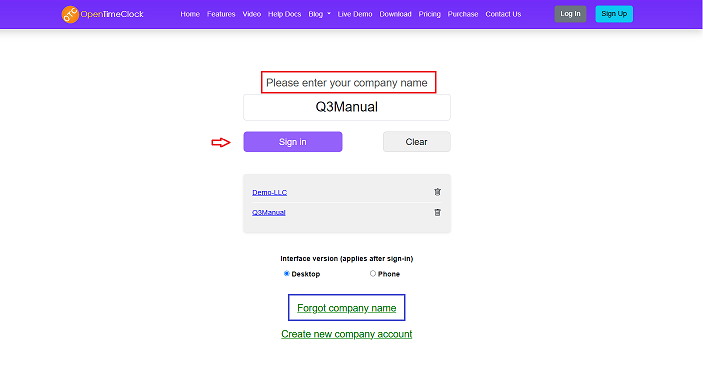
3. Once the platform changes, proceed to type in your company name the exact same way it was created.
(BEWARE: If the company name is not entered correctly or there is one letter not correctly entered the system may not be able to locate your company login screen and you will encounter login inquiries!)
4. Proceed to type in the company name and click on 'Sign in'. If you are not able to locate your company name, you may click on 'Forgot company name' to locate your company's information with our automatic system via email.
Congratulations! You have made it to your company's login screen! You can proceed to type your username and password and proceed to login or clock in.
—
—
—