PTO Names Overview
Employers can track and manage employees’ paid leave. Admins can set accrual rules, approve requests, and view balances so time-off is accurately reflected in reports and payroll.
PTO stands for "Paid Time Off".
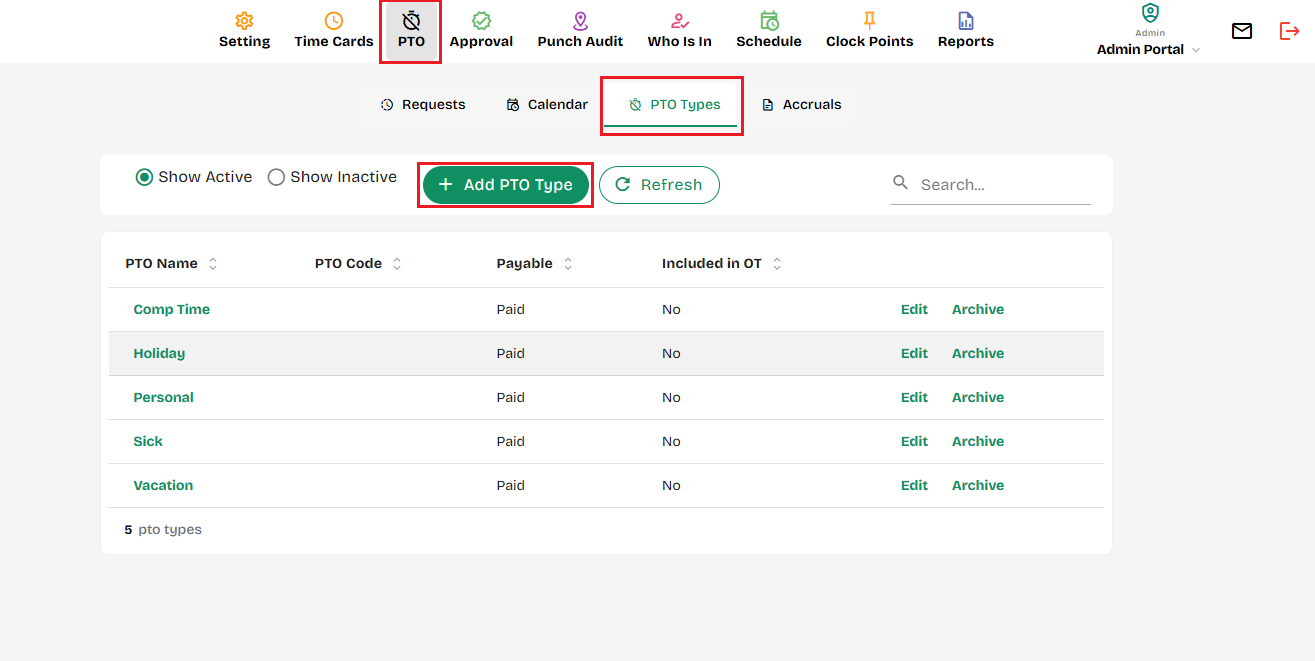
This tab is where an Admin can go to create a new PTO Name. To assign rules to the code, they need to then go to PTO Accruals. Time off can be paid, partially paid, or not paid.
To Create a PTO Names:
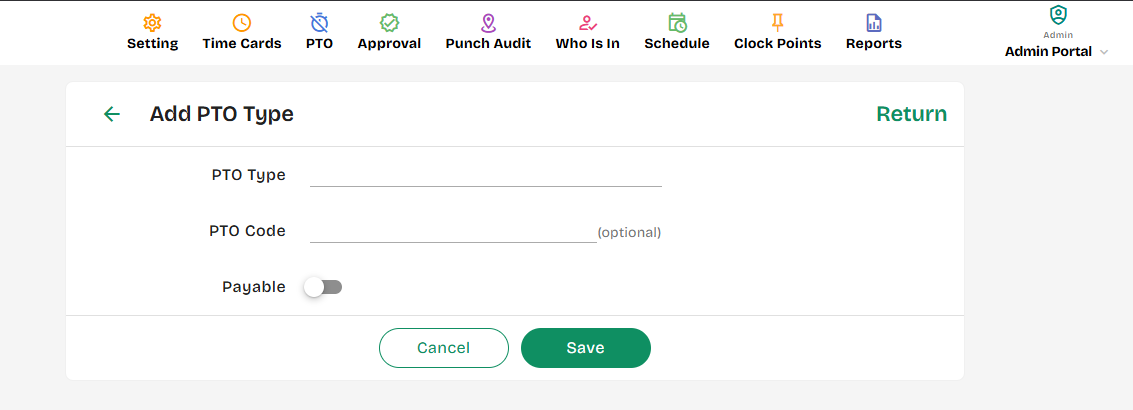
- Add PTO Name – Open the form to create a new PTO type with a name, PTO code and payment status.
- Show Archived PTO Names – Displays previously archived PTO names for review or reactivation.
- Show Archived PTO Names (Bottom) – Another quick link at the bottom of the list to view archived PTO names.
- Edit / Archive – Lets you edit an existing PTO name or archive it to remove it from active use.
- Add (Button) – Confirms and saves the new PTO name you entered in the form
---
---
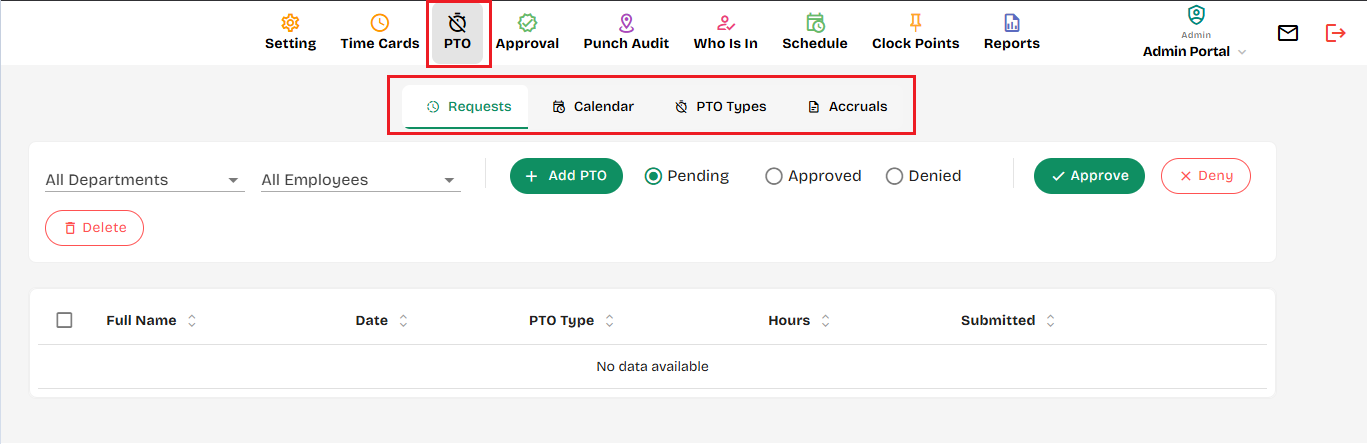
Additionally, you will find some additional options which will help you to:
1. Add PTOs manually and approve/denie them.
2. You will have a calendar view of the PTOs approved and scheduled throughout a time-period you choose to review.
3. Setup PTO Accruals
Created with the Personal Edition of HelpNDoc: Free EBook and documentation generator