List View
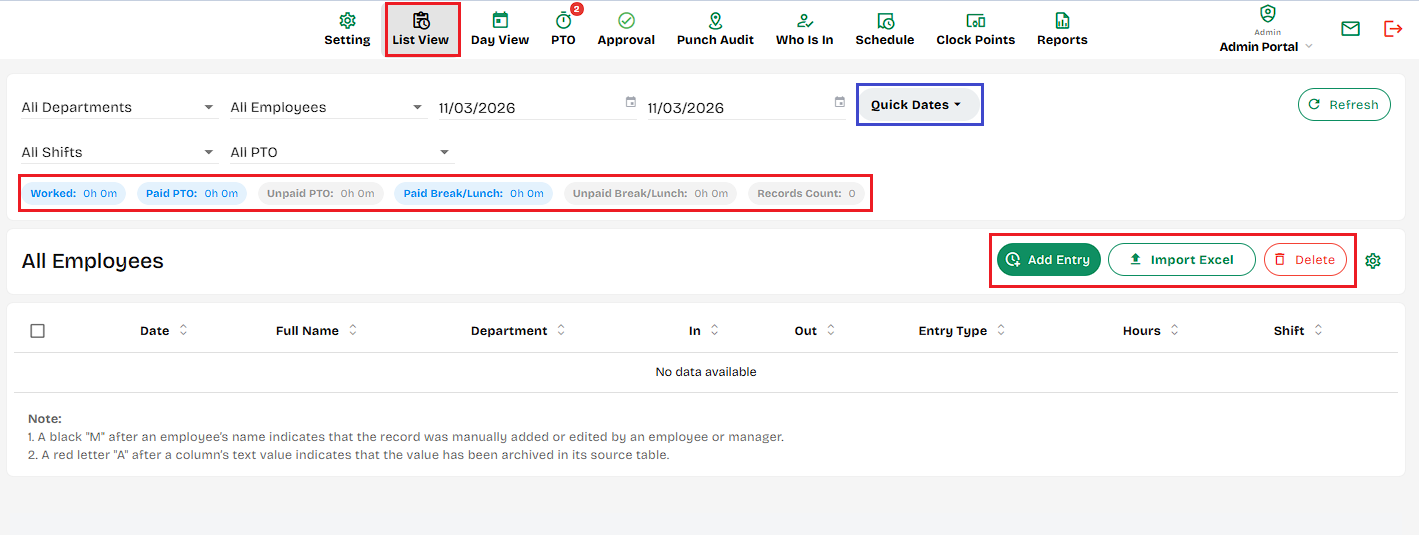
It provides a detailed summary of employees’ clock-in and clock-out records in a list format.
It enables administrators and managers to easily review, edit, or export attendance data, displaying key details such as employee names, dates, work hours, and total time worked for accurate tracking and reporting.
- Date Range Filter – Allows users to select a specific time range to view employee clock-in and clock-out records.
- Job/Absence Filter – Enables filtering of time entries by job types or absence categories (e.g., PTO, holiday).
- Add Absence – Opens a form to manually add absence records, such as holidays or PTO, for an employee.
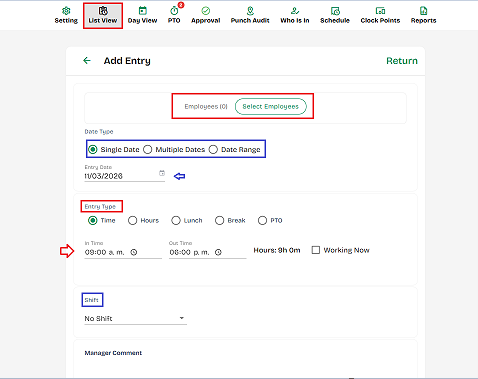
- Add Entry – Let users manually add a working time entry, including clock-in and clock-out times..
—
1. Select employee/employees
2. Date range
3. Entry type
4. Shift