Hours Page
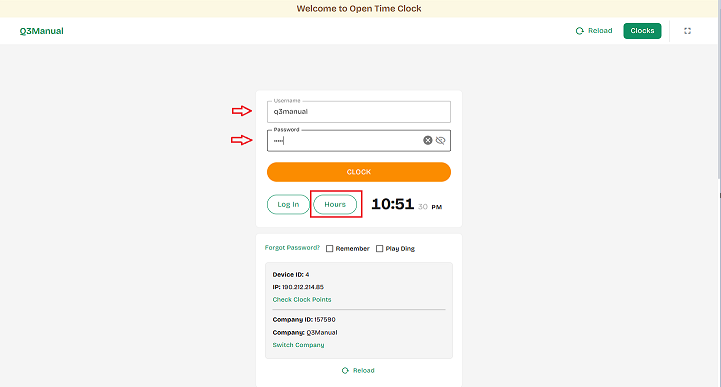
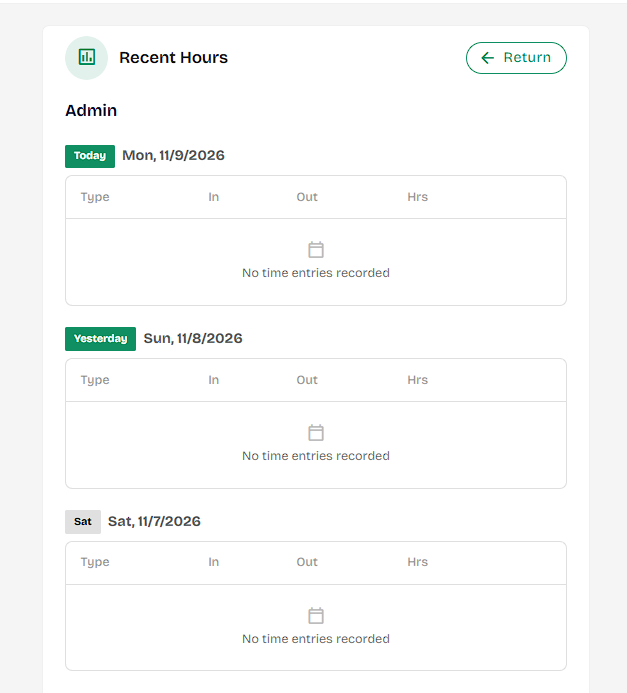
With the 'Hours' tab you will be able to review the time sheet for the running week.
To use our 'Hours' tab you must type in your username and password (if that applies) and click on the tab. Follow by such step, you will be prompted with a small time card of the user to review the hours recorded.
—
—
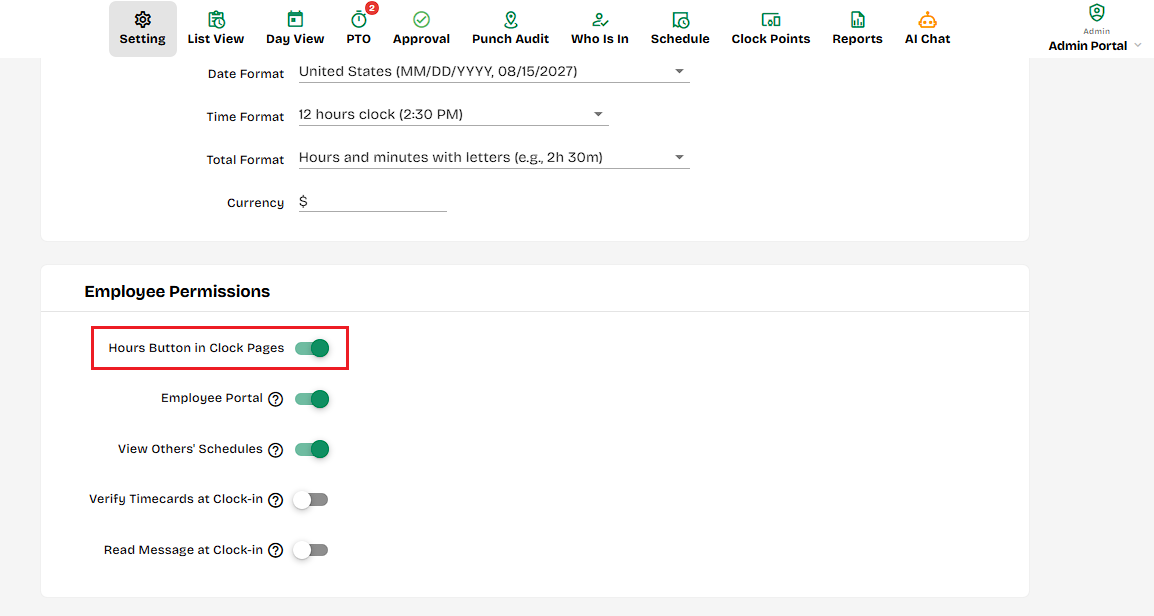
This tab may also be removed by the Admin.
To do so follow the next steps:
1. Login as Admin
2. Go to 'Settings'
3. Scroll down until you find the 'Employee Permissions' section
4. Turn off the toggle for 'Hours Button in Clock Pages'