Forgot Password
On this section you will find the instructions on how to reset your password.
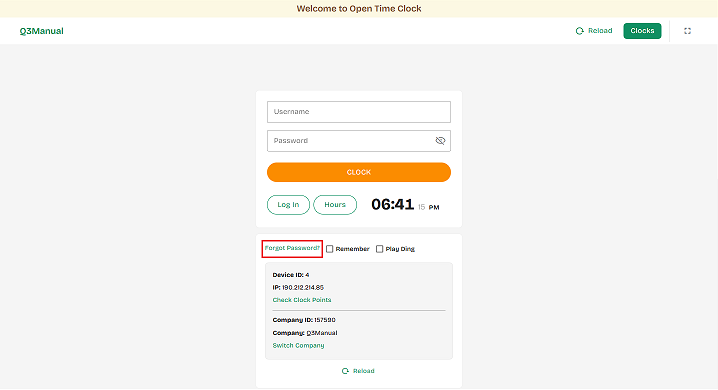
1. Locate the 'Forgot Password' tab bellow the 'Login' button.
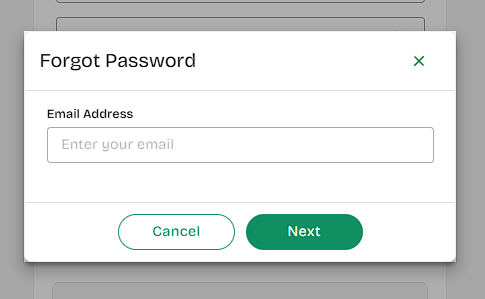
2. Once you press on it, you will be asked to type the email address attached to the account.
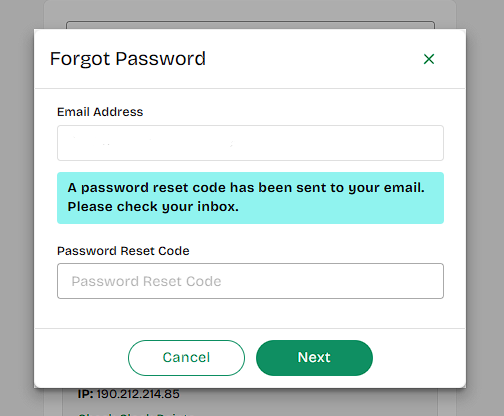
3. After you type in your email our system will send you a verification code to create your new password.
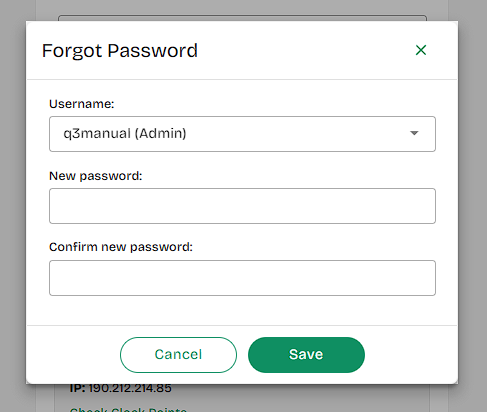
4. Proceed to type the verification code and create your new password.
—
—
—
—