Approval
Approve allows managers or administrators to review and approve employee time records, such as clock-ins, clock-outs, PTO, or schedule changes.
This feature ensures all worked hours and requests are verified before payroll processing, helping maintain accurate and approved timesheets.
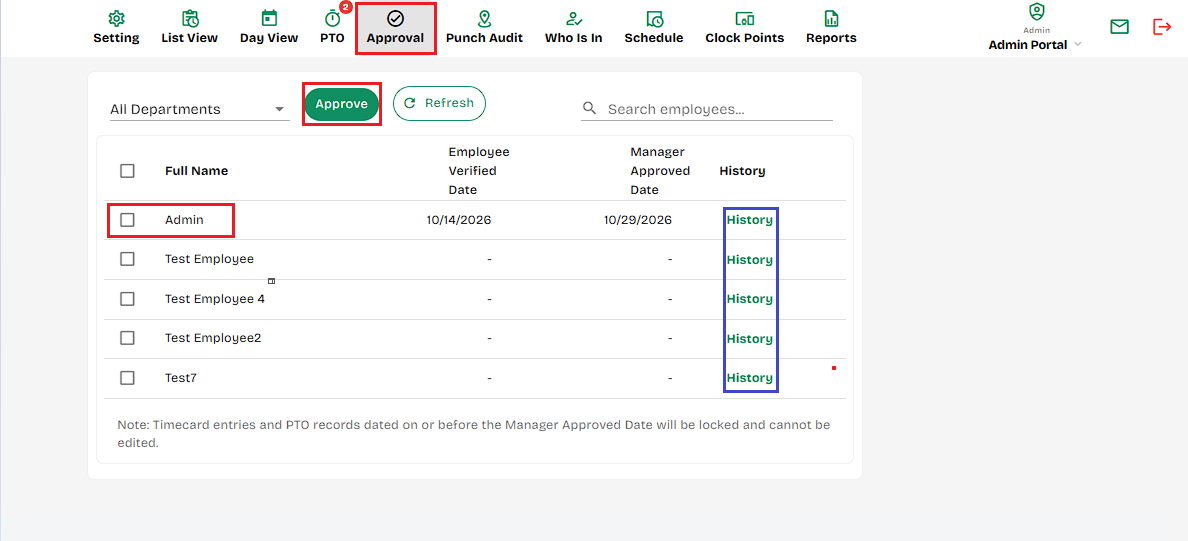
- All Departments- Drop-down filter to view and manage time records for employees from specific departments.
- Approve Button- Click to approve the selected employee time entries so they’re marked as reviewed and ready for payroll.
- Search by Name- Quickly find specific employees by typing their name into the search field.
- Employee List- Displays all employees (by department) to select whose time records you want to view or approve.
- Select Check boxes- Check these boxes to select which time records to approve or unapprove.
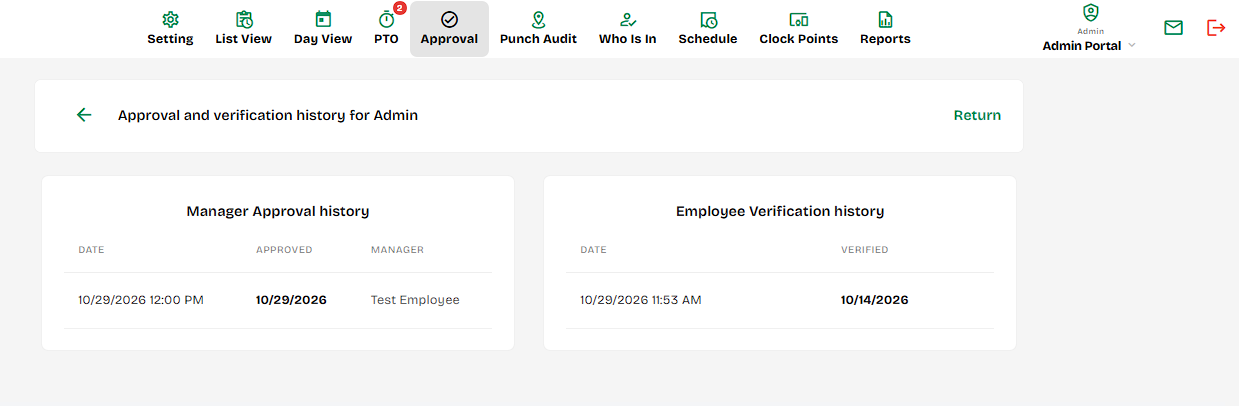
- History - Will show the total approval and verification history per employee.
Created with the Personal Edition of HelpNDoc: Transform Your Help Documentation Process with a Help Authoring Tool