> For the complete documentation index, see [llms.txt](https://www.opentimeclock.com/docs/llms.txt). Markdown versions of documentation pages are available by appending `.md` to page URLs; this page is available as [Markdown](https://www.opentimeclock.com/docs/blog2/march-2026/fast-and-easy-how-to-set-up-a-qr-code-time-clock-for-staff.md).
# Fast & Easy: How to Set Up a QR Code Time Clock for Staff
Step-by-step guide to setting up a QR Code Time Clock. Free, contactless, and secure with Open Time Clock. Trusted since 1997.
Fast & Easy: How to Set Up a QR Code Time Clock for Staff
The way employees clock in and out has changed dramatically over the past few years. Traditional punch cards and manual timesheets are outdated and full of problems. Typing usernames and passwords takes too long and creates delays during busy shift changes. And physical contact with shared devices raises hygiene concerns that many businesses want to avoid.
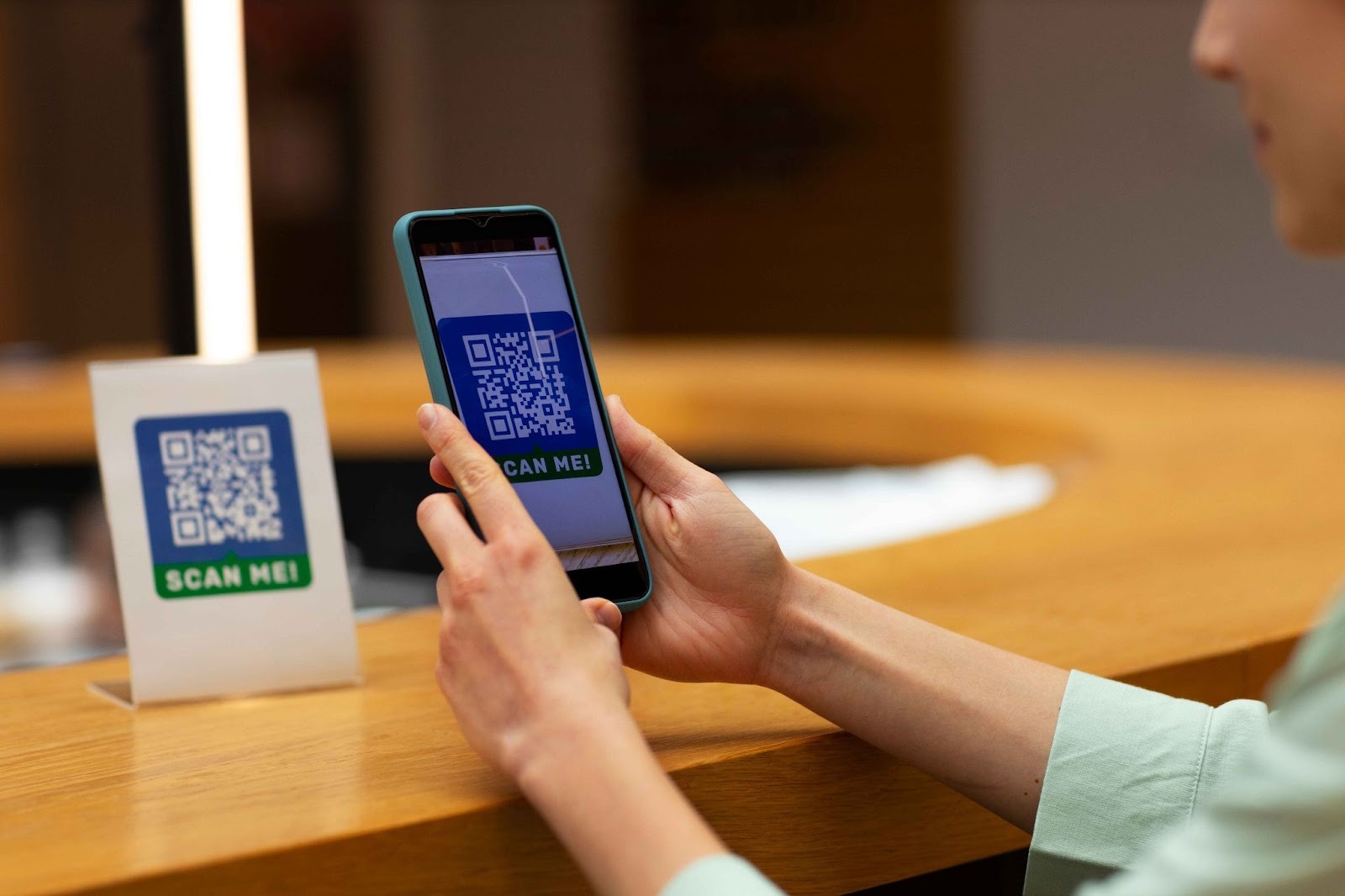
This is why the [QR Code Time Clock ](https://www.opentimeclock.com/free-qr-code-employee-time-tracking-app.html)has become one of the most popular time tracking solutions in modern workplaces. A QR Code Time Clock lets employees clock in and out by simply scanning a unique QR code with their phone's camera or a dedicated scanner. The process takes less than two seconds. It is completely touchless and hygienic. And it prevents buddy punching because each employee has their own unique QR code that cannot be shared or duplicated easily.
Setting up a QR Code Time Clock is surprisingly simple and can be done in just a few minutes even by someone with no technical experience. In this article, we will walk you through every step of the setup process, explain why QR code clocking is so effective, and show how Open Time Clock, a trusted provider with over 25 years of experience makes QR code time tracking free, fast, and secure for businesses of all sizes.
### What Is a QR Code Time Clock and Why Use It?
A [QR Code Time Clock ](https://www.opentimeclock.com/free-qr-code-employee-time-tracking-app.html)is a time tracking system where each employee is assigned a unique QR code. This code can be printed on a badge, displayed on a phone screen, or posted at a work station. When it is time to clock in, the employee scans their QR code using a camera either their smartphone camera or a dedicated QR code scanner connected to a tablet or computer. The system instantly recognizes the employee, records the time, and stores the data in the cloud.
This method has several major advantages over traditional clock-in methods:
#### Speed and Efficiency
Scanning a QR code takes one to two seconds. There is no typing. There is no waiting. This is especially valuable during shift changes when many employees need to clock in at the same time. A QR code system prevents bottlenecks and gets everyone to work faster.
#### Touchless and Hygienic
Since the outbreak of COVID-19, many businesses have wanted to minimize shared touchpoints. With QR codes, employees do not touch any shared device. They either scan their own badge with a camera or use their personal phone to scan a posted QR code. This touchless approach promotes workplace hygiene and employee safety.
#### Prevention of Buddy Punching
Buddy punching is when one employee clocks in for another who is absent or running late. This is difficult with QR codes because each code is unique to one employee. Unless someone physically steals another person's badge, they cannot clock in for them. Open Time Clock also captures a photo at clock-in for additional verification, making fraud nearly impossible.
#### Works on Any Device
QR code scanning works on smartphones, tablets, and computers with cameras. It also works with external handheld QR code scanners that many retail stores and warehouses already have. This flexibility means you can use whatever devices your business already owns without buying expensive specialized hardware.
### Step-by-Step Guide to Setting Up a QR Code Time Clock
Setting up a QR code time tracking system is fast and straightforward. Here is the complete process from start to finish:
#### Step One: Sign Up for a Free Account
Create a free account by entering your business name, your email, and creating a password. There is no credit card required and no hidden fees. Open Time Clock has offered free time tracking since 1997 and supports unlimited employees at no cost.
#### Step Two: Add Your Employees
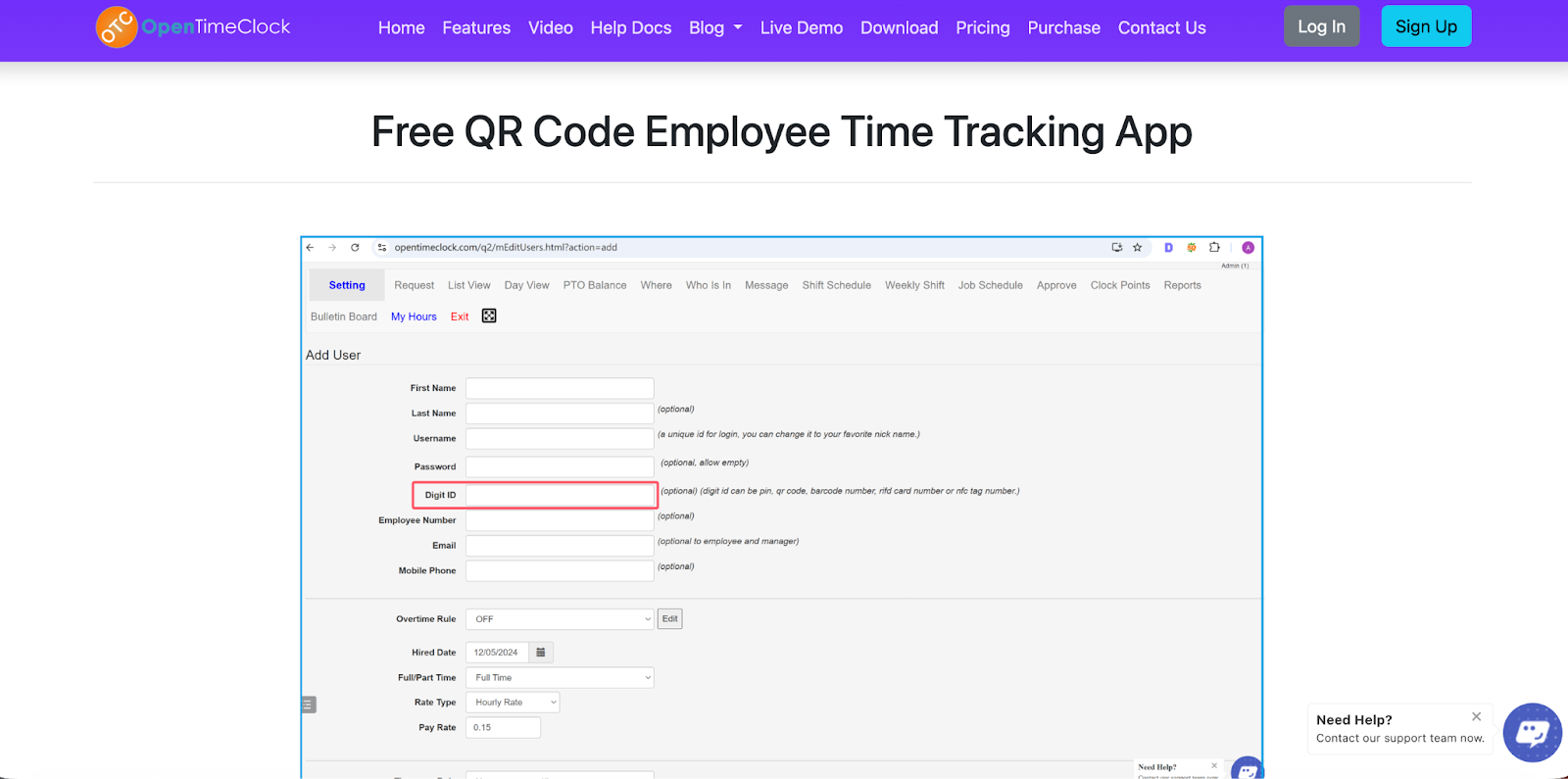
Once logged in, navigate to the Users page in the admin dashboard. Add each employee by entering their name and basic information. The system will automatically generate a unique Digit ID for each employee. This Digit ID is what powers the QR code it is a unique number that identifies each person in the system.
#### Step Three: Generate QR Codes for Each Employee
On the Users page, you will see an option to generate and print QR codes for your employees. Click this option and the system will create a unique QR code for each person based on their Digit ID. You can download these QR codes individually or generate a PDF file containing all employee QR codes at once.
#### Step Four: Print and Distribute QR Codes
Print the QR codes on adhesive labels, card stock, or employee badges. Many businesses laminate the QR codes and attach them to employee ID badges that staff wear on lanyards. Others print them on stickers and give one to each employee to place on their personal phone case. Choose whatever method works best for your workplace.
#### Step Five: Set Up a Clock-In Device
You need at least one device where employees will scan their QR codes. This can be a tablet mounted near the entrance, a smartphone on a stand at the reception desk, or a computer with a webcam at the manager's station. Open the Open Time Clock app on this device and navigate to the QR Code [RFID NFC Clock option ](https://www.opentimeclock.com/feature-rfid-nfc-time-clock.html)in the menu. The camera will activate and be ready to scan QR codes.
#### Step Six: Enable QR Code Clocking in Settings
Log into the admin dashboard, go to Company Settings, and navigate to the Clock Interfaces tab. Make sure the option for QR Code scanning is enabled. This ensures employees can use QR codes to clock in across all devices mobile apps, desktop apps, and web browsers.
#### Step Seven: Test the System
Have one or two employees test the system. They should hold their QR code badge in front of the camera. The system should recognize the code instantly, display their name on the screen, and record the clock-in time. If the camera does not read the code, adjust the lighting or move the badge closer or farther from the camera until it scans smoothly.
### Advanced QR Code Time Clock Features
Once your basic QR Code Time Clock is set up, you can take advantage of advanced features that make the system even more powerful:
#### External QR Code Scanners
If you have a high-traffic workplace where many employees clock in at once, consider using an external handheld QR code scanner. These scanners plug into a computer, tablet, or smartphone via USB and read QR codes faster than cameras. They also work in low light conditions where cameras might struggle. Open Time Clock supports any QR code scanner that emulates keyboard input.
#### Mobile QR Code Scanning
Employees can also clock in using their own smartphones. They open the Open Time Clock mobile app, select the QR Code Clock option, and scan a posted QR code at their work location or scan their own QR code badge using the phone's camera. This is perfect for remote workers or field employees who do not have access to a central clock-in device.
#### Photo Verification at Clock-In
To add an extra layer of security, enable photo capture at clock-in. When an employee scans their QR code, the system takes a photo using the device's camera. This photo is stored with the clock-in record so managers can verify that the right person actually clocked in. This prevents employees from lending their QR code badges to coworkers.
#### GPS Location Tracking
[Open Time Clock](https://www.opentimeclock.com/) can record the GPS location of every QR code clock-in when employees use the mobile app. This is valuable for businesses with field workers or multiple locations. Managers can verify that employees are scanning their QR codes from approved work sites and not from home or other unauthorized locations.
#### Geofencing for Location Control
You can set up geofences around your work locations. Employees will only be able to scan QR codes and clock in if they are physically inside the geofence boundary. This prevents early clock-ins from outside the workplace and ensures everyone is on site before their shift begins.
### Real-World Benefits from Businesses Using QR Code Time Clocks
#### Retail Store Eliminates Shift Change Delays
A retail store with 15 employees was experiencing long delays at shift changes. Employees had to wait in line to type their username and password on one shared tablet. After switching to a QR Code Time Clock, shift changes became instant. Each employee scans their badge in one second and goes straight to work. The store manager estimates this saves 30 minutes of cumulative employee time every single day.
#### Restaurant Improves Hygiene and Speed
A restaurant wanted to reduce shared touchpoints and speed up clock-ins during busy meal rushes. They implemented QR code badges for all staff. Employees now scan their badge when they arrive without touching any device. The system is faster, more hygienic, and has completely eliminated buddy punching. The restaurant has been using the system successfully for over two years with zero issues.
#### Warehouse Uses External Scanners for High Volume
A warehouse with 50 employees implemented an external handheld QR code scanner at the entrance. Employees scan their badge as they walk in — no stopping, no typing, no delays. The scanner reads codes instantly even in dim warehouse lighting. The system handles the entire shift change in under five minutes, where it used to take 15 to 20 minutes with password logins.
### How Open Time Clock Delivers Trusted QR Code Time Tracking
[Open Time Clock ](https://www.opentimeclock.com/)has been providing reliable time tracking solutions since 1997. With over 25 years of continuous service, we have earned the trust of thousands of businesses worldwide through consistent quality, security, and innovation.
Our QR Code Time Clock system is designed by workforce management experts who understand real business needs. We support QR code scanning across all platforms mobile apps for iOS and Android, desktop apps for Windows and Mac, and web browsers on any device. You can use built-in cameras or connect external QR code scanners for faster processing.
The system automatically generates unique QR codes for every employee. You can print them individually or in bulk. You can assign them to badges, stickers, or digital displays. And you can enable advanced features like photo verification, GPS tracking, and geofencing with just a few clicks in the settings.
All QR code clock-in data is stored securely in the cloud with enterprise-grade encryption. The data syncs in real time so managers can see who is working right now from any device. And all attendance records are preserved permanently for payroll, compliance, and reporting purposes.
Our commitment to accessibility means the entire system including full QR code time tracking is available completely free for unlimited employees. No credit card required. No hidden fees. No expensive upgrades to unlock basic features. This free-forever approach has made us a trusted partner for businesses of all sizes since 1997.
### Conclusion
Setting up a QR Code Time Clock is one of the fastest and easiest ways to modernize your time tracking. The entire setup takes less than an hour. The system is touchless, hygienic, and prevents buddy punching. And it works on devices you already own without requiring expensive specialized hardware.
[Open Time Clock](https://www.opentimeclock.com/) makes QR code time tracking simple, secure, and completely free. With over 25 years of proven expertise in workforce management, we provide the tools, support, and reliability your business needs.
### FAQ’s
#### What is a QR Code Time Clock and how does it work?
A QR Code Time Clock is a time tracking system where employees clock in by scanning a unique QR code assigned to them. The QR code can be printed on a badge or displayed digitally. When scanned with a camera or QR code scanner, the system instantly recognizes the employee and records their clock-in time.
#### Do I need to buy special equipment to use QR code clocking?
No. You can use any device with a camera, smartphones, tablets, or computers. Open Time Clock also supports external QR code scanners if you want faster processing, but these are optional. Most businesses use tablets or phones they already own.
#### How do I print QR codes for my employees?
Log into your Open Time Clock admin dashboard, go to the Users page, and click the option to generate QR codes. The system creates unique codes for all employees and lets you download them as a PDF.
#### Can employees use QR codes to clock in from their own phones?
Yes. Employees can download the Open Time Clock mobile app, open the QR Code Clock feature, and scan either a posted QR code at the work location or scan their own QR code badge using their phone's camera.
#### Is Open Time Clock's QR Code Time Clock really free?
Yes. Open Time Clock has provided free time tracking since 1997. Our free plan includes unlimited employees, full QR code time tracking, photo verification, GPS tracking, and all core features with no hidden fees or credit card required.
---
# Agent Instructions
This documentation is published with GitBook. GitBook is the documentation platform designed so that both humans and AI agents can read, navigate, and reason over technical content effectively. Learn more at gitbook.com.
## Querying This Documentation
If you need additional information that is not directly available in this page, you can query the documentation dynamically by asking a question.
Perform an HTTP GET request on the current page URL with the `ask` query parameter, and the optional `goal` query parameter:
```
GET https://www.opentimeclock.com/docs/blog2/march-2026/fast-and-easy-how-to-set-up-a-qr-code-time-clock-for-staff.md?ask=&goal=
```
`ask` is the immediate question: it should be specific, self-contained, and written in natural language.
`goal` is optional and describes the broader end goal you are ultimately trying to accomplish on behalf of the user. GitBook uses it to tailor the answer towards what is most useful for that goal.
The response will contain a direct answer to the question and relevant excerpts and sources from the documentation.
Use this mechanism when the answer is not explicitly present in the current page, you need clarification or additional context, or you want to retrieve related documentation sections.