> For the complete documentation index, see [llms.txt](https://www.opentimeclock.com/docs/llms.txt). Markdown versions of documentation pages are available by appending `.md` to page URLs; this page is available as [Markdown](https://www.opentimeclock.com/docs/blog2/february-2026/virtual-time-clock-software-the-future-of-hybrid-work.md).
# Virtual Time Clock Software: The Future of Hybrid Work
Learn how Virtual Time Clock Software powers hybrid teams, ensures flexibility, and boosts productivity with Open Time Clock's free cloud solution.
## Virtual Time Clock Software: The Future of Hybrid Work
Our working style has been transformed permanently. In the past few years, the majority of employees spent five days in an office. There are numerous teams nowadays that work both at home and in the office. Some are working completely remote, in different cities or countries. This is the new model known as hybrid work and it is here to remain. However, there is a significant challenge associated with hybrid work: it is difficult to keep track of the hours that employees spend in numerous locations. How are you going to measure time when people are dispersed?
Old methods are obsolete. When employees are all over, a wall clock is not helpful. Paper timesheets do not work when the team is not meeting in a single office. This is the reason why Virtual Time Clock Software is now necessary.
Virtual Time Clock Software is a web-based application that allows employees to clock in and out at home, office, a job site or even on the move. It is a cloud-based online service. Managers are able to see real-time records on any device regardless of the location they are.
### What Is Virtual Time Clock Software?
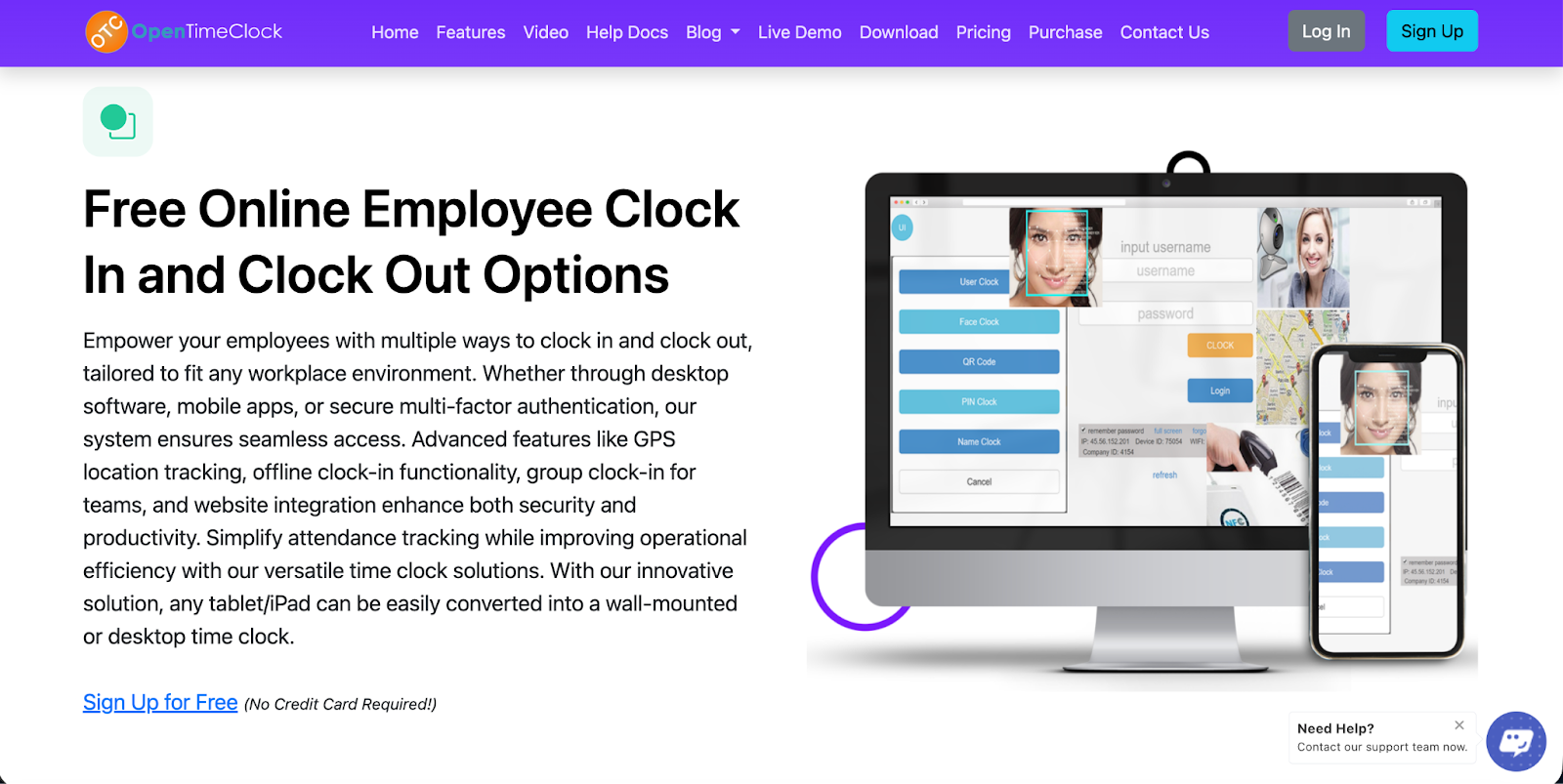
Virtual Time Clock Software is used to substitute the old time clocks with a web based system. Workers do not require a card or badge on a wall-based reader. They instead check in and out using their smartphone, tablet, laptop or desktop. The whole application is cloud-based, no hardware is bought, no on-premise installations, and no servers. Everything is online and can be accessed using any device that has internet.
The data is sent to the cloud as soon as an employee clocks in and stored on secure servers. The managers can access the information of which employees are on duty at any time, who has arrived late and who has not arrived late as well as the amount of hours an employee has worked weekly. Everything is stored online, automatically backed up, and it is impossible to lose it.
The system functions regardless of whether an employee is at the office, home, a cafe or traveling. They can clock in with just a phone or a computer and an internet connection. This is why Virtual Time Clock Software is perfect in hybrid teams, remote employees, and companies with employees located in different locations.
### Why Hybrid Work Needs Virtual Time Clock Software
Hybrid work is now the normal way of working for millions of people around the world. But managing hybrid teams is not easy. Here is why traditional time tracking does not work for hybrid teams and why virtual software is the only real solution:
#### Physical Time Clocks Do Not Work for Remote Employees
If your employee is working from home, they cannot walk up to a time clock mounted on the office wall. A physical device only works when everyone is in the same building. With hybrid work, employees are in different places every day. A virtual system solves this by letting employees clock in from wherever they are using their own devices.
#### Spreadsheets and Manual Tracking Become Too Complex
When you have five employees all working at the office, you can manage attendance with a spreadsheet or paper timesheets. But when you have twenty employees working from five different locations on different days, manual tracking becomes impossible. You cannot keep track of who is where, when they started, and how many hours they worked without making mistakes. A virtual time clock automates all of this and keeps everything organized in one place.
#### Managers Need Real-Time Visibility
In a hybrid setup, managers cannot just walk around the office to see who is working. They need a system that shows them in real time who is clocked in, where they are working from, and what they are working on. Virtual Time Clock Software provides a live dashboard that gives managers complete visibility of their entire team, no matter where each person is located.
#### Employees Need Flexibility
Hybrid work is all about flexibility. Employees want to be able to start work from home in the morning and then drive to the office later, or work from a client site one day and from home the next. A virtual time clock supports this flexibility. Employees can clock in from any location using the app on their phone, and the system records everything accurately without any extra effort.
### Key Features of Modern Virtual Time Clock Software
Not all virtual time clock systems are the same. Here are the most important features to look for:
#### Works on All Devices and Platforms
The software should work on smartphones, tablets, laptops, and desktop computers. It should support Android, iOS, Windows, Mac, and web browsers. This ensures every employee can use it no matter what device they have. [Open Time Clock ](http://opentimeclock.com)works seamlessly on all platforms with no extra setup required.
#### Cloud-Based with No Hardware Required
A true virtual time clock runs entirely in the cloud. There is no software to install. There is no hardware to buy. Employees simply log in through a web browser or mobile app, and everything works. This makes setup fast and keeps costs low. Open Time Clock is 100% cloud-based, so you can be up and running in minutes with zero hardware costs.
#### GPS Location Tracking
For hybrid teams, it is important to know where employees are when they clock in. GPS tracking records the exact location of every clock-in so managers can verify that employees are working from approved locations. [Open Time Clock](https://www.opentimeclock.com/) captures GPS coordinates and converts them into readable street addresses for every clock-in.
#### Offline Mode for Poor Internet Areas
Even virtual systems need to work when the internet is down. A good virtual time clock should have an offline mode that lets employees clock in when there is no internet connection. The data is saved locally on their device and automatically syncs to the cloud when the connection comes back. Open Time Clock includes full offline mode on both mobile and desktop apps.
#### Geofencing for Location Control
Some businesses want to restrict where employees can clock in from. Geofencing creates virtual boundaries around approved locations like the office, a job site, or a client building. Employees can only clock in if they are physically inside the geofence. This prevents early clock-ins from home and ensures employees are where they are supposed to be. Open Time Clock supports unlimited geofences for complete location control.
Real-Time Notifications
Managers should receive instant alerts when important things happen — when someone is late, when someone forgets to clock in, or when someone is approaching overtime. This lets managers take action immediately instead of finding out about problems days later. Open Time Clock includes a powerful notification system that sends alerts by email and through the app.
### Real-World Benefits of Virtual Time Clock Software for Hybrid Teams
Let us look at how virtual time clock systems make hybrid work easier and more efficient in real business situations:
#### Tech Company with Hybrid Schedule
A software company has 50 employees who follow a hybrid schedule — in the office Monday and Wednesday, remote Tuesday and Thursday, and flexible on Friday. Before using a virtual time clock, the company had no way to verify whether employees were actually following the schedule. Some employees were staying home on office days and claiming they were there.
After implementing Open Time Clock with GPS tracking, managers could see exactly where each employee clocked in from. The hybrid schedule is now followed properly, and everyone is accountable to the agreed arrangement. The company also saved money by realizing they could reduce their office space since actual office usage was lower than expected.
#### Marketing Agency with Remote Team
A marketing agency has 15 employees spread across six different cities. Everyone works from home except for one monthly in-person meeting. Before using Virtual Time Clock Software, the agency tracked hours using an honor system where employees reported their hours at the end of each week. This led to inconsistent reporting and payroll errors. After switching to Open Time Clock, every employee clocks in and out from their home office using the mobile app. The system records everything automatically and generates payroll reports with one click. The agency owner now has complete visibility into who is working when, and payroll processing time dropped from three hours per week to fifteen minutes.
#### Healthcare Clinic with Rotating Locations
A healthcare provider has nurses who work at three different clinic locations throughout the week. Each nurse might work at Location A on Monday, Location B on Wednesday, and Location C on Friday. Before using a virtual system, the clinic had no way to verify that nurses were actually at the correct location when they clocked in.
After implementing Open Time Clock with geofencing, the clinic set up a geofence around each location. Nurses can only clock in if they are physically at the assigned clinic for that day. This ensures staffing is correct at each location and prevents scheduling mix-ups that could leave a clinic understaffed.
### How Open Time Clock Delivers the Best Virtual Time Clock Experience
Open Time Clock delivers a strong virtual time clock experience by prioritizing simplicity and accessibility over unnecessary complexity. Its web-based design allows employees to clock in and out from shared computers or kiosks without installing software or relying on personal devices. This lowers friction in workplaces with hourly or shift-based staff and reduces IT overhead. The interface is intentionally minimal, which shortens onboarding time and limits user error—an important advantage in environments where time tracking compliance matters more than advanced analytics.
From a management perspective, Open Time Clock centralizes essential functions such as employee management, timesheet review, and edits in a single dashboard. Real-time tracking gives supervisors immediate visibility into attendance, enabling faster responses to lateness, missed shifts, or staffing gaps. Accountability features like PIN-based logins and activity logs add a basic but effective layer of control against time theft without turning the system into a surveillance tool, which can harm trust and morale.
Cost is another key differentiator. By avoiding expensive hardware and enterprise pricing models, [Open Time Clock ](https://www.opentimeclock.com/)makes reliable time tracking accessible to small and growing organizations. Its exportable timesheets integrate cleanly with payroll workflows, reducing manual calculations and errors. Overall, the platform succeeds by focusing on core timekeeping needs and executing them efficiently, rather than overloading users with features that add little operational value.
### Conclusion
Hybrid work is the future. But managing hybrid teams without the right tools is difficult, time-consuming, and full of errors. Virtual Time Clock Software is the solution. It gives employees the flexibility to work from anywhere while giving managers the visibility and control they need to run the business effectively.
The right virtual time clock does not have to be expensive or complicated. [Open Time Clock ](https://www.opentimeclock.com/)gives every business small or large access to a powerful, free Virtual Time Clock Software that works on any device, supports unlimited employees, and includes all the features needed to manage modern hybrid teams.
### FAQ’s
#### What is Virtual Time Clock Software and how is it different from a regular time clock?
Virtual Time Clock Software is a cloud-based system that lets employees clock in and out using their smartphones, tablets, or computers from any location. Unlike a physical time clock that is mounted on a wall in one location, a virtual time clock works from anywhere with an internet connection.
#### Can employees clock in from home using Virtual Time Clock Software?
Yes. That is one of the main advantages of a virtual system. Employees can clock in from home, from the office, from a job site, or from anywhere else they are working. The system records their location using GPS so managers can verify where each clock-in happened.
#### Does Open Time Clock work if there is no internet connection?
Yes. Open Time Clock includes full offline mode on both its mobile app and desktop app. Employees can clock in and out even when there is no internet. The data is saved on their device and automatically syncs to the cloud when the connection comes back.
#### How does GPS tracking work in a virtual time clock?
When an employee clocks in using the mobile app, the system uses the GPS in their phone to record their exact location. The GPS coordinates are converted into a readable street address and stored with the clock-in record. Managers can view all clock-in locations on a map and verify that employees were where they should have been. This is especially useful for hybrid teams and remote workers.
#### Is Open Time Clock's Virtual Time Clock Software free to use?
Yes. Open Time Clock offers a completely free plan that includes full virtual time clock features for unlimited employees. You get cloud-based access from any device, GPS tracking, geofencing, offline mode, facial recognition, and over 80 types of reports — all at no cost.
---
# Agent Instructions
This documentation is published with GitBook. GitBook is the documentation platform designed so that both humans and AI agents can read, navigate, and reason over technical content effectively. Learn more at gitbook.com.
## Querying This Documentation
If you need additional information that is not directly available in this page, you can query the documentation dynamically by asking a question.
Perform an HTTP GET request on the current page URL with the `ask` query parameter, and the optional `goal` query parameter:
```
GET https://www.opentimeclock.com/docs/blog2/february-2026/virtual-time-clock-software-the-future-of-hybrid-work.md?ask=&goal=
```
`ask` is the immediate question: it should be specific, self-contained, and written in natural language.
`goal` is optional and describes the broader end goal you are ultimately trying to accomplish on behalf of the user. GitBook uses it to tailor the answer towards what is most useful for that goal.
The response will contain a direct answer to the question and relevant excerpts and sources from the documentation.
Use this mechanism when the answer is not explicitly present in the current page, you need clarification or additional context, or you want to retrieve related documentation sections.