> For the complete documentation index, see [llms.txt](https://www.opentimeclock.com/docs/llms.txt). Markdown versions of documentation pages are available by appending `.md` to page URLs; this page is available as [Markdown](https://www.opentimeclock.com/docs/blog2/february-2026/real-time-attendance-monitoring-how-it-works-and-why-it-matters.md).
# Real Time Attendance Monitoring: How It Works & Why It Matters
Learn how Real Time Attendance Monitoring works, its benefits, and how OpenTimeClock helps businesses track employee hours easily.
## How Real Time Attendance Monitoring Works
Real-time attendance monitoring is a new method through which organizations monitor the arrival, departure and the presence of people. Rather than using paper registers or slow reports, the information is instantly captured using technologies like biometric scanners, mobile applications, RFID cards, or web portals. The system captures the time when a person checks in or out and transmits it straight to a central database.
The managers are able to see automatically updating dashboards, and they can see attendance, late arrivals, absences and overtime. This real-time visibility minimizes errors, time fraud, and accountability. The system frequently is combined with payroll and time scheduling software, and the hours logged in are automatically transferred to salary computation and shift schedules.
The availability of information immediately means that managers are able to respond promptly to either vacancies or nonconformities. On the whole, the practice can streamline attendance monitoring and conserve administrative resources and help make improved decisions during the routine operations of any workplace, regardless of its size or industry sector across the globe.
### What Is Real Time Attendance Monitoring?
Real Time Attendance Monitoring is the process of tracking when employees start work, take breaks, and finish work all as it happens live.
In the old days, businesses used paper registers or punch cards. A manager would collect papers at the end of the week and count hours manually. This was slow, and mistakes happened all the time.
With modern software, everything is automatic. An employee clocks in using their phone, computer, or a device at the office. That clock-in is recorded instantly. The manager can see it on their screen in seconds.
This is the simple idea behind Real Time Attendance Monitoring — you always know what is happening with your team, right now.
### How Does Real Time Attendance Monitoring Work?
The process is simple. Here is how it works step by step:
#### Step 1 — Employee Clocks In
The employee uses a device to record their arrival. This can be done in many ways:
* Typing a username and password on a computer
* Scanning a QR code with a phone
* Using facial recognition on a camera
* Tapping an RFID or NFC card on a reader
[OpenTimeClock](https://www.opentimeclock.com/) supports all of these methods, making it very easy for employees to clock in no matter where they work.
#### Step 2 — Data Is Recorded Instantly
As soon as the employee clocks in, the system saves the time, date, and location automatically. It may also take a photo of the employee to prevent someone else from clocking in on their behalf. This is called preventing "buddy punching."
#### Step 3 — Manager Gets Notified
The manager does not have to check anything manually. The system sends an alert or updates the dashboard right away. If an employee is late, the manager gets notified. If someone forgets to clock in, the system sends a reminder.
With[ OpenTimeClock's real-time notification feature](https://www.opentimeclock.com/feature-real-time-notifications.html), managers receive instant updates for late arrivals, early departures, overtime, and missed clock-ins.
#### Step 4 — Reports Are Generated
At the end of the day, week, or month, the system creates reports automatically. These reports show total hours worked, overtime, leave taken, and more. This makes payroll very simple and accurate.
### Key Features of a Good Real Time Attendance System
Not all attendance software is the same. A good Real Time Attendance Monitoring system should have the following features:
#### GPS Location Tracking
This is very important, especially for field workers. When an employee clocks in, the system records their GPS location. Managers can see exactly where the employee was when they started work.
[OpenTimeClock's GPS tracking feature](https://www.opentimeclock.com/employee-time-tracking-app-with-gps-geolocation-and-geofencing.html) records the exact street address of every clock-in. It also supports geofencing, which means employees can only clock in if they are inside the approved work area.
#### Photo Verification
The system takes a photo of the employee when they clock in. This confirms the right person is recording attendance, not a friend or colleague.
#### Real-Time Notifications
Managers get instant alerts for important events — when someone is late, when overtime starts, or when a worker misses a clock-in.
#### Multiple Clock-In Methods
Different employees work in different ways. Some work in an office. Others work from the field. A good system supports all clock-in options — web browser, mobile app, QR code, RFID card, and facial recognition.
#### Offline Mode
Field workers may not always have internet access. A good attendance app should record clock-in data offline and sync it when the connection is restored.
#### Easy Reports
The system should create simple, clear reports for payroll, HR, and management. OpenTimeClock offers over 80 preset PDF and Excel reports that you can download anytime.
### Why Is Real Time Attendance Monitoring Important?
Businesses of all sizes need to track employee time. Here is why Real Time Attendance Monitoring is so important:
#### It Saves Money
When attendance is not tracked properly, companies lose money. Employees may report extra hours they did not work. Manual data entry creates errors in payroll. A real-time system removes these problems and makes sure everyone is paid accurately.
#### It Stops Time Theft
Time theft happens when employees clock in for each other or take longer breaks than allowed. A system with photo verification and GPS tracking stops this completely.
#### It Improves Productivity
When employees know their attendance is being tracked in real time, they tend to be more punctual and responsible. They arrive on time and complete their shifts as expected.
#### It Helps Managers Make Better Decisions
When a manager can see live data, they can respond quickly. If a worker is absent, a replacement can be arranged right away. If overtime is building up, the manager can act before it becomes a problem.
#### It Makes Payroll Easy and Accurate
Instead of collecting time sheets and doing calculations by hand, the system does everything automatically. Payroll becomes faster and errors are greatly reduced.
### Who Can Use Real Time Attendance Monitoring?
Real Time Attendance Monitoring is useful for almost every type of business:
Small Businesses — Even a small team of 5 to 10 people can benefit from automated tracking. It saves the owner a lot of time and removes the need for manual records.
Construction and Field Teams — Workers are spread across different locations. GPS tracking and geofencing make sure they are at the right place at the right time.
Hospitals and Healthcare — Nurses and staff work in shifts. Real-time tracking ensures shifts are covered and overtime is managed correctly.
Schools and Nonprofits —[ OpenTimeClock](https://www.opentimeclock.com/why-is-open-time-clock-the-best-time-tracking-software.html) even offers a free plan for schools, hospitals, and nonprofit organizations, making it accessible to everyone.
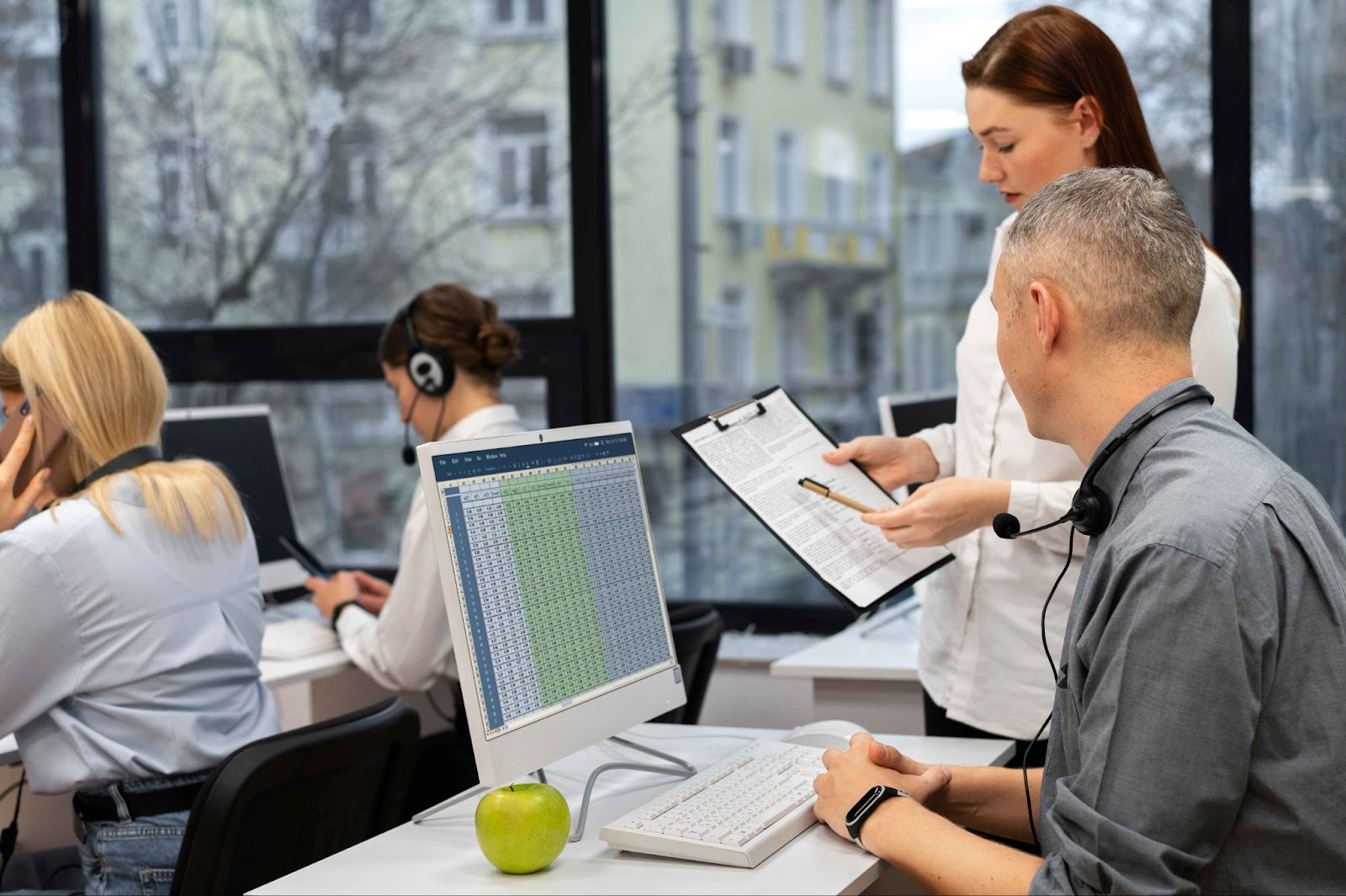
Call Centers — Supervisors need to know which agents are on time and which are absent. Real-time data helps them manage teams more effectively.
Remote and Work-From-Home Teams — With digital clock-ins and location tracking, managers can verify that remote employees are working as expected.
### How OpenTimeClock Makes Real Time Attendance Monitoring Simple
[OpenTimeClock](https://www.opentimeclock.com/) simplifies real-time attendance monitoring by focusing on practicality, transparency, and ease of use rather than complex, over-engineered features. Its core strength lies in providing immediate visibility into employee clock-ins, clock-outs, breaks, and overtime without requiring specialized hardware or extensive technical setup.
The platform supports multiple clock-in methods—web browsers, mobile devices, and tablets—making it adaptable to offices, retail locations, and distributed teams. Because data updates in real time, managers can quickly identify late arrivals, missed punches, or unexpected absences and respond before these issues affect operations or payroll accuracy.
OpenTimeClock also reduces administrative overhead by centralizing attendance data in a single dashboard. Instead of reconciling spreadsheets or paper logs, managers can review attendance records, approve edits, and export reports directly for payroll processing. Built-in audit trails help track changes, which discourages time manipulation and improves accountability without constant supervision.
Another key advantage is policy flexibility. Organizations can configure rules for breaks, overtime, rounding, and pay periods based on their operational needs. This allows companies to start with simple attendance policies and gradually refine them as workflows mature, rather than forcing rigid structures from day one.
From a compliance perspective, OpenTimeClock helps maintain accurate historical records, which are essential for labor audits and dispute resolution. Employees benefit as well: they can review their own time entries, increasing transparency and reducing mistrust around pay calculations.
Importantly, the system supports real-time monitoring without turning attendance into micromanagement. Alerts and reports highlight exceptions instead of encouraging constant observation. This shifts management focus from tracking hours to understanding patterns and improving scheduling decisions.
### Common Problems Real Time Attendance Monitoring Solves
Many businesses face the same problems when managing attendance. Here is how Real Time Attendance Monitoring helps solve them:
Problem: Employees are often late but it is hard to track. Solution: The system records every clock-in with a timestamp and sends an alert to the manager when someone arrives late.
Problem: Payroll takes too long every month. Solution: All hours are calculated automatically. Reports are ready with one click.
Problem: Field employees are hard to monitor. Solution: GPS tracking shows exactly where employees clock in. Geofencing ensures they are at the right location.
Problem: Employees clock in for each other. Solution: Photo verification and facial recognition confirm the identity of the person clocking in.
### Tips for Getting Started With Real Time Attendance Monitoring
* Define Clear Objectives\
* Decide what you want to achieve—reducing absenteeism, improving punctuality, ensuring compliance, or optimizing workforce allocation. Clear goals shape system selection and metrics.\
* Prioritize Data Accuracy and Reliability\
* Real-time systems are only useful if data is trustworthy. Ensure devices sync consistently, handle network outages gracefully, and minimize manual overrides.\
* Ensure Legal and Privacy Compliance\
* Attendance data is sensitive. Understand local labor laws and data protection regulations, define data retention rules, and clearly document consent and usage policies.\
* Integrate With Existing Systems\
* Connect attendance data with payroll, HRMS, and scheduling tools to avoid duplicate work and reduce errors. Integration is often where ROI is realized.\
* Design Simple Attendance Rules\
* Avoid overly complex policies at the start. Clear rules for clock-in windows, grace periods, overtime, and exceptions reduce confusion and disputes.\
* Train Employees and Managers Early\
* Adoption depends on understanding. Explain how the system works, what data is collected, and how it benefits both management and employees.\
* Set Up Real-Time Alerts and Dashboards\
* Use alerts for late arrivals, no-shows, or unusual patterns. Dashboards should highlight exceptions, not drown users in raw data.
### Conclusion
Real-time attendance monitoring is most effective when treated as a management tool rather than a surveillance mechanism. Its value lies in timely visibility, consistent data, and the ability to act on issues before they escalate. Organizations that rush implementation without clear objectives, legal awareness, or employee buy-in often face resistance and unreliable data. Starting with simple rules, piloting the system, and integrating it with existing HR and payroll processes builds credibility and trust.
Just as important is recognizing that attendance data reflects human behavior, not just compliance. Patterns should prompt inquiry and improvement, not automatic punishment. When used thoughtfully, real-time monitoring can support fairer policies, better workforce planning, and more transparent communication between employees and management. The system should evolve as the organization grows, adapting to new work models and operational realities. Ultimately, success depends less on technology itself and more on how deliberately and responsibly it is applied.
### FAQ’s
#### What is Real Time Attendance Monitoring?
Real Time Attendance Monitoring is a system that tracks when employees clock in and out as it happens. Managers can see live attendance data on their screen without any delay.
#### How does OpenTimeClock help with Real Time Attendance Monitoring?[ ](https://www.opentimeclock.com/)
OpenTimeClock is a free online tool that records employee clock-ins instantly, sends real-time alerts to managers, tracks GPS locations, takes verification photos, and generates automatic attendance reports.
#### Can Real Time Attendance Monitoring work for remote or field employees?
Yes. With GPS tracking, geofencing, and offline clock-in support, Real Time Attendance Monitoring works perfectly for remote workers, field staff, and employees working across multiple locations.
#### Is Real Time Attendance Monitoring safe and private?
Yes. Good systems like OpenTimeClock store data securely. Access is restricted to managers and authorized admins. Employees only see their own records.
#### Does OpenTimeClock offer a free plan?
Yes.[ OpenTimeClock](https://www.opentimeclock.com/) offers a completely free plan for unlimited users. It also has a special free plan for schools, hospitals, and nonprofit organizations.
---
# Agent Instructions
This documentation is published with GitBook. GitBook is the documentation platform designed so that both humans and AI agents can read, navigate, and reason over technical content effectively. Learn more at gitbook.com.
## Querying This Documentation
If you need additional information that is not directly available in this page, you can query the documentation by asking a question.
Perform an HTTP GET request on the following URL with the `ask` and `goal` query parameters:
```
GET https://www.opentimeclock.com/docs/blog2/february-2026/real-time-attendance-monitoring-how-it-works-and-why-it-matters.md?ask=&goal=
```
`ask` is the immediate question: it should be specific, self-contained, and written in natural language.
`goal` is what the user is ultimately trying to achieve, the reason they need the answer. Sharing it helps GitBook give you a better, more relevant answer. A goal is most helpful when it describes the outcome the user wants rather than restating the question. For example, with `ask=how do I create an API token`, a goal like `automate deployments from our CI pipeline` lets GitBook tailor the answer to that use case.
The response will contain a direct answer to the question and relevant excerpts and sources from the documentation.
Use this mechanism when the answer is not explicitly present in the current page, you need clarification or additional context, or you want to retrieve related documentation sections.