> For the complete documentation index, see [llms.txt](https://www.opentimeclock.com/docs/llms.txt). Markdown versions of documentation pages are available by appending `.md` to page URLs; this page is available as [Markdown](https://www.opentimeclock.com/docs/blog2/february-2026/clockify-vs-opentimeclock-which-is-better-for-free-users.md).
# Clockify vs OpenTimeClock: Which is Better for Free Users?
Compare Clockify vs OpenTimeClock to discover which free time tracking solution offers better features, ease of use, and value for your business.
## Clockify vs OpenTimeClock: Which is Better for Free Users?
The selection of a time-tracking tool is important to companies that desire to document the hours of employees without incurring expenses on the purchase of an expensive tool. Clockify and OpenTimeClock are two of the most popular free options that are considered by many small firms. They both have free plans that allow companies to track time, handle employees, and create reports, but their techniques are different and target different purposes.
The comparison of Clockify with OpenTimeClock is also frequently based upon the fact that the latter permits an unlimited number of users to keep track of the number of hours at no cost. This particularly attracts small businesses, startups and teams with limited budgets. Most of the other time-tracking services cost every user every month, but these two sites offer a free professional service.
This stepwise comparison reviews the functionality of each platform, the features that can be performed on their free accounts, and their level of user-friendliness and which platform is more appropriate to use depending on the type of business.
### Understanding Clockify
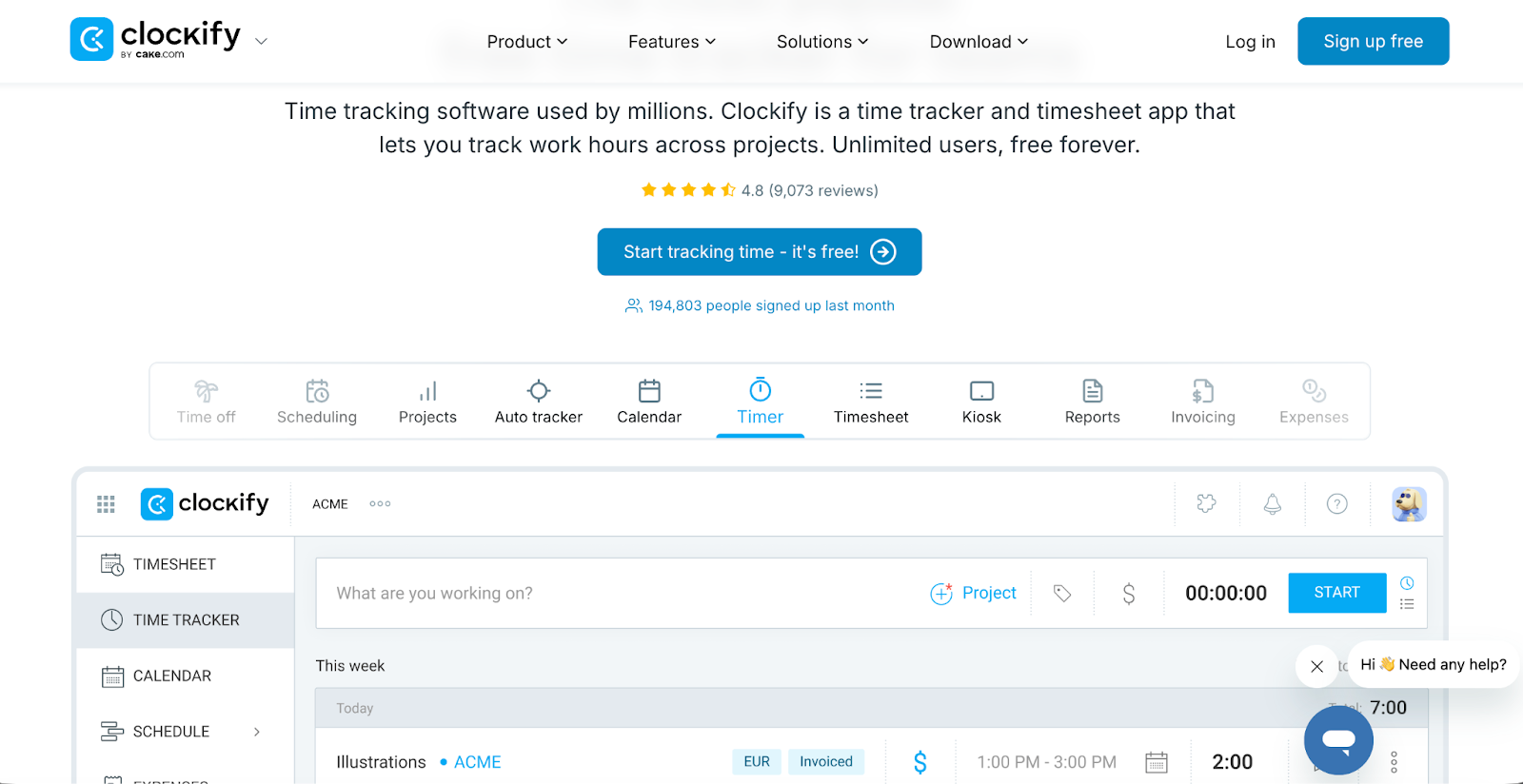
[Clockify ](https://clockify.me/)is a time tracking tool designed mainly for tracking time spent on projects and tasks. It helps businesses see how employees spend their work hours across different activities.
Project-based tracking is Clockify's main strength. Users can create projects, assign team members to them, and track how many hours everyone spends on each project. This detailed tracking helps businesses understand project costs and employee productivity.
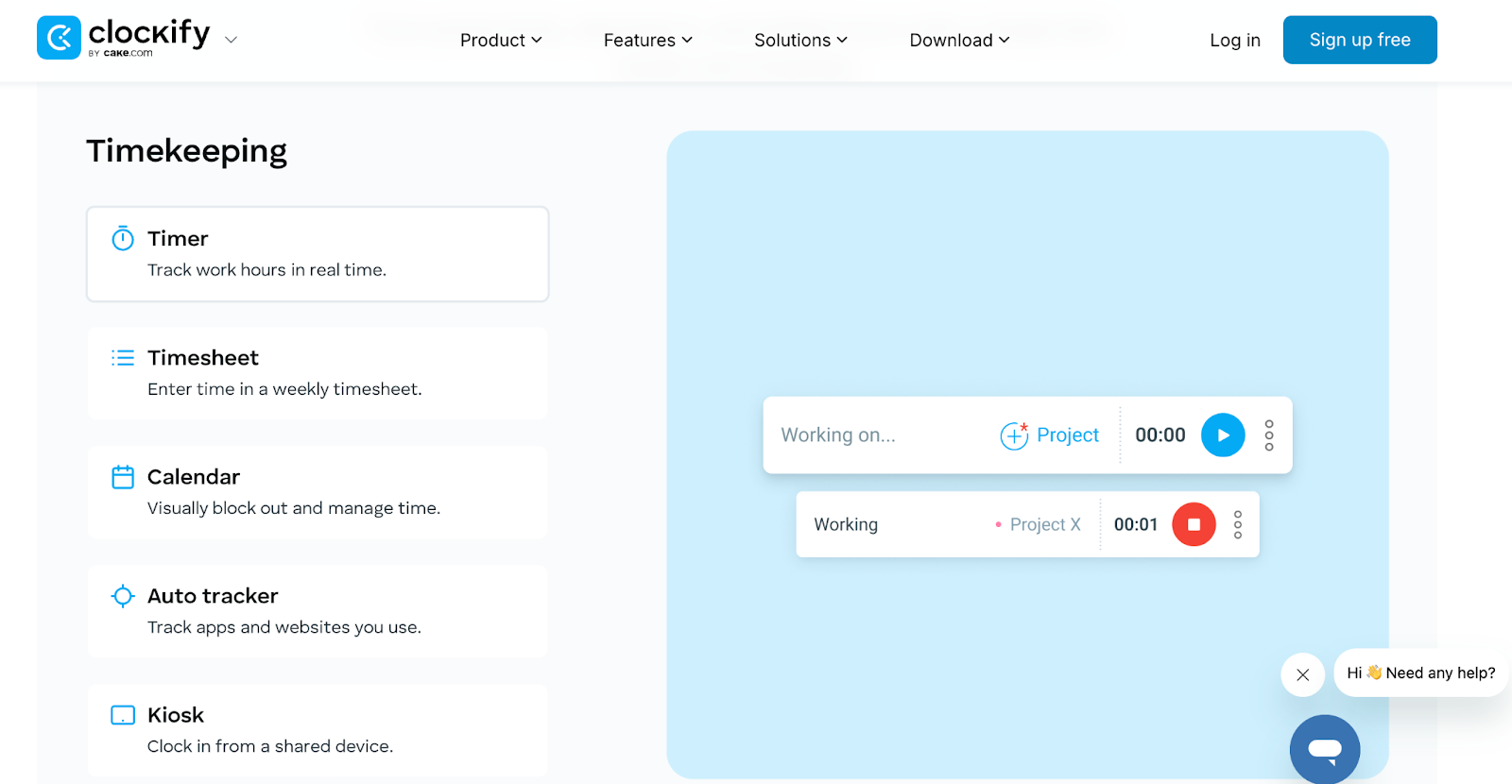
Timer functionality allows employees to start and stop timers as they work on different tasks. The running timer shows exactly how long someone has been working on something. This active tracking works well for people who switch between many tasks during the day.
Manual time entry is also possible for people who forget to start timers or prefer logging hours after completing work. Users can enter start and end times or just total hours for any day.
Detailed reporting helps managers see where time goes. Clockify generates reports showing time by project, by person, by day, and many other combinations. These reports help analyze productivity and project profitability.
Unlimited users and projects in the free plan make Clockify very generous. Small businesses can have as many team members as needed tracking time on unlimited projects without paying anything.
### Understanding OpenTimeClock
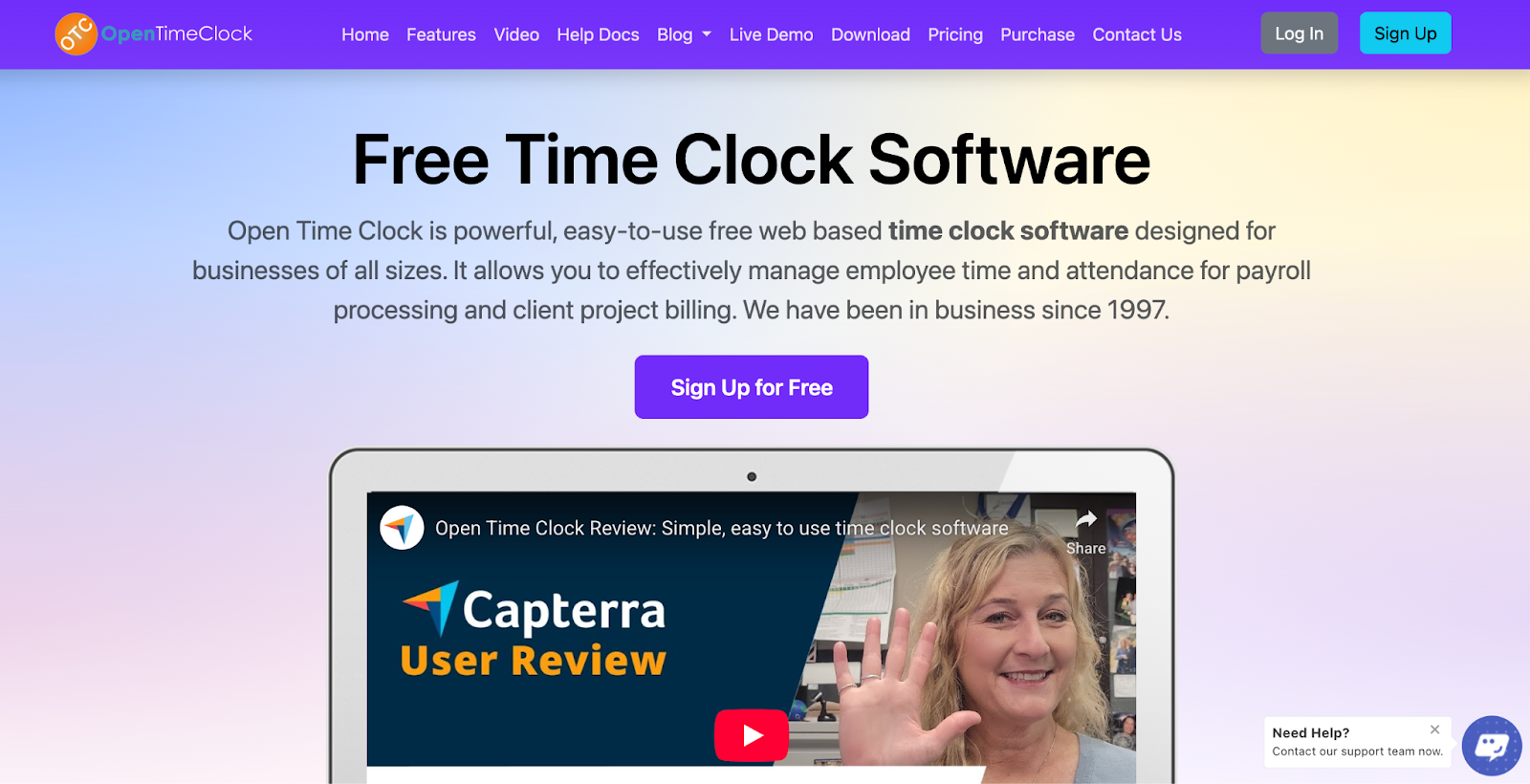
[OpenTimeClock ](https://www.opentimeclock.com/)focuses on simple employee time clock functionality. It works like a traditional punch clock but online, making it easy for employees to clock in and out.
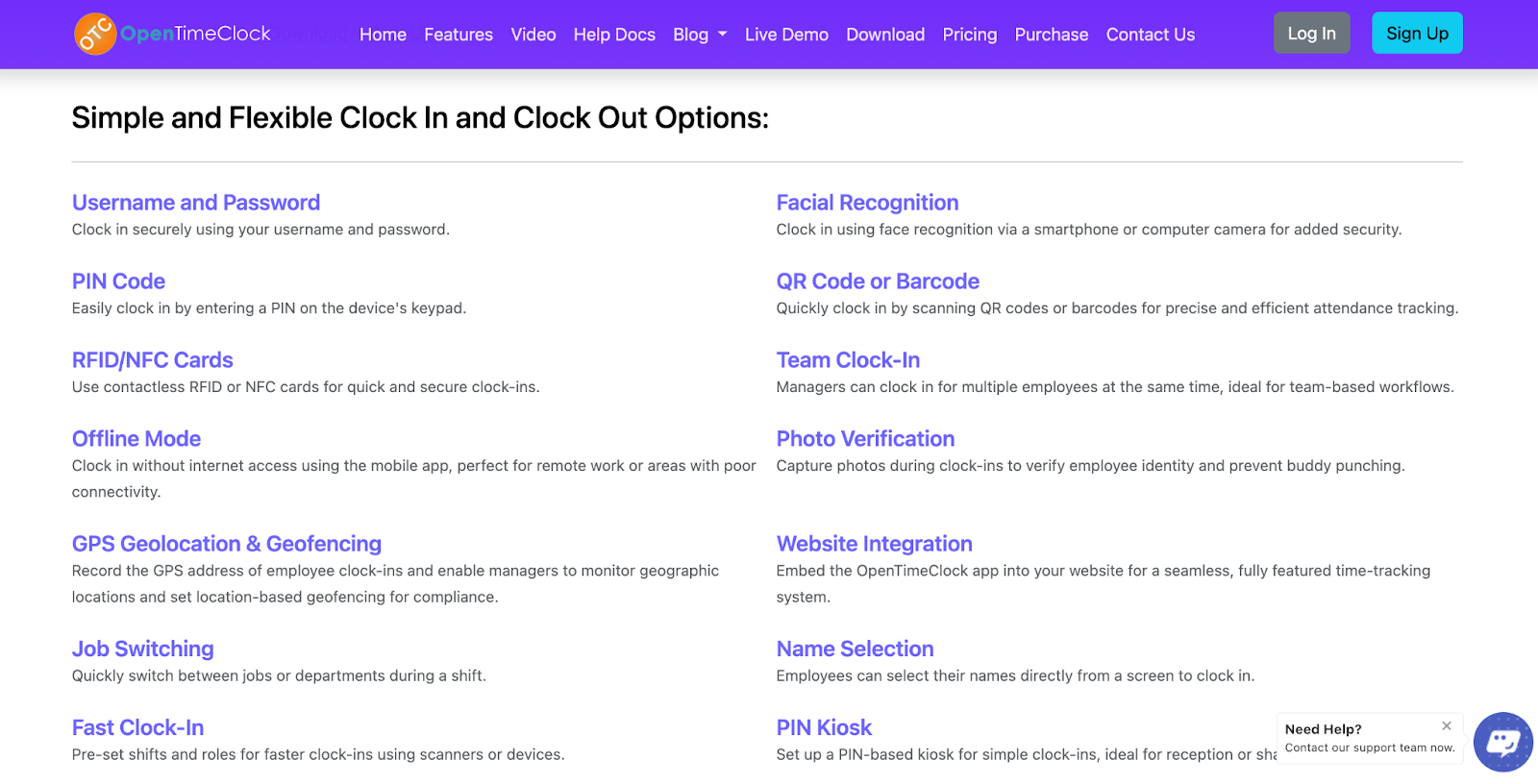
Simple clock in and clock out is the core feature. Employees log into the system and click a button when starting work and another button when finishing. The system records exact times automatically without employees needing to remember to start timers.
Attendance tracking shows who is working, who is on break, and who has not arrived yet. Managers can see real-time workforce status at any time, helping them manage daily operations better.
Automatic time calculations add up total hours worked each day and week. The system does all the math automatically, eliminating manual calculations and reducing errors that happen with paper timesheets.
Payroll-ready reports generate summaries perfect for processing payroll. These reports show total hours by employee in formats that transfer easily to payroll systems or accountants.
Web-based access means employees and managers use the system through any web browser. No software installation is needed, making it simple to start using immediately.
Mobile-friendly design allows tracking time from phones or tablets. This flexibility helps businesses with remote workers or employees who move between different locations.
### Comparing Free Plan Features
The Clockify vs OpenTimeClock comparison becomes clearer when examining what each free plan actually includes.
User limits differ significantly. Clockify allows unlimited users in the free plan, meaning companies with hundreds of employees can all track time without paying. OpenTimeClock also offers generous free plans that accommodate small to medium-sized teams without charges.
Time tracking methods vary between platforms. Clockify uses timers that employees start and stop, plus manual time entry.[ OpenTimeClock](https://www.opentimeclock.com/) uses clock in and clock out buttons that record attendance like traditional time clocks.
Project tracking is Clockify's strength with unlimited projects and detailed project time reports. OpenTimeClock does not focus on project tracking but instead tracks overall employee hours and attendance.
Reporting capabilities differ in focus. Clockify provides extensive reports about time spent on different projects, tasks, and activities. OpenTimeClock generates payroll-focused reports showing total hours worked by each employee.
Mobile access exists in both platforms but works differently. Clockify has mobile apps for iOS and Android where users start and stop timers. OpenTimeClock has mobile-friendly web access where employees clock in and out from phone browsers.
Integrations with other software vary. Clockify integrates with many project management and productivity tools. OpenTimeClock focuses more on payroll system compatibility.
### Ease of Use Comparison
How easy each platform is to learn and use daily matters greatly for busy businesses.
Clockify learning curve requires understanding projects, tasks, and timer management. New users need to learn how to create projects, assign themselves to tasks, and remember to start and stop timers. This complexity provides power but takes more time to learn.
OpenTimeClock simplicity makes it very easy to start using immediately. Employees simply click clock in when starting work and clock out when finishing. This straightforward approach requires almost no training and works intuitively.
Daily usage differs significantly. Clockify requires active timer management throughout the day as employees switch between tasks. OpenTimeClock needs just two clicks per day for basic tracking, though employees can also clock out for breaks.
Manager dashboards show different information. Clockify dashboards display project progress and time allocation.[ OpenTimeClock](https://www.opentimeclock.com/) dashboards show who is currently working and daily attendance summaries.
Setup time varies between platforms. Clockify requires creating projects and tasks before employees can track meaningful time. OpenTimeClock just needs adding employees, then tracking can begin immediately.
### Best Use Cases for Clockify
Understanding when Clockify vs OpenTimeClock favors Clockify helps identify if this tool fits your needs.
Project-based businesses benefit most from Clockify. Companies that bill clients by the hour, manage multiple projects simultaneously, or need to track time spent on different activities find Clockify's detailed tracking valuable.
Remote teams working on various tasks appreciate Clockify's flexibility. Employees working from home on different projects can track their time precisely and managers can see exactly how hours distribute across work.
Consulting firms and agencies use Clockify to track billable hours. The detailed reports showing time by client or project help create accurate invoices and understand project profitability.
Freelancers managing multiple clients find Clockify useful for tracking time spent on each client's work. This detailed tracking supports accurate billing and helps freelancers understand which clients consume most time.
Teams needing detailed analytics about how time is spent benefit from Clockify's extensive reporting. Businesses wanting to analyze productivity and optimize how employees allocate time find these reports valuable.
### Best Use Cases for OpenTimeClock
Knowing when OpenTimeClock serves businesses better helps make the right choice in the Clockify vs OpenTimeClock decision.
Traditional employee scheduling works perfectly with OpenTimeClock. Businesses with employees who work set shifts and need simple attendance tracking find this tool ideal.
Hourly workers in retail, restaurants, or manufacturing benefit from straightforward clock in and clock out. These industries typically do not need project tracking but do need accurate hour tracking for payroll.
Small businesses wanting simple solutions without complexity appreciate OpenTimeClock. Companies that just need to know when employees worked and for how many hours find this tool perfectly suited to their needs.
Companies replacing paper timesheets or punch cards find OpenTimeClock a natural upgrade. The clock in and clock out concept mirrors traditional time clocks but adds digital convenience and automatic calculations.
Businesses focused on payroll accuracy rather than project tracking should choose OpenTimeClock. When the main goal is processing payroll correctly, the payroll-focused reports and simple tracking work perfectly.
### Mobile Experience Comparison
How well each platform works on phones matters for modern workforces.
Clockify mobile apps provide full functionality including timer start and stop, manual time entry, and report viewing. The dedicated apps work smoothly on both iPhone and Android devices.
OpenTimeClock mobile browser access means employees use their phone's web browser to clock in and out. While not a dedicated app, the mobile-optimized website works reliably on any smartphone.
GPS tracking in some time tools helps verify employee locations. Clockify includes GPS features in paid plans but not free versions. OpenTimeClock can incorporate location verification for mobile clock-ins.
Offline functionality differs between tools. Clockify mobile apps can work offline and sync later. OpenTimeClock requires internet connection for clock-ins to record immediately.
Notifications and reminders help employees remember to track time. Clockify can remind users to start timers.[ OpenTimeClock](https://www.opentimeclock.com/) can send schedule reminders and notifications about shifts.
### Support and Resources
Getting help when needed matters for successful time tracking adoption.
Clockify documentation includes extensive guides and tutorials explaining features and common use cases. The knowledge base answers most questions users might have.
OpenTimeClock support provides assistance through multiple channels. Users can access documentation, email support, and resources helping them use the system effectively.
Community forums for Clockify let users share tips and ask questions. Learning from other users' experiences helps solve problems and discover useful features.
Video tutorials help visual learners understand how to use each platform. Both Clockify and[ OpenTimeClock](https://www.opentimeclock.com/) offer video resources demonstrating key features.
Response times for support questions vary. Free plan users sometimes receive slower support than paid customers, though both platforms try to help all users.
### Security and Privacy
Protecting employee time tracking data matters for any business.
Data encryption protects information as it travels between devices and servers. Both Clockify and OpenTimeClock use standard encryption protecting data transmission.
Privacy policies explain how each platform uses and protects data. Reading these policies helps understand what happens with your time tracking information.
Data ownership clarifies that your time data belongs to you, not the platform. Both tools allow exporting data if you decide to switch to different systems.
Access controls let managers limit who sees different information. Employees typically view only their own data while managers access team information.
Backup and recovery ensure data is not lost. Cloud-based platforms maintain backups protecting against data loss from technical failures.
### Conclusion
The Clockify vs OpenTimeClock comparison reveals two excellent free time tracking tools serving different purposes. Clockify excels at detailed project-based tracking with extensive reporting, perfect for businesses needing to analyze time allocation across projects and tasks. OpenTimeClock focuses on simple employee attendance tracking, ideal for businesses needing straightforward clock in and clock out functionality for payroll processing.
Neither tool is universally better. The right choice depends on what your business actually needs. Companies managing multiple projects and wanting detailed time analytics should choose Clockify. Businesses needing simple employee hour tracking for payroll should choose[ OpenTimeClock](https://www.opentimeclock.com/).
### Frequently Asked Questions
#### Can I use both Clockify and OpenTimeClock at the same time?
Technically yes, but using two time tracking systems creates confusion and duplicate work. Most businesses should choose the tool that best fits their needs rather than trying to use both simultaneously. The extra effort of maintaining two systems outweighs any benefits.
#### Which platform is easier for employees who are not tech-savvy?
OpenTimeClock is simpler for non-technical users. The basic clock in and clock out buttons work like traditional time clocks that most people understand intuitively. Clockify requires understanding projects and remembering to start and stop timers, which can confuse less technical workers.
#### Do either Clockify or OpenTimeClock charge hidden fees?
Both platforms offer genuinely free plans without hidden fees for the included features. However, some advanced features require upgrading to paid plans. The free versions provide solid functionality without requiring payment.
#### Can I export my data if I want to switch tools later?
Yes, both Clockify and OpenTimeClock allow exporting your time tracking data. This data portability ensures you are not locked into either platform and can switch if your needs change.
#### Which tool is better for tracking remote workers?
Both work well for remote employees. Clockify might be slightly better for remote workers on project-based tasks who need to track time across different activities. OpenTimeClock works well for remote workers who just need to clock in and out for their shifts. The choice depends more on tracking style than remote versus office work.
---
# Agent Instructions
This documentation is published with GitBook. GitBook is the documentation platform designed so that both humans and AI agents can read, navigate, and reason over technical content effectively. Learn more at gitbook.com.
## Querying This Documentation
If you need additional information that is not directly available in this page, you can query the documentation by asking a question.
Perform an HTTP GET request on the following URL with the `ask` and `goal` query parameters:
```
GET https://www.opentimeclock.com/docs/blog2/february-2026/clockify-vs-opentimeclock-which-is-better-for-free-users.md?ask=&goal=
```
`ask` is the immediate question: it should be specific, self-contained, and written in natural language.
`goal` is what the user is ultimately trying to achieve, the reason they need the answer. Sharing it helps GitBook give you a better, more relevant answer. A goal is most helpful when it describes the outcome the user wants rather than restating the question. For example, with `ask=how do I create an API token`, a goal like `automate deployments from our CI pipeline` lets GitBook tailor the answer to that use case.
The response will contain a direct answer to the question and relevant excerpts and sources from the documentation.
Use this mechanism when the answer is not explicitly present in the current page, you need clarification or additional context, or you want to retrieve related documentation sections.