> For the complete documentation index, see [llms.txt](https://www.opentimeclock.com/docs/llms.txt). Markdown versions of documentation pages are available by appending `.md` to page URLs; this page is available as [Markdown](https://www.opentimeclock.com/docs/blog2/february-2026/bioclock-solutions-smart-biometric-attendance-management.md).
# BioClock Solutions: Smart Biometric Attendance Management
Learn how BioClock Solutions transform biometric attendance management. Track time smarter with OpenTimeClock. Free to start.
## BioClock Solutions: Smart Biometric Attendance Management
The way businesses track employee attendance is changing very fast. Old methods like paper sign-in sheets, punch cards, and manual timesheets are slow, easy to cheat, and very hard to manage when your team starts growing. Today, smart businesses are moving to BioClock Solutions to handle biometric attendance management in a way that is faster, more accurate, and much more secure.
But what exactly is a BioClock Solution? Why is biometric attendance tracking the right choice for modern businesses? And how can a free tool like[ OpenTimeClock](https://www.opentimeclock.com/) help you set up a complete attendance system without spending a lot of money?
This article answers all of those questions in simple, easy-to-understand language. Whether you run a small shop with ten employees or manage a large company with hundreds of staff, this guide will show you everything you need to know.
### What Is a BioClock Solution?
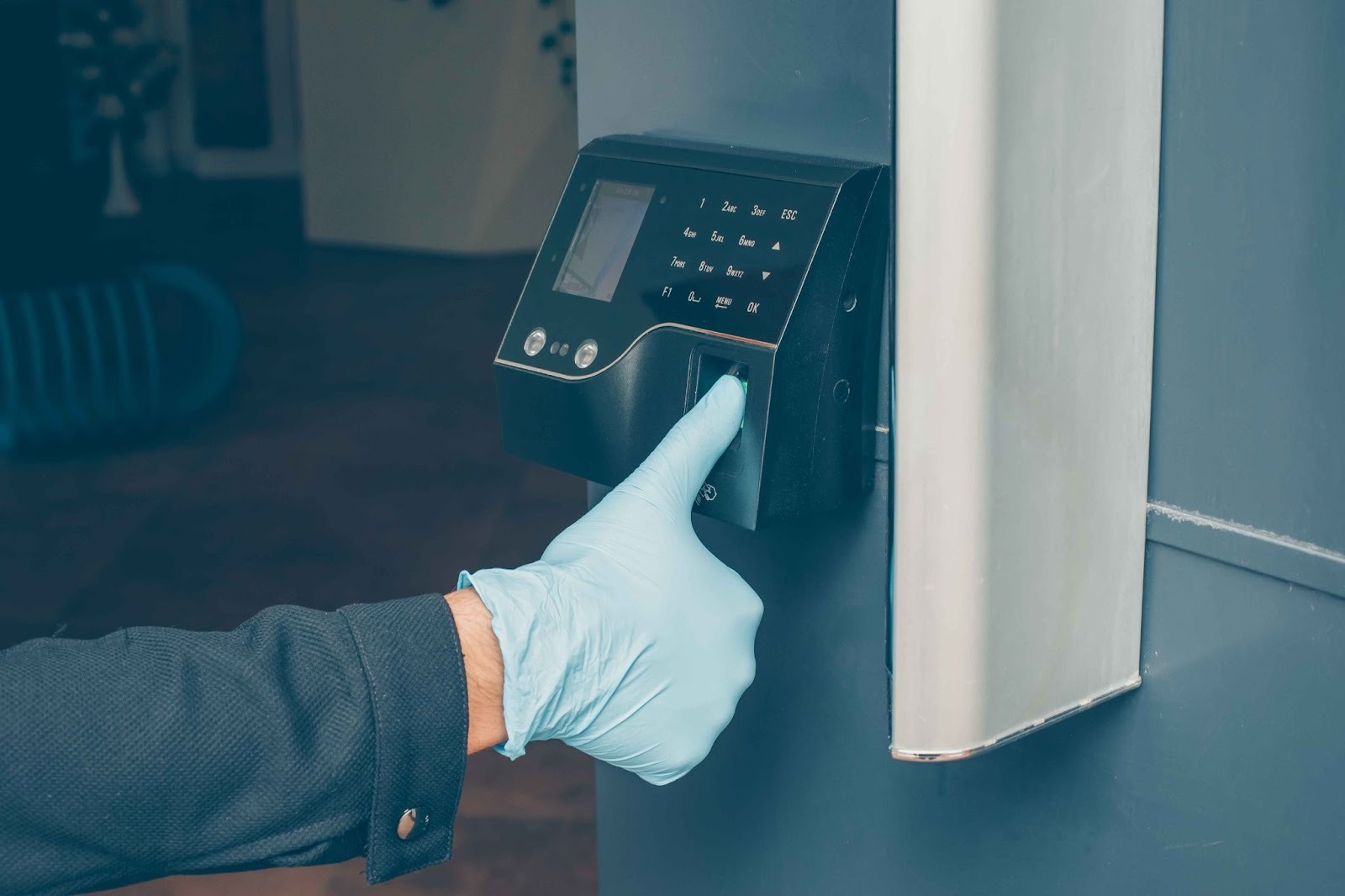
A BioClock Solution is an attendance management system that uses biometric data to confirm who an employee is before recording their time. The word biometric simply means information that is unique to the human body. Common examples include fingerprints, facial recognition, iris scans, and even voice patterns.
In a regular attendance system, employees might enter a PIN, swipe a card, or write their name on a sheet. All of these methods can be faked. One employee can share a PIN with another, hand over their ID card, or sign someone else's name. A BioClock Solution removes this problem completely. Biometric data belongs only to one person. Nobody can share their face or their fingerprint with a coworker.
Modern biometric attendance management systems combine identity verification with powerful time tracking software. When an employee scans their finger or looks into a camera, the system confirms their identity in less than a second, records the exact time, and saves everything in a secure digital log. There is no paperwork involved. There are no errors. There is no fraud.
### Why Biometric Attendance Management Matters for Your Business
For a long time, businesses managed attendance by simply trusting employees to record their own hours. While most employees are honest, the systems themselves created opportunities for mistakes and dishonesty that cost businesses a lot of money year after year.
#### The Buddy Punching Problem
Buddy punching is when one employee clocks in for another employee who has not arrived yet or who is completely absent. This form of time theft is very common. Research shows that buddy punching costs businesses billions of dollars globally every single year.
A BioClock Solution eliminates buddy punching completely. Because the system requires the actual employee's biometric data to record a clock-in, there is simply no way for someone else to clock in on their behalf. Every attendance record is permanently tied to one specific individual.
#### The Cost of Manual Errors
Even when every employee is completely honest, manual attendance tracking still creates errors. People forget to log hours. Handwriting gets misread. Numbers are entered incorrectly into spreadsheets. These small mistakes add up into very large payroll inaccuracies over time.
When attendance is recorded automatically through a biometric attendance management system, these errors disappear. Every clock-in and clock-out is recorded digitally with a precise timestamp. There is no manual entry involved, and therefore no manual error.
#### Staying Compliant with Labor Laws
Labor laws in most countries require businesses to keep accurate records of working hours. If a dispute arises between an employer and an employee about hours worked, the employer must be able to show clear, verifiable records.
Paper timesheets and spreadsheets can be changed, lost, or disputed. Digital attendance records stored in a biometric time tracking system are time-stamped, tamper-proof, and always available for review. This gives businesses strong legal protection and makes compliance straightforward.
#### Managing Remote and Field Teams
Managing attendance for a team that is spread across different offices, job sites, or working from home is very difficult. You cannot physically see who is at their post, and traditional attendance systems give you no way to verify where employees actually are.
A modern BioClock Solution combined with GPS tracking and geofencing solves this. Every clock-in comes with verified location data. You know not just who clocked in, but exactly where they were when they did it.
### Core Features to Look for in a BioClock Solution
Not all attendance systems offer the same features. Here are the most important things to look for when choosing a BioClock Solution for your team.
#### Multiple Identity Verification Methods
A smart biometric attendance management system should offer flexibility in how employees are verified. Not every business can afford dedicated fingerprint scanners or facial recognition hardware.
Photo capture at clock-in is one of the most practical and affordable options available. When an employee clocks in through their phone or a shared tablet, the system takes a photo automatically. Managers can check these photos against employee records to visually confirm identity. This is an effective form of biometric verification that any business can start using immediately with devices they already own.
[OpenTimeClock](https://www.opentimeclock.com/) supports this approach alongside other clock-in methods including QR code badge scanning, RFID card readers, PIN entry, and standard web-based clock-in. Businesses can choose the method that best fits their environment and budget.
#### GPS Location Tracking and Geofencing
GPS tracking records the exact location where each employee clocks in. This is especially important for field staff, delivery workers, healthcare workers visiting patients, and anyone else who works outside a fixed office.
Geofencing builds on GPS by letting you set approved clock-in zones on a map. If an employee tries to clock in from outside the designated area, the system rejects the attempt automatically. This ensures every recorded attendance entry reflects genuine, on-site work.
#### Real-Time Dashboard for Managers
One of the most valuable features in a modern biometric attendance management system is a real-time dashboard that gives managers a live view of who is currently working. At a glance, you can see who has clocked in, who is late, who is on a break, and who has finished for the day.
Automated alerts make this even more powerful. If an employee does not clock in within a set time of their scheduled start, the system sends an instant notification to the manager. Problems are caught immediately rather than discovered days later during payroll.
#### Automatic Overtime and Break Calculations
Calculating overtime and break compliance manually based on local labor laws is slow and often inaccurate. A good biometric time clock system handles all of this automatically. You set your overtime rules and break requirements once, and the system applies them consistently to every employee's records from that point forward.
#### Leave and PTO Management
Managing paid time off, sick days, and vacation requests is a constant challenge. When leave management is separate from attendance tracking, balances become inaccurate and both managers and employees end up confused.
Integrating leave management into your BioClock Solution fixes this completely. Employees submit leave requests through the system. Managers approve or deny them with one click. PTO balances update automatically. Everything feeds directly into payroll reports without any manual work.
### How to Set Up a BioClock Solution for Your Business
Setting up a biometric attendance management system does not have to be complicated or expensive. Here is a simple step-by-step process to get started.
#### Step 1: Choose the Right Platform
Start by selecting a platform that fits your team size and budget.[ OpenTimeClock](https://www.opentimeclock.com/) is one of the best choices available because it is completely free, requires no credit card to sign up, works on any device, and has been trusted by businesses around the world since 1997. It supports teams of any size and includes a full set of features even on the free plan.
#### Step 2: Add Your Employees and Departments
Create your company account and add your employees one by one or in bulk. Assign each person to their department, set their work schedule, and give them the right access level. Regular employees get basic clock-in access. Supervisors can approve timecards. Administrators have full control over settings.
#### Step 3: Enable Your Security Features
Turn on the verification features that match your workplace. Enable photo capture at clock-in for visual identity verification. Turn on GPS tracking and geofencing if you have remote or field staff. Set up WiFi restrictions if you want to limit clock-ins to your office network only. Each feature can be switched on or off individually.
#### Step 4: Choose Your Clock-In Method
Decide how your employees will clock in. A shared tablet or desktop computer works very well for office-based teams. The mobile app is ideal for field teams. QR code scanning or RFID readers are great for higher-security environments. All of these methods can run at the same time, so different teams within the same company can use different approaches.
#### Step 5: Configure Your Overtime and Leave Rules
Set up your overtime policy based on your local labor laws. Configure your PTO accrual rates and define the types of leave your company offers. Once these rules are in place, the system applies them automatically to every employee record going forward.
### Industries That Benefit Most from BioClock Solutions
While any business with employees can benefit from biometric attendance management, certain industries find BioClock Solutions especially valuable.
#### Healthcare and Medical Facilities
Hospitals, clinics, and care homes run around the clock with rotating shifts and strict staffing requirements. Accurate attendance records are critical for patient safety, regulatory audits, and payroll accuracy. A biometric attendance system ensures every shift is properly covered and every hour is recorded correctly.
#### Construction and Field Services
Workers at construction sites or client locations cannot clock in from a central office. GPS-based biometric attendance lets them clock in from their job site using their phone, with verified location data confirming they are physically present at the right place.
#### Retail and Hospitality
Retail stores and hotels have high staff turnover, changing shift patterns, and often multiple locations. A centralized BioClock Solution lets head office managers see real-time attendance across all locations from one dashboard. Automatic overtime alerts prevent unexpected labor cost surprises during busy periods.
Conclusion
The future of attendance management is smart, automatic, and built on verified data. Businesses that still rely on paper timesheets, manual spreadsheets, or basic PIN clocks are losing money every single day through payroll errors, time fraud, and wasted administrative hours.
A smart BioClock Solution solves all of these problems at once. It verifies who your employees are, records exactly when and where they work, prevents fraud, automates payroll calculations, and keeps you compliant with labor laws. All without expensive hardware or a complicated setup process.
Whether you are a startup, a large enterprise, a hospital, a school, or a government agency, the right biometric attendance management system can completely transform the way you manage your workforce. And with a free, powerful, and easy-to-use platform like[ OpenTimeClock](https://www.opentimeclock.com/) available right now, there is no reason to wait.
### Frequently Asked Questions
#### What makes a BioClock Solution different from a regular time clock?
A regular time clock simply records when an employee says they arrived. A BioClock Solution goes further by verifying who the employee actually is using biometric data such as facial recognition, fingerprint scanning, or photo capture.
#### Do I need expensive hardware to use biometric attendance tracking?
Not at all. Modern software-based solutions offer effective biometric verification using standard devices you already own. Photo capture at clock-in using a phone or tablet camera is an accessible and affordable alternative to dedicated hardware.
#### How does GPS tracking work in a BioClock Solution?
When an employee clocks in through the mobile app or web browser, the system records the GPS coordinates of their device at that exact moment. Managers can view clock-in locations on a map.
#### Is OpenTimeClock really free to use?
Yes. OpenTimeClock offers a genuinely free plan with no credit card required and no hidden charges. The free plan includes time tracking, attendance management, photo capture, GPS tracking, PTO management, and reporting.
#### Can a BioClock Solution handle employees working across multiple locations?
BioClock Solutions are built for complex organizational structures. You can set up multiple departments and locations, allow employees to switch departments during a shift with all hours tracked accurately, and give location managers access to their own team data while senior administrators view reports across the whole organization from one dashboard.
---
# Agent Instructions
This documentation is published with GitBook. GitBook is the documentation platform designed so that both humans and AI agents can read, navigate, and reason over technical content effectively. Learn more at gitbook.com.
## Querying This Documentation
If you need additional information that is not directly available in this page, you can query the documentation dynamically by asking a question.
Perform an HTTP GET request on the current page URL with the `ask` query parameter, and the optional `goal` query parameter:
```
GET https://www.opentimeclock.com/docs/blog2/february-2026/bioclock-solutions-smart-biometric-attendance-management.md?ask=&goal=
```
`ask` is the immediate question: it should be specific, self-contained, and written in natural language.
`goal` is optional and describes the broader end goal you are ultimately trying to accomplish on behalf of the user. GitBook uses it to tailor the answer towards what is most useful for that goal.
The response will contain a direct answer to the question and relevant excerpts and sources from the documentation.
Use this mechanism when the answer is not explicitly present in the current page, you need clarification or additional context, or you want to retrieve related documentation sections.